
Streamline Your Construction Projects with ERP Software

TL;DR

Construction projects face tight deadlines, fluctuating costs, and constant pressure on resources. This guide explains what construction ERP software is and the benefits it brings – from planning and cost control to procurement, resource management, communication, and risk management. It also lists the key features to look for when choosing an ERP system for a construction company.

Make a summary of this article with AI:

Construction projects come with a unique set of challenges – tight deadlines, fluctuating costs, and the constant need to manage resources. To keep everything running smoothly, many companies turn to construction enterprise resource planning (construction ERP software) – a powerful tool designed to bring clarity and control to complex operations.

This article dives into what makes construction ERP software essential for the construction industry. We’ll explore its benefits, like improved project planning, better budgeting, and streamlined supply chain management. You’ll also learn how to choose the right system, discover best practices for implementation, and see how companies have succeeded using ERP solutions.

If you’re in need of simplifying project management and gaining a competitive edge, this guide will provide the insights you need to start leveraging ERP software for construction industry.

What is construction ERP software?

Construction ERP software is a specialized solution that integrates and streamlines operations in construction projects. It unifies key processes like scheduling, budgeting, procurement, and resource management into one system. This enables teams to access accurate, relevant information without dealing with multiple tools or spreadsheets.

In contrast to general ERP systems, construction management ERP is set up to tackle the particular challenges of the construction industry. It’s built to handle complexities such as fluid project timelines, fluctuating material costs, and synchronization across various locations. With features mapped to the needs of construction companies, the software helps businesses stay organized and efficient in any circumstances.

One of the greatest things about ERP development is that it’s modular by design. Companies can embrace only the functionality they need. No matter its labor and equipment monitoring, contract administration, or workflow streamlining. This allows both small and large companies to grow.

Lastly, construction management ERP provides valuable data for decision making. With all this, from project data to financial information in a single source, it becomes easier to monitor progress. Additionally, one can more freely identify risks and ensure that projects get delivered on time and within budget.

Benefits of using ERP software for construction

Construction projects are rarely straightforward. Budgets, timelines, resources, and risk analysis are the challenges never cease to exist. That’s where construction ERP software is essential – it brings order to even the most chaotic projects. Here are some of the finest benefits it offers:
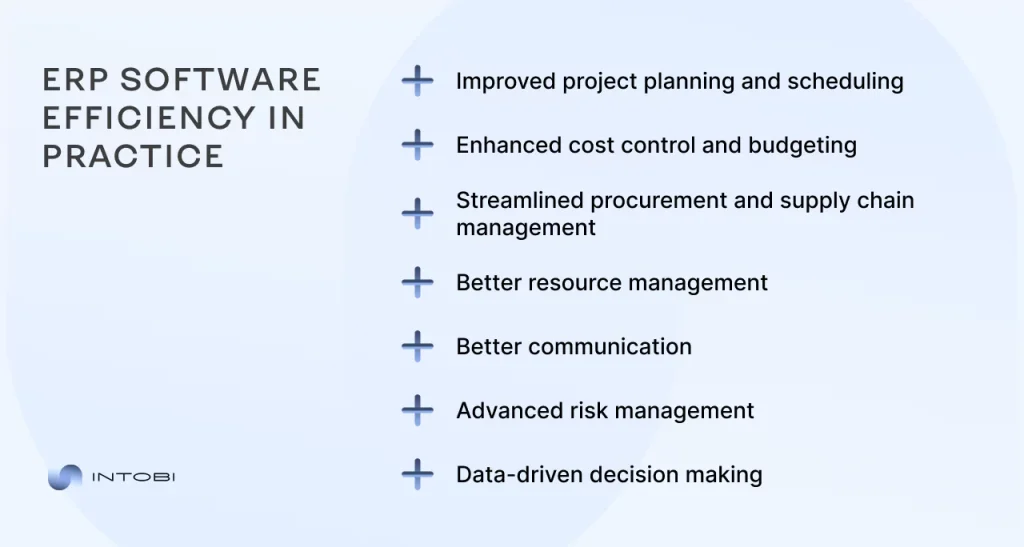
Benefits of using ERP software for construction

Improved project planning and scheduling

All construction projects rise or fall on their timeline. Delays mean costlier and unhappier customers. Construction ERP software equips you with the tools to break up projects into manageable stages. It sets realistic timelines, and makes adjustments since emergencies always occur. The software gives you an accurate view of timelines, such as resource planning or task dependency.

But it’s not just about seeing what’s happening – it’s about predicting what could happen.

Interesting

With automatic updates and progress tracking, you can foresee bottlenecks before they derail the whole project.

Enhanced cost control and budgeting

Budget overruns are one of the most overwhelming occasions in construction. ERP software provides actual cost tracking and forecasting, ensuring you’re always aware of where the money is. Whether it’s material costs, labor expenses, or subcontractor fees – no difference. ERP modules for construction company make everything tracked in one system.

More so, it helps you recognize waste and keep projects within budget. With historical data and analytics, you can make more accurate estimations on future projects. As a result, budgeting becomes a competitive advantage.

Streamlined procurement and supply chain management

It must be great never having to stress about late materials or unexpected shortages again. ERP system for construction company consolidates procurement and supply chain tasks into one seamless process. You can monitor inventory levels, automate purchase orders, and track deliveries.

This kind of transparency doesn’t just save time, it reduces costly errors, too. Whether you’re sourcing locally or dealing with multiple vendors, ERP software ensures you always know how to deal with supply chain issues.

Better resource management

ERP for construction industry and infrastructure eliminates the guessing in managing resources. When you want to know the location of your equipment or the amount of labor available for a particular project, it’s easily accessible. Thus, users can make the best use of their machinery, materials, and workforce.

For example, idle equipment can be reassigned to other projects, reducing downtime and maximizing return on investment (ROI). Labor scheduling, by contrast, is relatively easy because ERP software helps you prevent conflicts. Furthermore, it allows you to get the right crew at the right time.

Better communication

With so many moving parts and stakeholders, miscommunication is a prime culprit for construction delays. Construction project management ERP software delivers one platform for all project communications. All stakeholders, from site managers to contractors, view the same information.

Even more, inherent collaboration tools within the ERP system render changes, updates, and approvals instantly visible to interested teams. You have enhanced efficiency, eliminated lengthy email trails and resolved confusion.

Advanced risk management

Construction is unpredictable, but ERP software gives you control by exposing risks before they destroy your plans. Delays, cost overruns, or safety issues—it makes no difference: the system sees weak spots so you can act fast and avoid costly delays.

Because all of your project data is centralized, emerging issues – like late deliveries or equipment breakdown – are easy to spot and resolve. You anticipate the problems rather than being scared of the unexpectedness. You avoid surprise expenses and keep projects on schedule, protecting both your timeline and budget by minimizing risks with construction software ERP.

Data-driven decision making

ERP software enables construction businesses to make these kinds of decisions founded on facts. With analytics dashboards and reports, you can monitor important metrics like productivity, cost performance, and risk levels.

With the data right on the table, you can take it and make smarter decisions moving forward. No matter it’s about optimizing project timelines or tweaking resource allocation, the visibility that an ERP system offers gives you a privilege.

Want to streamline your operations?

Contact us

Key features to look for in construction ERP software

Only when selected correctly does construction ERP software establish the framework for efficient workflows, seamless communication, and impenetrable project management. To maximize returns on your investment, here’s a thorough review of the key features you expect to find in your ERP system.

1. Project planning and scheduling expertise

Construction projects live and die by their schedules. A powerful ERP system enables you to create schedules, giving complete control over them. Gantt charts, task dependencies, and critical path analysis – are all accessible to you in the right solution. It automatically reschedules delays, so you don’t lose valuable time trying to come up with resolutions. If you want to manage multiple projects at once, it’s no problem. It synchronizes them all, so deadlines don’t clash and resources are used to the best effect.

2. Budget accuracy and cost monitoring

The best construction ERP system follows every dollar detail – labor hours, material costs, equipment rental, and subcontractor fees. There are alerts when spending approaches your limits. Or, when a budget revision is needed to cover rising material prices. That type of transparency lets you prevent cost traps from getting out of hand before they get so. Thus, you can be absolutely confident in controlling your costs.

3. Automated procurement and supply chains

Delays and supply chain problems can kill a project. A good ERP avoids this by tracking your purchase orders. The software ensures timely delivery of materials in adequate quantity at a competitive rate. When you need to view stock levels from the field, your ERP warns low supplies before stocks run out. You can restock without stressful occasions and also, improve logistics.

4. Resource optimization tools

Every minute of lost labor or idle equipment is money down the drain. A strong ERP system gives you a sight of how your resources – human, material, and mechanical – are being used. It lets you track where and how equipment is employed. Or, see where stock materials can be most effectively used. Overutilized or underutilized resources shouldn’t be a permanent issue. Your ERP sees the problem and suggests how to fix it.

5. Communication and collaboration

Misunderstandings within a large construction company can cause costly mistakes. An ERP construction connects all stakeholders – field staff, project managers, subcontractors, and suppliers. It provides data on project progress, design changes, and equipment allocation. Field staff can post photographs of the site instantly or indicate problems, while office staff can react instantly. This results in fewer misunderstandings and faster answers.

6. Integrated risk management

Building is all about risk – bad weather delays, threats to laborers’ safety, and unexpected costs, to name just a few. A good ERP acts as an internal risk advisor, feeling out issues before they hit. Consider scheduling high-risk work on your project calendar or identifying delinquent subbies. Your ERP minimizes exposure and downtime by enabling you to take proactive measures through alerts and reports.

7. Advanced reporting and analysis

Data in its raw form is worthless. Best ERP systems provide you with stunningly presented dashboards and detailed reports that convert piles of data into actionable intelligence. You can easily track project profitability, assess subcontractor performance, or compare actual to planned progress. Your ERP provides all that. It even uses predictive analytics to forecast results, so you can make decisions based on facts.

The right ERP software transforms your construction projects from chaotic to coordinated. By choosing a system that delivers on these capabilities, you manage your operations better and elevate your business to new heights. So, make sure your choice is the best option for you.

ERP implementation best practices

Implementing  ERP software for construction industry requires a cultural change as much as a technical update for your company. When executed properly, it can enhance all facets of your business operations. While if done incorrectly, it could result in resource waste and frustration. Let’s dissect the successful implementation into manageable steps so that everything functions properly right away.
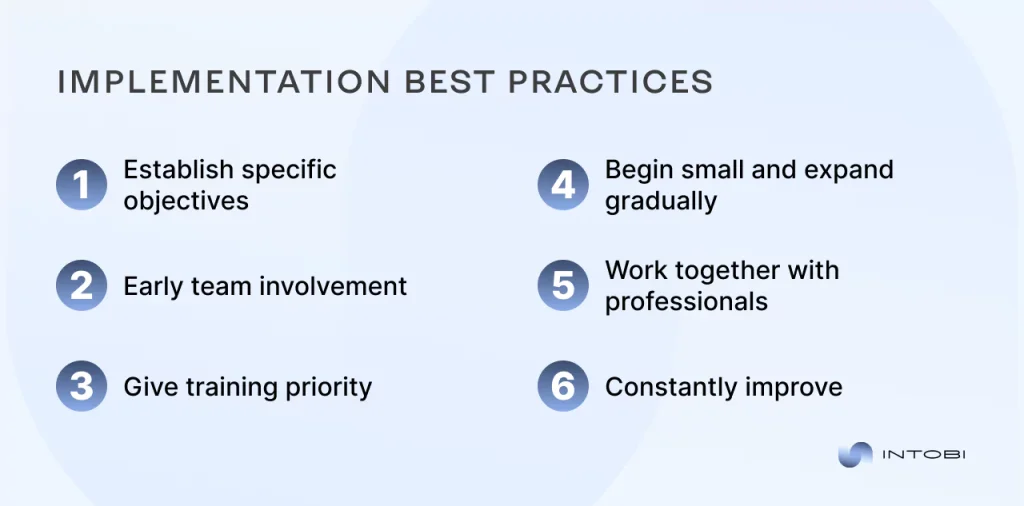
Implementation best practices

Establish specific objectives

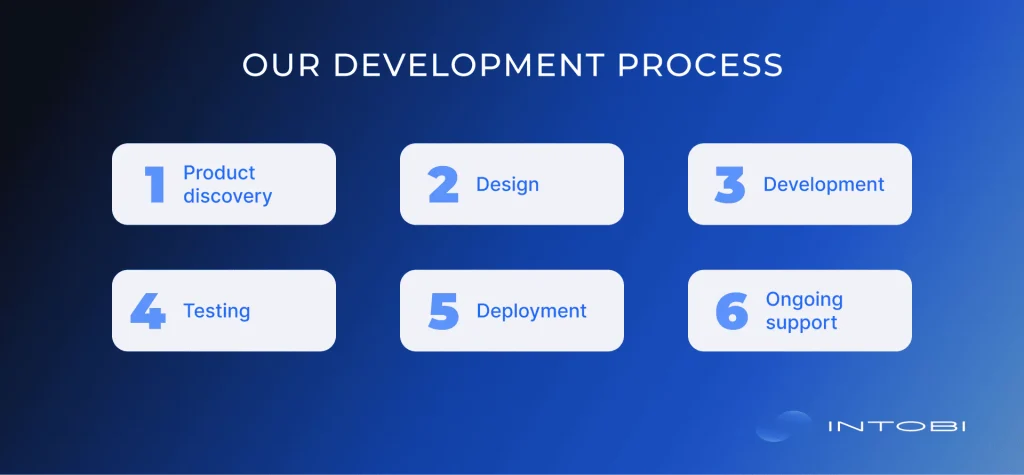
The project discovery phase is essential in every development. Determine the precise problems with your construction projects first. It may be scheduling delays, unmanaged expenses, haphazard resource management, etc. Put these objectives in writing, communicate them to your team, and use them as a guide while you carry out the implementation. 

Accurate objectives such as  “reduce procurement time by 30%” help you stay on track and provide you with measurable indicators of success. Even the most sophisticated ERP won’t work without particular objectives.

Early team involvement

An ERP system, including procurement officials and project managers, impacts everyone. This is why it’s so important to involve your team early on. Organize brainstorming meetings to discuss the problems they encounter regularly and how ERP may help. Give team leaders the authority to serve as ERP advocates who can spread excitement and provide updates.

In addition to enhancing system adoption, early engagement guarantees that your ERP accurately represents the needs of its users. Get people interested because they will support what they helped develop.

Give training priority

If your workforce isn’t trained to use the program, even the best tools can feel like a barrier. Training is a continuous process rather than a one-time checking. Start with introductory workshops that allow staff members to interact directly with the system. 

After that, provide project managers, financial teams, or on-site employees with specific training. For prompt support, keep resources like help centers, FAQs, and video tutorials accessible. Your staff will transform the ERP into a daily tool rather than a daunting task if they are prepared and self-confident.

Begin small and expand gradually

Implementing an ERP rollout throughout the entire organization too quickly could overwhelm your employees and cause instability. Instead, proceed gradually. Start with a test project in a single division or area. Get input from the pilot team, test the system, and fix any issues. 

Before growing, make necessary adjustments to your procedures based on the rollout’s lessons. This staged strategy lets your workforce gradually become comfortable. Also, it ensures your ERP scales steadily. In the long term, patience at the beginning pays off.

Work together with professionals

Use your experience when implementing ERP. Join forces with seasoned ERP suppliers or consultants focusing on the building sector. They will guide you through every step, including data migration, system setup, and customization. A knowledgeable partner ensures the ERP works well with business processes, preventing costly mistakes or outages. They can also provide industry best practices you might not have considered.

Constantly improve

ERP deployment is the beginning. Once the system is operational, adjust its performance. See whether you’re meeting your initial objectives, how do the people of your team feel about the system. Utilize these comments to improve procedures and, if necessary, provide new features. 

Pay attention to developments in the construction sector’s technology as well. Updates or new integrations could advance your ERP system even further. 

If you approach it properly, implementing an ERP system can help your construction company reach new heights. You can create a system that enables every aspect of your company. Establish clear objectives, enlist the help of your staff, and work with professionals. Better decisions, more efficient projects, and a motivated team are the outcomes. These best practices are where it all begins.

Need help with ERP construction development?

Contact us

Intobi is your best partner for any development

Our specialty at Intobi is developing innovative software solutions that are customized to meet your particular business requirements. With a committed team of professionals. Thus, Intobi creates solutions that enable your business to attain efficiency and expansion rather than just creating tools. We provide software that produces quantifiable outcomes and blends in smoothly with your processes.

Although we have experience in many different industries, we really excel at construction ERP software development. Consider Valandinis, one of our iconic projects that exemplifies our capacity to take on challenging tasks and provide unparalleled value.
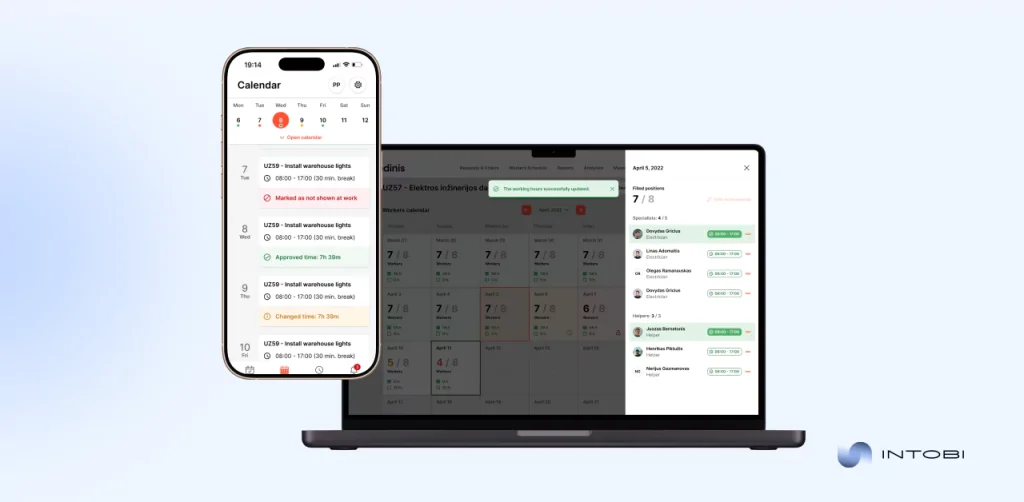
Valandinis case

Valandinis came to Intobi to develop a software as a service (SaaS) platform that would transform how construction companies handle project planning, team collaboration, and processes. They required a platform similar to Uber that could solve the inefficiencies brought on by the antiquated manual systems.

Challenges tackled

  • Manual workflow: Project management errors and delays were common due to Valandinis’ manual systems.
  • Fragmented communication: Missed deadlines and unmonitored progress resulted from poor communication between construction management and employees.
  • Limited mobility: On-site task management was hampered by managers and employees being confined to desktop computers due to a lack of mobile-friendly alternatives.
  • Complex operations: Overseeing large-scale project budgets, scheduling, and facility planning was extremely difficult.

Value provided by Intobi

  • Complete automation: Task assignments, scheduling, and work-hour tracking now save time and minimize human mistakes.
  • Integrated management: By combining tools for project execution, facility planning, and budgeting, we streamlined operations.
  • Real-time communication: The platform decreased delays and enhanced teamwork, facilitating smooth task allocations and updates.
  • Mobile accessibility: Teams can manage projects on the go, thanks to customized iOS and Android mobile apps.
  • Data transparency: Detailed insights into progress were made possible by sophisticated reporting technologies, which enhanced accountability and problem-solving.
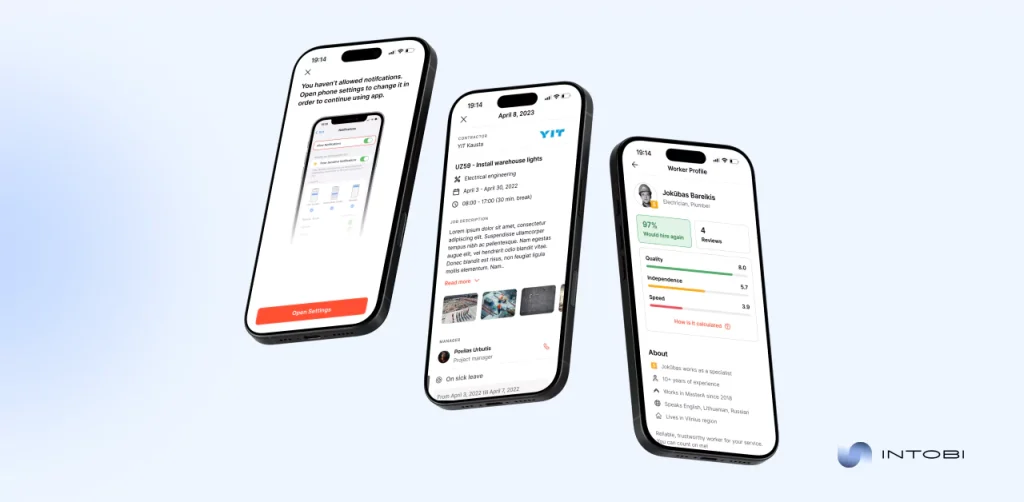
Valandinis case

Intobi contributed to Valandinis’ better construction management by providing a comprehensive solution customized to meet their inner problems. This helped them maintain their competitiveness in a rapidly evolving market. 

Intobi is the ideal partner whether you’re searching for custom software or the creation of construction ERP software modules specifically. We work with a proven tech stack that includes C# development, NestJS, PHP, Python, and other technologies that enable us to deliver robust digital products.

Conclusion

With the construction ERP modules, you can confidently tackle any obstacle – managing budgets, resolving delays, or enhancing teamwork. Your business may reach its maximum potential by carefully choosing a solution that meets your needs and using best practices.

If you’re prepared to advance your building projects, think about collaborating with a reputable development team like Intobi to design a construction management ERP software that resolves your unique problems. Better project outcomes and long-term success are possible for your company with the correct resources and assistance.

Allow us to realize your vision. Contact us today to get the best ERP software for construction industry tailored to your needs!

FAQ

What is construction ERP software?

It’s a centralized platform that keeps tabs on progress, links your team, and guarantees you don’t exceed budget or schedule. Every facet of your projects, from budgeting and planning to communication and procurement, is streamlined by construction ERP software.

What is the best ERP software for construction?

The best ERP software for construction company meets your needs. For instance, Oracle Primavera can work for intricate projects, Sage for accounting, or Procore for teamwork. Select a system such as by Intobi that can grow with you and integrate easily without becoming too complex for your staff.

Is ERP cost effective?

Of course. Despite the initial cost, ERP construction software offers long-term savings. Delays are reduced, resource waste is reduced, and expensive errors are avoided. Additionally, using data leads to more profitable judgments. For most businesses, ROI quickly outweighs the cost.

What is ERP in construction?

ERP construction consolidates all of your operations onto a single platform, including scheduling, budgeting, and resource management. It ensures that everyone uses the same data by replacing dispersed tools with an integrated system.

MVP vs. PoC: What’s the Difference?

TL;DR

A proof of concept (PoC) and a minimum viable product (MVP) are often confused, but they serve different purposes. This guide explains what each one is, the key differences between them, and when to use a PoC or an MVP. It also covers common misconceptions and pitfalls, plus best practices for running both successfully at the right stages of product development.

Make a summary of this article with AI:

Every product starts as an idea, but not every idea makes it to market. The difference between success and failure often comes down to how that idea was tested and validated. The proof of concept (PoC) and the minimum viable product (MVP) – are two mighty tools that, though often confused, serve entirely different purposes. One is a technical litmus test, the other is a market experiment. Knowing which to use and when can make or break your project.

In this article, we’ll tell you about the PoC vs MVP, clarifying their definitions, goals, and outputs. We’ll compare the two across key dimensions – goals, audiences, outputs, and timelines – and provide clear guidance on when to use each. Plus, you’ll get acquainted with the common misconceptions and ineffective use of both tools as long as with the best practices. 

If you’ve ever wondered whether to start with a PoC or jump straight to an MVP, read all the way through! Let’s start.

What is a proof of concept (PoC)?

The PoC is basically the first reality check, answering the question: Can this even be built? A technical evaluation usually results in prototypes or research findings that prove an idea feasible. At its core, a PoC is all about testing the market to ensure the technology or concept can work before going ahead and requiring more resources.

The primary goal of a PoC is to validate the technical feasibility of an idea. It’s not about creating a polished product or impressing users but answering one critical question: Is this possible? Can the technology handle the requirements? Will the concept hold up under scrutiny? This stage concerns risk mitigation, ensuring your ambitions meet reality.

The typical deliverables from a proof of concept study would be an operational prototype. It will have evidence of the particular feature, technical documentation elaborating on the same, and well-documented findings leading to an indication of a possibility of moving ahead.

What is a minimum viable product (MVP)?

An MVP is your first step into the real world. It’s a relatively safe version of your product intended to answer: Will anyone use this? Unlike a proof of concept, which looks at technical feasibility, an MVP test meaning lies in market validation. It’s a chance to test whether your idea solves a real problem and whether people are willing to pay for it.

What is a minimum viable product (MVP)?

The main purpose of an MVP prototype is to validate your product idea with real users and gather actionable feedback. It’s rather about learning than perfection. By focusing on core features – just enough to attract early adopters – you can quickly earn interest, identify pain points, and refine your vision based on demand.

The usual outputs of an MVP are a functional product with minimal features that is or isn’t ready to be launched to the target audience. It’s the simplest form of a landing page that gauges excitement in a new service through emails or a simplified version of an app that offers just the core functionality.

Need a PoC or MVP for your product?

Contact Us

Key differences: PoC vs MVP 

Although similar in many aspects, PoC and MVP also have their distinctions. We’ll explain the nuance in depth through a detailed comparison table.

AspectProof of concept (PoC)Minimum viable product (MVP)
GoalThe PoC has been designed to validate the technical side and define whether it will perform as expected.An MVP shows whether it solves a real problem, meaning whether there is any demand for such a product in the market.
AudienceThe primary audience for a PoC is internal: engineers, technical teams, and stakeholders. It’s also used to attract funding from investors.The audience for an MVP is external: early adopters, real users, and potential customers. They test the product and determine if it’s worth pursuing.
OutputA PoC is a prototype of a particular feature, detailed research findings, or documentation. It’s usually not polished.An MVP is a functional product with core features ready for a limited release. It’s designed to be used by real people, even though it’s not fully fleshed out. 
FocusThe PoC is solely focused on the technology and implementation, answering technical questions and mitigating risks before development.The focus of an MVP is on the user and the market. It’s about learning how real people interact with the product, what they value, and what needs improvement. 
TimelineA PoC will be shorter in tenure as specific technical questions bind it. It’s a quick test to see if the idea works.MVPs take longer because this is about building an actual functional product, releasing it to users, and iterating from there.

You don’t have to choose between a PoC MVP because one is better. It’s totally about knowing which tool will serve your current needs. Be it testing some disruptive algorithm or launching a new app, the right tool at the right time makes all the difference. You can minimize risk, maximize learning, and set your project up for success by leveraging both at the right stages.

When to use a PoC vs. MVP

Which to choose between MVP PoC depends on where one is in the product development journey and what one is trying to answer. You’ll want a PoC when you’re not sure if an idea is even technically viable. You’ll want an MVP when you’re ready to test the actual market demand for your product and get feedback from real users. Let’s break down when to use each.

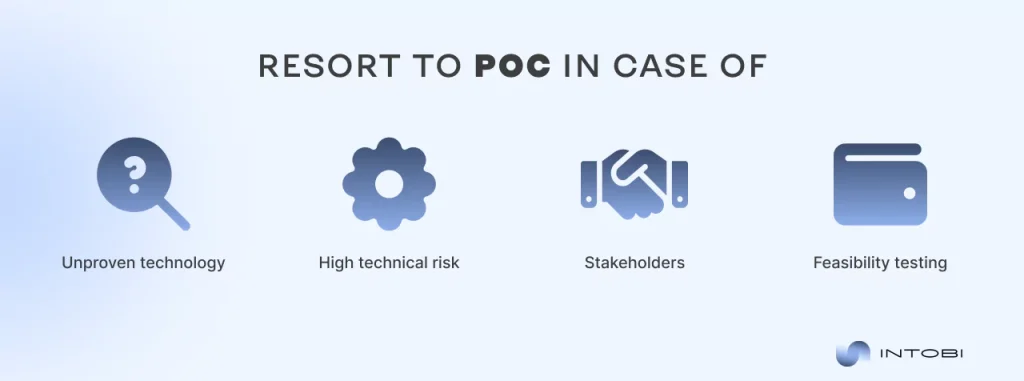
When to use PoC

The PoC stresses the validation of technical feasibility, especially when one is working on an idea or entering virgin territory. The use of a PoC will apply in these situations:

When to Use PoC

Unproven technology:

In the case of new or experimental technology, a PoC can help. Although we’ve long since moved on to a new level of relationship with technology, it always has to be verified to function correctly. For instance, if you’re integrating AI into a solution for healthcare, you’ll likely want to validate that the algorithm can process medical data reliably before going further. You risk investing a lot into an idea that’s just not feasible.

High technical risk:

Projects that involve complex systems or integrations with existing infrastructures are usually very risky from a technical standpoint. A PoC can spell out potential bottlenecks and pin weaknesses, helping you grasp whether the technical framework that you are contemplating is strong or not. Suppose your idea involves developing a blockchain payment system. In such cases, you’ll want to test scalability and transaction speeds before investing in development.

Stakeholders:

The way to convince investors, internal teams, or key stakeholders is to show that your idea isn’t just a fantasy. A PoC allows you to demonstrate evidence that the core technology works beyond words. For example, if you pitch a new drone delivery system, having a functional PoC prototype along with presenting it professionally could get you funding and internal approval. Nevertheless, here, you’ll also need the skill of conveying your product’s value apart from the solution itself.

Feasibility testing:

A PoC gives you an opportunity to break down your idea into pieces and test each for its functioning. Be it some feature or integration opportunity to focus on that, bringing this into being and resolving issues early is much easier this way. For example, checking whether your software can integrate easily with existing APIs is much simpler and cheaper than finding any problems later in the cycle. Moreover, it will save your brand its precious reputation. 

When to use an MVP

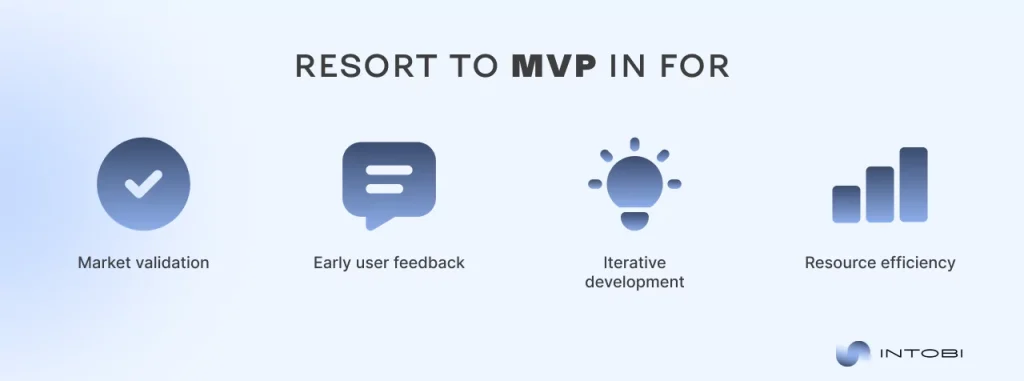
An MVP is the first functional version of your product designed to gather feedback and inform future iterations. Use an MVP when:

When to use MVP

Market validation

The MVP is the ideal tool for measuring market interest. By focusing on core features, you can determine if your product solves a real pain point for users and, more importantly, whether they are willing to pay for it. For example, an app might launch with essential booking and features to test initial demand before building more advanced functionalities.

Early user feedback

Releasing an MVP allows you to collect feedback directly from users. This feedback is invaluable for identifying what works, what doesn’t, and where to prioritize improvements. For instance, if you’re building a SaaS tool, users might highlight missing features or usability issues that weren’t apparent during development, guiding your next steps.

Iterative development

An MVP supports agile development by allowing you to release a basic product quickly. Instead of waiting until every feature is perfect, you can continuously refine and expand your product based on use cases and evolving user needs. This iterative approach accelerates time to market and ensures efficient resource allocation.

Resource efficiency

Building an MVP helps you avoid unnecessary costs by focusing only on the must have features. This lean approach minimizes waste, especially if the initial version doesn’t resonate with users. For example, instead of creating a ecommerce platform, a startup might start with a basic website that offers just a handful of products, validating demand before scaling up.

Knowing when to use either a PoC or an MVP will save you from losing time, money, and even from frustration.

Interesting

A PoC would lessen the technical challenges, while an MVP would be used to validate the market demand.

Struggle with developing MVP or PoC?

Contact Us

Common misconceptions and pitfalls

While MVP proof of concept are powerful tools, they are very often misunderstood or misused. A missed step or misapplication of these approaches may lead to wasted resources, missed opportunities, and even the failure of projects. Let’s explore some common misconceptions and pitfalls to avoid when working with PoCs and MVPs.

  • Misconception about MVP: Some believe MVP is just a “cheap” version of the final product. However, it’s a strategic tool for learning, not a release. Overloading it with features dilutes its purpose and inflates the cost unnecessarily.
  • Skipping PoC: This leads to costly surprises later on when the technology does not deliver. A PoC is your safety, ensuring the idea is technically satisfying before you invest heavily in development. Skipping it can result in wasted time and resources.
  • Overbuilding the MVP: Too much functionality apart from an excessively fast addition beats the very reason for its minimal existence for focused learning. Adding too many features to MVP postpones the time to market and makes course correction harder than it should be.
  • Skipping market validation: This is a very dangerous approach where you assume that you know what the users want. You can develop something nobody needs or wants, no matter how well it will be built, without feedback.

When you understand how to use each of these documents or products for its intended purpose, you unlock the actual value of PoCs and MVPs and create products that truly delight users. Next, we dive into the best ways to leverage PoC MVP effectively.

Effective best practices: How to implement PoC MVP successfully

Without having a strategic approach in mind, other than just understanding their definitions, the PoC and MVP cannot be implemented successfully. Let’s explore how to put both PoCs and MVPs into practice, step by step.

Best practices for PoC:

The practices listed below allow you to reap the most value out of these tools, minimize risks, and set your project up for long-term success.

1. Define clear objectives

Define what you want to achieve well before starting a PoC. Are you testing a specific technology, testing the concept, or proving feasibility to certain stakeholders? A defined goal makes sure that PoC remains focused and delivers insight with actionability.

2. Limit scope

PoC should be narrow in scope, targeting no more than the most critical technical challenges. Solve one problem at a time – do not try to solve all of them. You can tell quickly whether the idea will fly without overinvesting in the effort.

3. Involve the right stakeholders

The engagement of technical experts, engineers, and overall decisions from the very beginning provides the desirable input. It ensures the PoC addresses the right questions and provides credible results that the stakeholders can trust.

4. Document everything

Document all findings, challenges, and results in detail. This documentation serves as a useful reference for later stages of development.

5. Set a time limit

PoCs should be given a deadline to avoid scope creep. Set a clear deadline to ensure the project stays on track and delivers results in the shortest amount of time.

Efficient practices for MVP:

Following the advice below, you will be better positioned to implement MVP to effectively transform your ideas into solutions.

1. Start with user needs

Identify the core problem your product solves and focus on delivering value to users. An MVP should address a real pain point, not just showcase features. Conduct user research to ensure you’re building something people want.

2. Prioritize core features

Avoid the temptation to add all the features imaginable. Focus on the minimal set of functionalities required to solve the user’s problem. This will keep development lean and allow you to gather feedback sooner.

3. Iterate based on feedback

Approach your MVP as a means to an end rather than an end in itself. Refine and build the product further with the help of feedback coming from early adopters. Iteration is how you’ll go about coming up with a solution that speaks to users.

4. Measure success

Establish key metrics that define the performance of your MVP: active usage, user retention. Make data drive every decision and confirm whether the product fits the market needs.

5. Scalability plan

While an MVP is minimal, it must be built with the thought of further growth. Make sure the architecture and design will keep up should the product need more features or users.

Productive MVP? Intobi has one for you

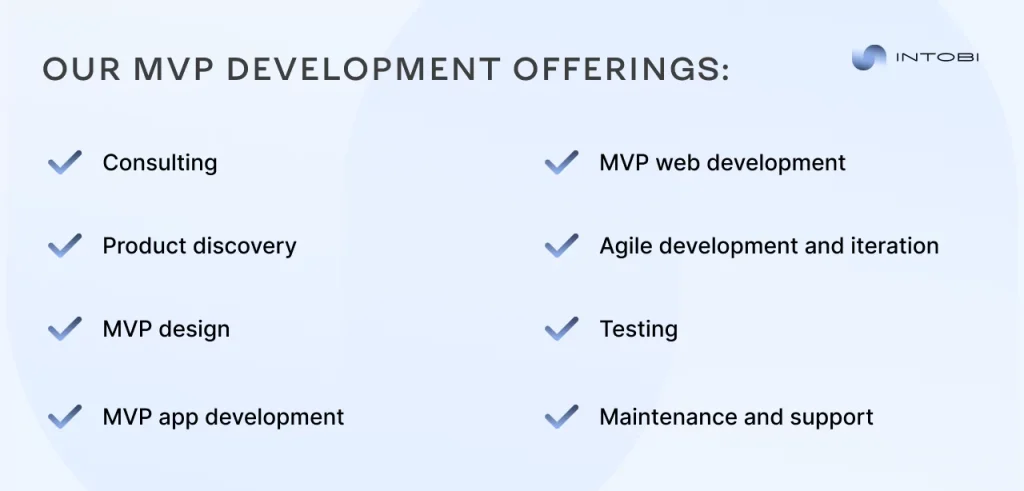
At Intobi, we turn your innovative ideas into reality by shaping them into ready solutions that are sure to meet all your expectations. Be it a startup with a disruptive idea or an enterprise looking to enhance an existing product, our MVP development services are designed to support you from concept to success. 

Because we adopt a holistic approach, every MVP we develop is tailored to suit your business needs. From consulting to ongoing support, we offer comprehensive services that allow you to stay ahead with confidence through the complexities of product development.

We drive you to minimize risks, accelerate launching, and build products that resonate with the audience by focusing on core features, rapid iteration, and honest user feedback.

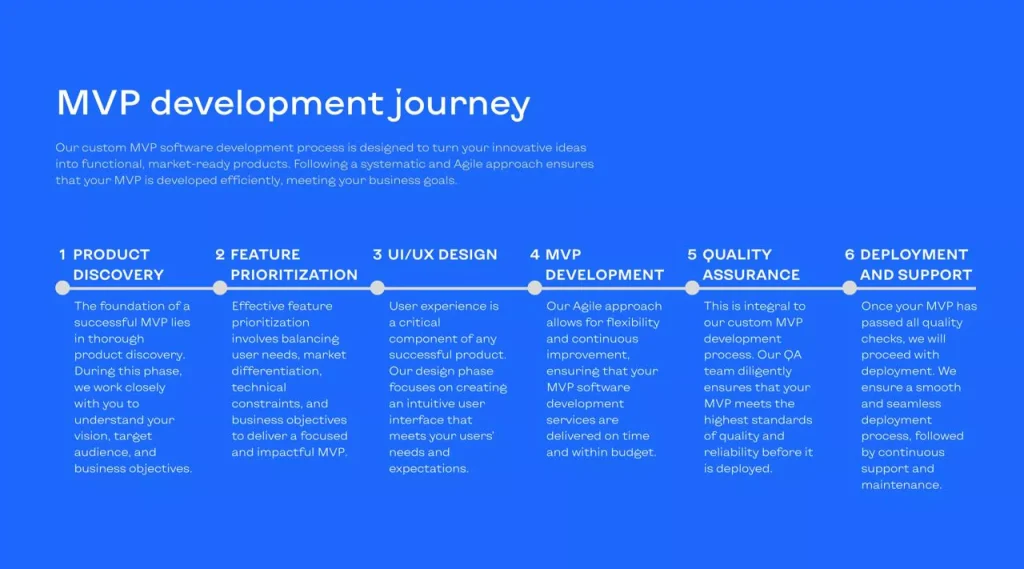
Our MVP development journey

With Intobi, you get a team of professionals focused on innovation and excellence. Tailored solutions, proven experience, and cost-effective strategies are some of the ways your MVP is built to the highest standards.

Whether it’s about CRM development, AI assistant creation, any kind of custom software, or web development in general – we have the right expertise. Clear communication, creative innovation, and system compatibility are our main priorities for a smooth development process.

Check out our portfolio to see how we’ve helped businesses like yours turn ideas into prosperous products. From startups to enterprises, our proven track record speaks for itself. Let’s create an outstanding product together!

Conclusion

The PoC is your technical safety, which helps you make sure your idea makes sense before you invest in it. An MVP guides you toward a product that resonates with real users. Taken together, they become a robust framing for innovation and maximizing your chances of success.

So, go ahead and remember that great ideas need validation, enhancement, and proper execution. While it’s easy to conclude that the product is magnificent and nothing can go wrong, such an approach can result in a waste of investment and a lot of headaches in the future.

Conversely, by testing the solution in actual conditions, you can be sure that you not only save your investment but multiply it. Having PoC and MVP in your idea toolbox, the bold vision now finally becomes tangible and ready for market. 

What’s next? It’s time to employ these strategies and bring those ideas to life in realistic form! Contact us for any help or complete guidance.

FAQ

What is PoC and MVP?

A PoC tests if the idea is technically feasible. It answers the question: Can we build this? An MVP meaning in technology is whether the idea solves a real problem for users. It’s the question, Will anyone use this? The PoC is all about technical validation, while MVP is all about market validation.

Is PoC the same as MVP?

No, they are not. PoC features focus on the technical feasibility for internal teams or investors, while MVP targets real users to validate market demand. PoC asks if it can work, while MVP asks if it matters. Both of them serve different yet complementary roles in product development.

What comes after PoC and MVP?

In the case of a viable idea, you move on to prototyping or MVP development. After MVP, you do iterations based on user feedback, adding features and refining the product. PoC ensures the idea is possible. MVP ensures it’s desirable. Both pave the way for a full-scale product launch.

What is PoC used for?

PoC is used to validate technical feasibility, reduce risks, and secure stakeholder buy-in. It’s a critical step to ensure your idea can be built with available technology. Testing specific features or concepts, PoC helps avoid mistakes that could be costly later in development.

What is after PoC?

After PoC, you either go ahead with the development of an MVP in case the idea is viable or revise the concept if it is not. PoC is the foundation; MVP is the next step.

What's next after MVP?

Further to MVP, the attention becomes on user feedback, feature refinement, and scaling: the evolution of the product to become polished and ready for market. It’s about iteration, using insights from early adopters to improve and expand. The MVP marks only the beginning.

Shopify vs. Custom Websites: Which Platform to Choose?

TL;DR

Choosing between Shopify and a custom website shapes how you attract customers, run operations, and scale. This comparison looks at ease of setup, maintenance, design, cost, customization, integrations, SEO and marketing tools, and ownership and control. In short, Shopify wins on convenience and speed, while a custom website gives you full control and flexibility.

Make a summary of this article with AI:

One of the most critical decisions to make in building your online presence is choosing the right platform, as it directly influences your ability to attract customers, streamline operations, and scale efficiently. In Shopify vs own website, Shopify offers a powerful, ready-to-use e-commerce solution trusted by millions, while custom websites provide flexibility tailored to your unique needs. But which one truly aligns with your goals?

In this article, we go deep into the Shopify vs other platforms debate. We’ll compare core functionality, ease of setup, maintenance requirements, design possibilities, and costs. Along the way, we’ll highlight the strengths and limitations of each to make you confident in your choice.

Still confused about is shop the same as Shopify and undecided about which platform will give you that perfect blend of functionality and freedom? You’re about to find out.

Shopify vs website: key functionality differences and similarities 

Deciding between Shopify vs ecommerce website? Speaking more of online shop building, both Shopify vs own website come up pretty commonly, mainly due to the factors of functionality and flexibility. The sections below draw a required difference between the core distinctions in functionality that custom web stores hold and those of Shopify. By reading them all the way through, you’ll learn how Shopify, as against any traditional shops, grades on usability and focus.

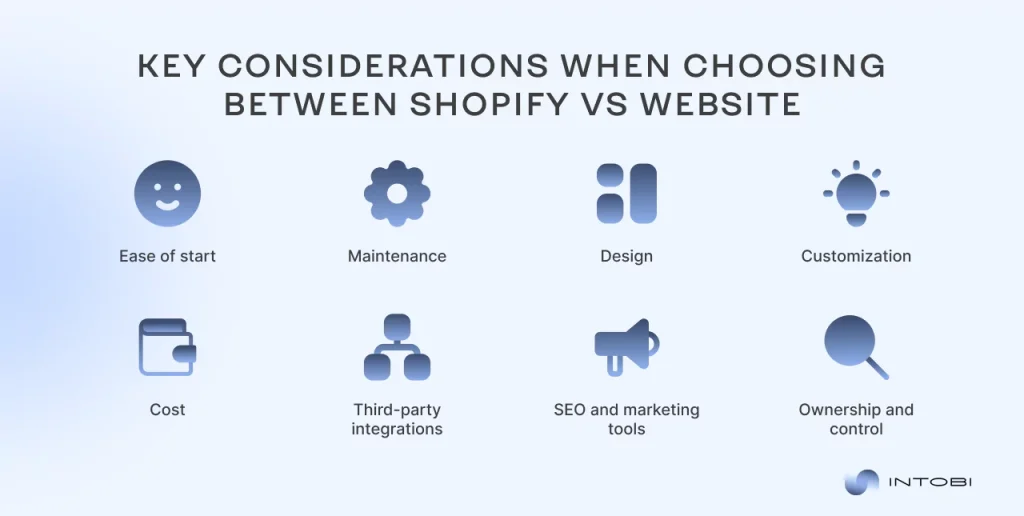
Shopify vs website: key functionality differences and similarities

Comparing the ease of start 

Going online with your business should be empowering, not overwhelming. Let’s look at Shopify vs custom website ease of setup to understand how they compare when it comes to ease of setup.

Shopify 

The portal makes this onboarding process quite easy with its intuitive interface and pre-designed templates. Even if you’re new to web development, Shopify lets you set up an online store in hours, not weeks. With built-in tools, merchants can focus on launching products rather than worrying about the technical aspects of building a website. That’s where the e-commerce vs Shopify battle leans heavily in Shopify’s favor: it’s designed to minimize barriers to entry.

Custom websites

Of course, custom websites require more knowledge, either by coding yourself or hiring a developer. You would have to select your technology stack and design and manually develop and integrate features into the site. It’s more flexible, but this option also takes more of your time, effort, and financial input than the website type similar to Shopify.

Summary

If you want a quick and seamless setup, Shopify is the outright winner. However, if you have the resources and a specific vision in mind, a custom website will give you more personalization. Choose Shopify vs custom website based on what you prioritize: ease or speed.

Shopify vs website maintenance

Long-term success is very dependent on maintaining your website properly. Let’s discuss how Shopify like websites would maintain ongoing upkeep.

Shopify

With Shopify, maintaining a website is pretty easy as Shopify makes all necessary edits to the website. From updating the server to deploying all types of security patches, Shopify keeps the store up-to-date without any interference. 

This hands-free state of affairs is highly desirable for entrepreneurs keen on developing a brand rather than getting bogged down by its technical aspects. In relation to the present discussion on Shopify-like websites, it’s a solid plus point Shopify websites have over other self-managed stores.

Custom websites

With a custom website, everything falls on you or your development team: hosting, the implementation of new software updates, security, bugs – the whole nine yards. This would give you total control, but it requires time and resources aside from technical ability. Many businesses engage developers or purchase third-party tools to lighten the load, but ultimately, this responsibility lies with the owner.

Custom websites

Summary

Shopify is the clear winner for those who want it handled seamlessly, while a custom website gives you more flexibility but requires you to get your hands dirty to keep everything running smoothly.

Interesting

In the Shopify vs own website debate, it all comes down to whether you value convenience or control.

Shopify vs your own website design

Design is a very important aspect when it comes to creating an online presence that speaks for your brand. Let’s break down ecommerce vs Shopify in terms of design flexibility and possibilities.

Shopify

It provides several professionally developed themes for many different industries. They are well-optimized for e-commerce and offer great, smooth user experiences. With the drag-and-drop editor, you can make minor edits: edit fonts, colors, and even some layout changes. If you need bigger changes, that requires coding or a Shopify developer and thus limits creative freedom.

Custom websites

With custom websites, you get to design every little detail of your site from scratch. From unique layouts to interactive features to even unconventional visuals – there are almost no limits. That flexibility allows you to make a site that fully represents your brand identity, but it’s also extremely time and resource-intensive. This is often favored by businesses with highly specialized design needs or very complex branding.

Summary

Shopify is strong for those designs that need to be quick, professional, and probably for e-commerce-focused businesses. On the other hand, if one intends to get complete creative control over the project, then the way to go will be a custom website. That literally means design priority is a choice between Shopify vs custom website.

Need help choosing the right platform?

Contact us

The cost of Shopify vs own website

Budget considerations are often a key factor in deciding the right platform. Let’s analyze the cost of e-commerce vs Shopify to understand their financial implications.

Shopify

The portal operates on a subscription-based model, with pricing tiers ranging from basic plans to advanced options. On average, businesses running on Shopify might expect to spend $29-$299 per month, not taking into account additional transaction fees or app costs at $10 to more than $200 per month.

Custom websites

Building a custom website is often more expensive initially due to development, design, and hosting costs. The average price for a website, considering the extent of work it requires, may range from $5,000 to $30,000 or even higher. Ongoing maintenance would then cost around $500 to $2,000 per month.

Summary

Shopify is ideal for those seeking predictable and manageable costs with no major upfront investment. Custom websites, while pricier to develop, may offer better long-term value for businesses with specific needs. In the Shopify vs custom website cost comparison, your choice should depend on your financial strategy and business growth plans.

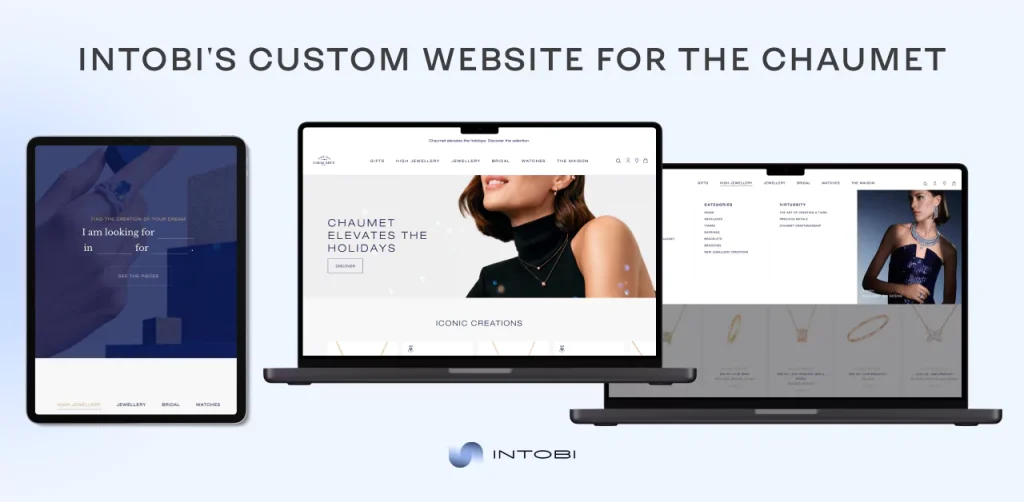
Custom website for The Chaumet

Ecommerce vs Shopify customization

In the battle of Shopify versus custom websites, one of the most visible differences lies in customization.

Shopify

The platform offers a range of pre-built themes that you can brand with your own. Colors, fonts, and layouts are easily changed within its editor, but more complex changes typically require advanced coding or the hiring of a Shopify developer. For many businesses, this is the perfect balance between flexibility and ease of use but may fall short for brands with complex design needs.

Custom websites

As far as customization goes, there is no beating a custom website. You can design every aspect of your site from scratch or adapt it to include unique features like interactive product pages or unconventional layouts. Whether you’re looking for a minimalist design or an elaborate visual experience, a custom website offers the tools and flexibility to bring your vision into reality without any limits.

Summary

Shopify works for those who want to customize within reason and structure. If having complete creative freedom is your priority, a custom website is the clear winner.

Third-party integrations

Whether it’s marketing, analytics, or payment processing, the right tools can turn a good online store into a great one. Speaking of Shopify vs shop, let’s see how they deal with third-party integrations.

Shopify

It has an app marketplace that houses thousands of different tools ripe for plugging into your store. From email marketing giants like Mailchimp to payment gateways like Stripe and PayPal, Shopify’s ecosystem caters to all for speed and ease. It tends to be pretty strong in e-commerce versus Shopify discussions because it truly has a focused approach toward the needs of retailers. 

While most integrations will be one-click installs, some apps may be premium and require extra cost, and more often than not, customization is limited.

Custom websites

The possibilities of integrations are only limited to your imagination in a custom website: connecting with niche software, bespoke tools, or deep data syncing across platforms – a custom solution lets you design it your way. This flexibility is ideal for businesses with complex workflows or specialized needs. Setting up these integrations often requires developer expertise, and maintaining them can be a long-term commitment.

Summary

Shopify offers a bunch of options for any startup or small business. However, custom websites are ideal for those needing tailor-made integrations to fit unique requirements. In the Shopify versus Shop integration debate, Shopify offers speed and simplicity, while a custom website offers unique customization and control. 

Confused about Shopify vs custom website?

Contact us

SEO and marketing tools

A good online presence doesn’t end with a beautiful website; one also needs to be found. In the following, let’s see how Shopify vs. custom websites compare in terms of SEO and marketing tools.

Shopify

Shopify comes with a pretty easy-to-use set of SEO tools, including meta tags, alt text for images, and auto-generated sitemaps. The embedded marketing features, such as email campaigns and creating discount codes, are just perfect for e-commerce startups. Shopify apps extend your marketing arsenal with tools to run social media ads and customer retargeting. 

However, speaking of e-commerce versus Shopify, when it comes to discussing Shopify, its SEO features might be a little restrictive in terms of advanced customization, given the limitation in access to back-end code.

Custom websites

With a custom website, full control over SEO is at your discretion. You will be able to optimize everything from URL structures to page speed optimization. Advanced marketing strategies, such as integrations with specialized CRM systems or launching custom analytics dashboards, become possible with a custom-built solution. However, this flexibility requires technical expertise and can involve significant development time.

Summary

Shopify offers a great balance of ease and functionality for those who seek to get started with as little hassle as possible. If your business is reliant on organic traffic or complex marketing campaigns, a custom website might be a better long-term investment. In the Shopify vs own website debate, Shopify wins for the complete beginner, while custom websites are a powerhouse for the advanced marketer.

Ownership and control

Basically, the choices available on the platform determine how autonomous and authoritative you will be in your online store. Here’s Shopify compared to a custom website in respect of ownership and control.

Shopify

It is a hosted platform: Shopify owns your site’s underlying infrastructure. You are fully in control of your online store and have access to its content, yet there are still limitations. For instance, you cannot edit server settings or change Shopify’s core software. Once Shopify changes its rules or pricing policies, you have no choice but to adapt. To some businesses who value simplicity above all, this is a fair deal, but it should be a big talking point when discussing e-commerce versus Shopify.

Custom websites

In a custom website, you are the driver. You can make all hosting, design, and functionality decisions with the freedom to migrate, scale up, or even tweak anything at will and with no hold-ups. But that also means with total ownership comes total responsibility: security concerns, updates, and troubleshooting. You do it all yourself.

Summary

Choose Shopify if you would rather have your environment managed for less hassle. A custom website wins without question when businesses must have independence and flexibility. In this debate of Shopify vs your own website, it’s a choice of convenience versus complete autonomy. You decide which goes best with your business philosophy.

It all comes down to your business goals, resources, and priorities. Shopify is an all-in-one solution that fits the bill perfectly for entrepreneurs searching for simplicity, speed, and e-commerce-focused functionality. In any case, if the company has some particular needs or a highly ambitious vision, then the best way to go about it is to have a custom website.

In weighing Shopify versus a custom website, the question remains whether you need a fast, managed solution to start selling right now or are ready to invest in a platform tailored to your exact specifications. The right choice isn’t just about what is best today but setting you up for future growth.

Which one is better for your needs? 

Now that you have grasped the detailed difference between shop vs Shopify, let’s summarize the data. Below, we give a comparison table to help you make your decision as enlightened as possible. Whether you value the most ease of use, flexibility, or scalability, the following table will bring forth the major high points of each option so that you can contrast and determine which will best meet your needs.

FeatureShopifyCustom website
Ease of setupFast setup with pre-designed templates and toolsRequires more time, knowledge, or a developer
CustomizationLimited customization options, especially for advanced changesComplete creative freedom, but needs development resources
CostMonthly subscription model, additional fees for apps & premium featuresHigher upfront cost, but may be more cost-effective long-term
E-commerce focusFully optimized for e-commerceE-commerce needs must be manually integrated
Design flexibilityLimited design changes, suitable for standard storesFull control over design, layout, and user experience
MaintenanceHands-off maintenance managed by ShopifyOngoing management and updates are your responsibility
ScalabilityEasily scalable but costs increase with growthHighly scalable but requires technical management
Third-party integrationsExtensive app marketplace, quick integrationsFlexible integrations tailored to your business needs
SEO & marketing toolsBuilt-in SEO tools, limited customizationFull control over SEO and marketing strategies
Ownership & controlShopify manages the infrastructure; limited controlFull ownership and control over every aspect of the site

Always consider your business priorities. Ultimately, between Shopify vs your own website, use Shopify if you want something that’s easy, fast, and all in one place. Use a custom website if full creative control is something that is not to be sacrificed, and even invest the time and resources to make a really unique online experience. Whether simplicity or customization is your key focus, the right platform will grow your online business in the best way to achieve your vision.

How Intobi can become your reliable custom developer 

At Intobi, we are able to deliver premier results because we genuinely have a passion for what we do. From our team of experts, every solution is innovatively crafted to ensure your dream becomes real. We undertake every given project with great innovation, attention to detail, and absolute focus on accomplishing the most ideal outcome on behalf of your enterprise. 

To show our ability to change ideas into strong digital experiences, we want to present two examples of companies trusting Intobi with website development: Auto Nagel and The Chaumet. These cases highlight our expertise in building custom solutions that are tailored to meet the specific demands of different industries. Let’s delve a little deeper into these projects to explain how Intobi can become your reliable partner in developing a robust online presence.

Auto Nagel 

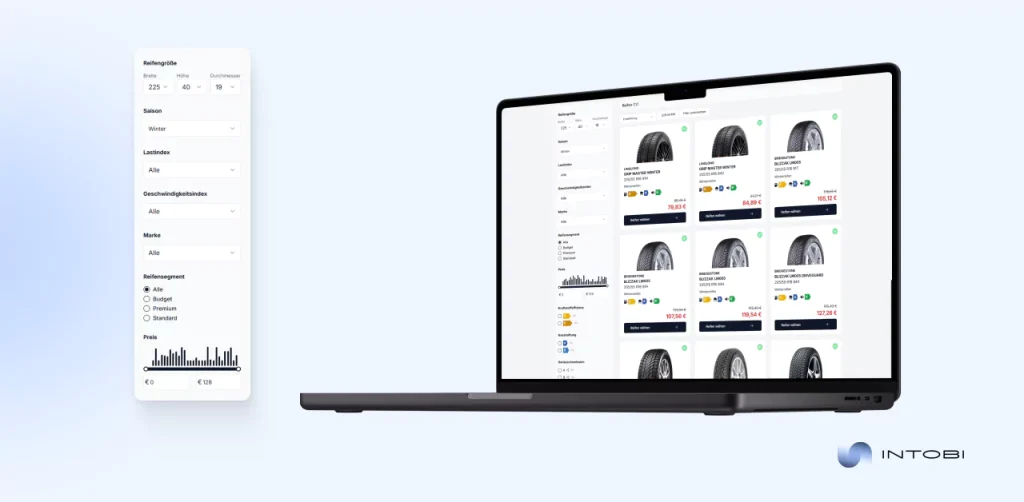
Auto Nagel is a prominent automotive company in Germany specializing in the sale of new and used cars, maintenance services, and automotive parts. Their ambition to streamline and modernize their operations led them to Intobi, where we developed a tailored, scalable SaaS platform that optimized their eCommerce, logistics, and document workflows.

Auto Nagel case study

For retail businesses with complex online sales, logistics, and customer workflows, retail software development can help build scalable e-commerce systems tailored to daily operations.

Challenges solved:

  • Fragmented system: The previous system was not integrated among different departments, leading to operational inefficiency.
  • Inefficient document workflows: The current document management setup was prone to errors and delayed processes.
  • Limited eCommerce scalability: The legacy system did not support complex functionalities that were needed for expanded online sales.
  • Complex logistics and accounting: No integrated system was in place to manage the logistics of transportation and integrate financial management.
  • Manual workflow: Too much reliance on manual operations may lead to delays and errors.
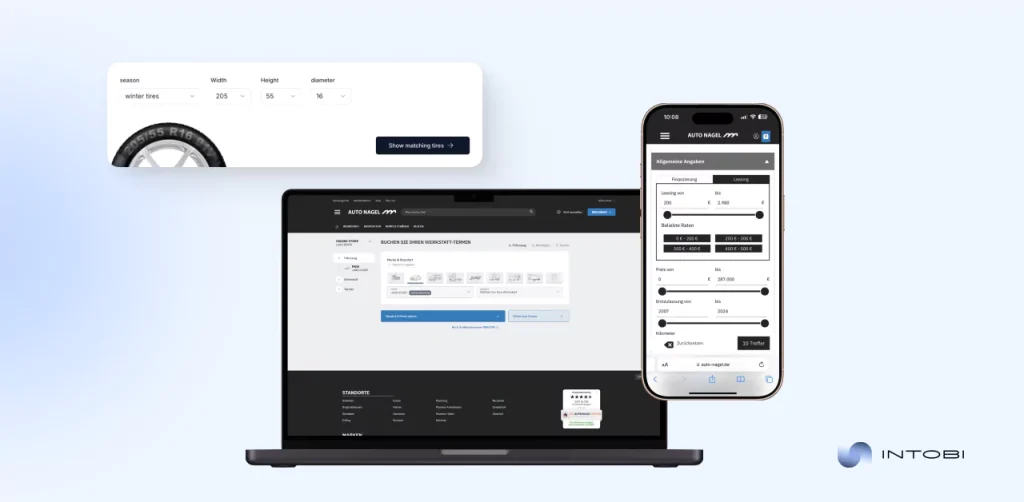
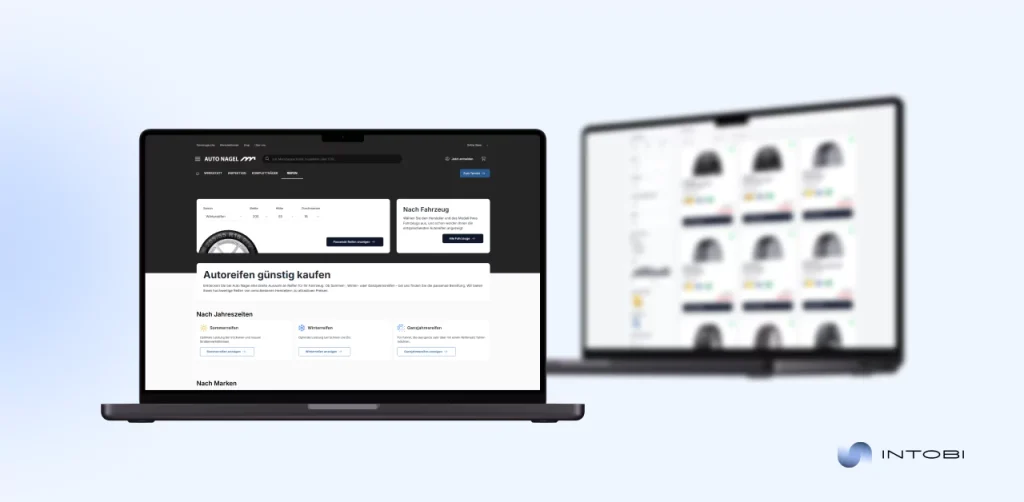
 Interface of Auto Nagel platform

Value delivered:

  • Integrated platform: We integrated all of Auto Nagel’s operations into one smooth platform that encompasses robust backend logic built with PHP, document management, logistics tracking, and eCommerce capabilities.
  • Advanced document builder: The customer-specific tool allows the nontechnical user to easily create and manage complex documents, reduce errors, and improve workflow efficiency.
  • Scalable e-commerce solution: We developed an unparalleled flexible e-commerce platform that could handle an extended product range while providing role-based access and secure transaction integrations.
  • Logistics and accounting integration: Real-time driver tracking and logistics management were integrated with an accounting module, making operations smooth and error-free.
  • Driver portal: The provided portal gave drivers easy access to job schedules, earnings, and critical documents, thus improving communication and operational efficiency.

The Chaumet

Chaumet, the prestigious French luxury jewelry brand, wanted to mix its rich heritage with the demands of modern e-commerce. Along with Intobi, they developed a mobile app that would provide a seamless and elegant shopping experience, blending high-tech features like AR try-ons with the brand’s luxurious identity. The app not only reflects Chaumet’s storied past but also provides a forward-thinking solution to enhance customer engagement and streamline the purchasing process.

Interface of The Chaumet app

Challenges tackled:

  • Luxury vs. simplicity: Telling the sophisticated brand tale of Chaumet, coupled with easy navigation through technical and non-technical customer pools.
  • Augmented reality (AR) Integration: Solved all the technical hassles regarding correct lighting, skin tones, and positions of jewelry for perfect tries on using an AR system.
  • Personalization: Machine learning coupled with content curation to give each one exactly what a customer is asking for is recommended.
  • Frictionless checkout:Design an efficient checkout system to reduce cart abandonment while maintaining robust security and multiple payment options. 
  • Campaign configuration: Develop a system that will enable Chaumet to configure and manage various types of campaigns without complex configuration details.
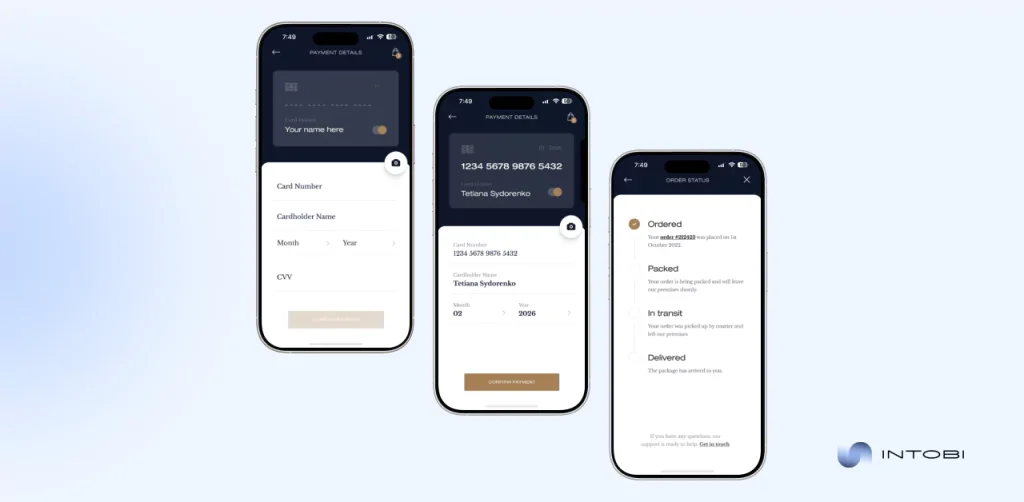
The Chaumet app's interface

Value delivered:

  • Visually stunning interface: The app’s design elegantly merges luxury and functionality, offering an immersive and seamless journey for users to explore Chaumet’s collections.
  • AR-powered try-on: The user can virtually try on jewelry, increasing confidence in buying and making the shopping experience more personalized.
  • AI-driven personalization: The app will suggest tailored collections and offers to each customer’s preference, thus increasing retention and satisfaction.
  • Intuitive search and filters: Advanced search features and dynamic filters make product discovery smooth, hence enhancing the overall user experience.
  • Seamless checkout: This means scanning the cards with multiple options to pay, all ensuring fast and secure checkout for less abandonment.
  • Rich analytics: Firebase Analytics provides Chaumet with a look into user behavior so that one may always work on and refine marketing and customer-engaging initiatives.

These case studies show how we turn complex business needs into innovative digital solutions. If you are seeking a fully customized website, we ensure our work reflects your brand’s unique identity and is scalable and efficient for your future needs.

Conclusion 

As argued, pros and cons of Shopify and your own website boil down to your specific needs and the degree of control. If you happen to be starting up or have a small business and are looking for a method that is rather swift to create with meager costs and no technical headache, Shopify is excellent for this. It literally encompasses everything you will need to seamlessly launch your webstore with ease and enable you to attend to the expansion of your venture.

But if you have an established business or complex requirements that require an extremely customized solution, between shop vs Shopify, a custom website will indeed give you that flexibility and scalability you need. You have full control over everything that concerns design, functionality, and integrations, but that comes with the responsibility for further maintenance and a higher upfront investment.

Still confused between Shopify and a custom website? From ease for a startup to customized websites for large businesses, Intobi can guide you with the best decision to make in an online store. Contact us today for expert advice tailored to your specific needs.

FAQ

Is it better to create your own website or use shopify?

Shopify offers an easy setup for e-commerce with built-in tools, but creating your own website gives more flexibility. So, if you’re focused on a tailored, long-term brand presence, the answer to is it better to create your own website or use shopify to build your site might be one.

What is the disadvantage of Shopify?

The main disadvantage of Shopify is its limited customization. You’re restricted by themes and apps, and there are transaction fees unless you use Shopify Payments. For businesses that need a highly unique setup or advanced features, it might not be better to look what is better than Shopify.

What is the difference between a Shopify store and a website?

A Shopify store is an e-commerce platform designed for selling products, while a website is a broader term encompassing any online presence, whether for a business, personal blog, or portfolio. So, the answer to is shop and Shopify the same is no.

Does Shopify allow custom websites?

Shopify custom website primarily offers templates, but it allows for customization through coding and third-party apps. While you can tailor your store’s look, it may not offer the complete freedom of a fully custom-built website.

Can I use Shopify with my own website?

Yes, Shopify integrates seamlessly with your existing website, enabling you to add a powerful e-commerce layer without altering your site’s unique design. This makes it ideal for businesses to enhance their online presence.

Web Portal Development Essentials: Strategies and Best Practices

TL;DR

A web portal delivers personalized experiences for clients, employees, or partners, unlike a static website. This guide explains what web portal development is, the main types of portals with real examples, and how a portal differs from a website. It also covers key strategies for successful portal development and the best practices that matter most – from UX and security to integrations, analytics, and accessibility.

Make a summary of this article with AI:

Want to create a portal to significantly increase your engagement and enhance your web presence? Don’t hesitate – it’s the right step.

Today, there are around 2 billion websites on the web. Still, users usually don’t scroll under the fifth site in their search engine results page (SERP). What should you do in this case to get into the list of these five? Here, we explain the web portal meaning for your company along with industry best practices.

Moreover, by reading this piece all through, you’ll learn a bold web portal definition and essential tools for portal web development. You’ll also discover different types of web portals and how to plan and execute custom web portal development. Plus, we’ll address common challenges and debunk myths surrounding portal development to help you move forward with confidence.

Let’s unlock the potential of your business with a custom web portal together!

Understanding web portal development

In a crowded, competitive, and constantly evolving market, companies require more than a website to stand out. They need a web portal. What’s the web portal meaning? It’s a dynamic platform designed to centralize information, streamline processes, and engage users in ways that a standard website simply cannot. But what exactly does web portal development include?

What is web portal development?

In essence, web portal development is about creating an interactive, user-focused hub that connects people, tools, and resources seamlessly.

Interesting

Unlike a traditional website, which often serves as a static showcase of information, a web portal delivers personalized experiences based on user roles, preferences, or actions. 

No matter if it’s a customer login system, a collaborative workspace for employees, or an e-commerce platform tailored to buyers, portals are built to do one thing exceptionally well: engage.

Web portal development is not just building another website. It’s the art (and science) of crafting a centralized digital gateway where users can access the resources and tools they need—efficiently, intuitively, and securely.

A web portal typically incorporates features like dashboards, data integration, and user-specific content. Whether you’re building a B2B customer portal to enhance client relationships or an employee intranet portal to drive productivity, the development process involves far more than design. It’s about assuring scalability for future development and matching functionality with user needs.

Types of web portals

Choosing the right type of web portal can make or break both your digital strategy and reputation. The web portal definition goes far beyond a generic platform—it’s a purpose-built space tailored to meet the unique needs of businesses, customers, and communities. If you’re connecting with your clients, empowering employees, or building a thriving online community, there’s a portal for that.

Here’s what’s interesting: customized web portal development gives you the power to design a solution that isn’t just functional but exactly what you want it to be. Let’s dive into the key types of portals, complete with web portal examples that prove their impact.

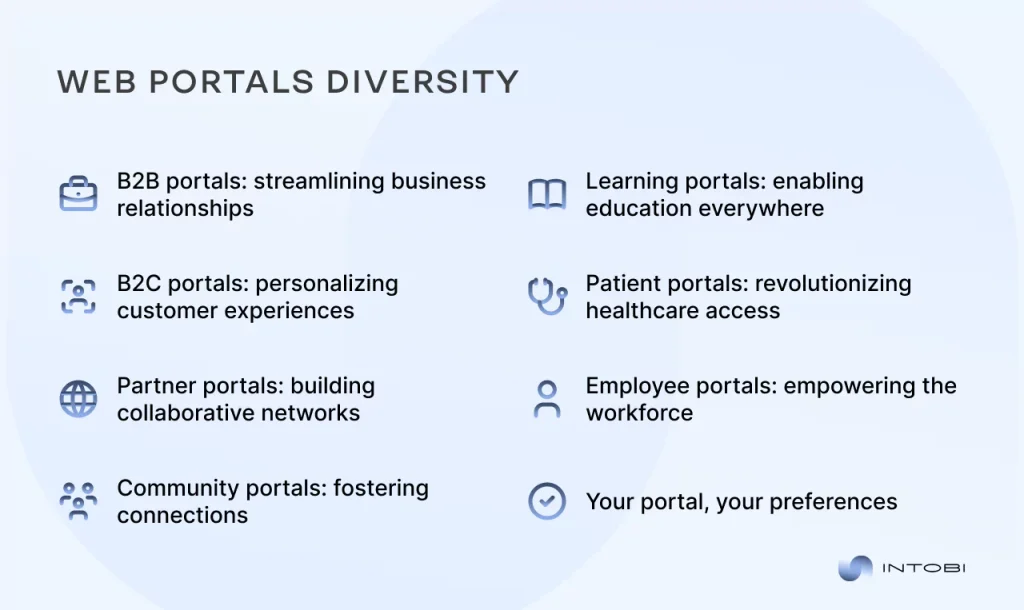
Types of web portals

B2B portals: streamlining business relationships

Business-to-business (B2B) portals are designed to simplify complex transactions between businesses, offering a centralized hub for purchasing, vendor management, and communication. With capabilities like automated billing, real-time inventory tracking, and customized dashboards, B2B portals create seamless experiences for partners and suppliers alike.

Example: Salesforce’s partner portal empowers B2B clients with tools for CRM, sales tracking, and analytics, all tailored to their specific needs.

B2C portals: personalizing customer experiences

For businesses that cater directly to consumers, a B2C (business-to-customer) portal should be the choice. These portals prioritize user-friendly interfaces, personalized recommendations, and easy navigation. Whether it’s managing accounts, tracking orders, or accessing exclusive deals, B2C portals are all about enhancing the customer journey.

Example: Amazon’s customer portal offers tailored product suggestions, order tracking, and seamless integration with payment and shipping services.

Partner portals: building collaborative networks

Collaboration is the cornerstone of successful partnerships. Tht’s why a partner portal is designed to facilitate just that. These portals provide tools for sharing resources, tracking joint projects, and maintaining clear communication between business partners. From accessing co-branded materials to monitoring performance metrics, partner portals drive mutual growth.

Example: Cisco’s partner portal delivers training materials, sales enablement tools, and real-time reporting for its extensive partner network.

Community portals: fostering connections

For organizations focused on creating vibrant online communities, a community portal is the solution. These platforms bring people together, enabling discussions, resource sharing, and networking. From social forums to interest groups, community portals are a hub of engagement and collaboration.

Example: Reddit’s community portal organizes discussions by interest-based subreddits, providing an interactive platform for millions of users worldwide.

Learning portals: enabling education everywhere

Whether it’s a corporate training program or an e-learning platform for schools, learning portals are the backbone of modern education. They provide access to courses, progress tracking, and collaboration tools, making learning more accessible and engaging.

Example: Coursera’s learning portal connects users with courses from top universities, complete with certificates and interactive modules.

Patient portals: revolutionizing healthcare access

A patient portal is a specialized web platform designed to enhance communication between healthcare providers and patients. These portals provide safe, round-the-clock access to medical data and services, enabling patients to actively participate in their healthcare journey.

Example: MyChart is a widely used patient portal developed by Epic Systems, one of the leading healthcare technology companies. It’s designed to provide patients with seamless access to their medical information and healthcare services.

Employee portals: empowering the workforce

In the workplace, productivity is king—and employee portals help ensure that employees have everything they need to excel. From managing schedules to accessing training materials and company announcements, these portals create a one-stop solution for workforce management.

Example: Google’s internal employee portal provides access to project tools, team communication, and resources to streamline workflows.

Your portal, your preferences

The beauty of custom web portal development is that it’s all about your goals, your users, and your success. Whether you need to engage your customers, build lasting business relationships, or empower your employees, there’s no limit to what a tailored portal can achieve.

Need a portal that leaves a lasting impression?

Contact us

Website and web portal: Difference

At first glance, a website and a web portal might seem like interchangeable terms—they both exist on the internet, they both involve user interactions, and they both serve as digital platforms. However, they are fundamentally different in purpose, design, and functionality.

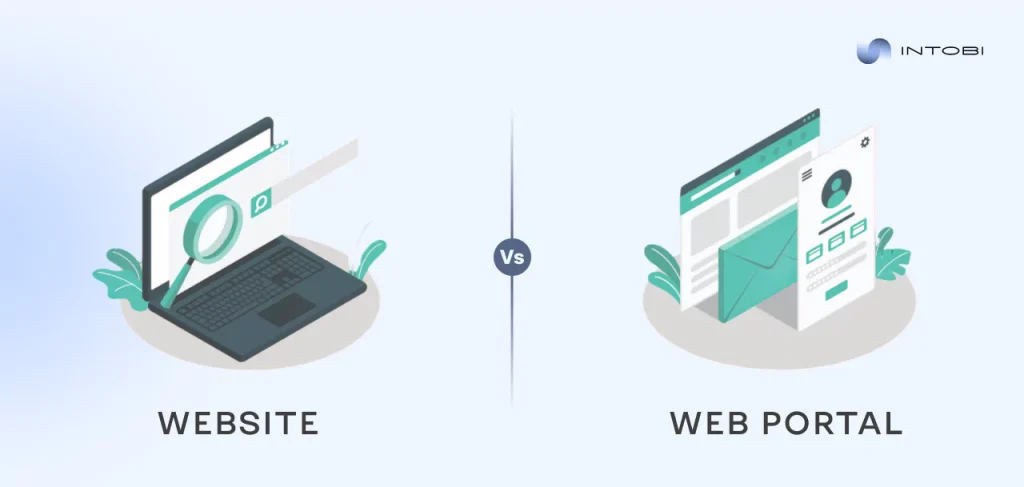
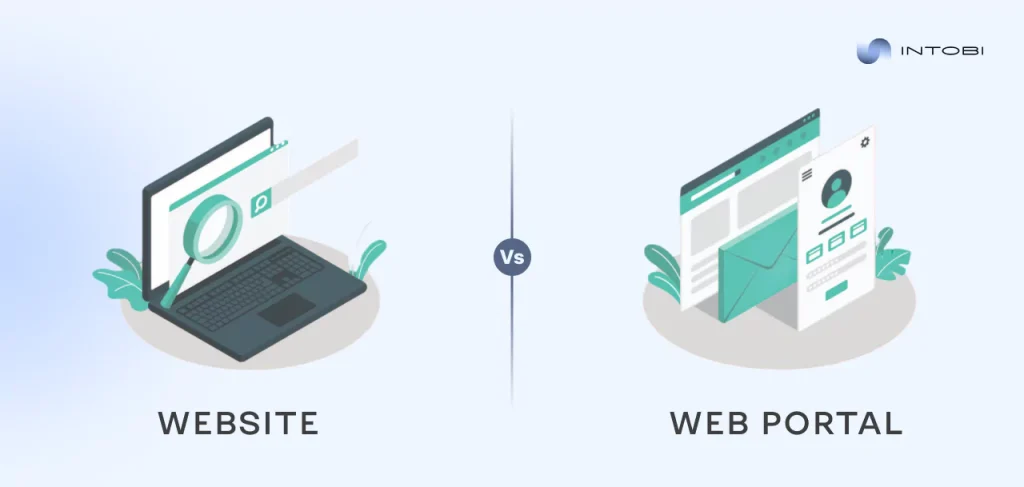
Website VS web portal differences

A website showcases content to a broad audience. On the other hand, a web portal is an interactive platform designed to provide personalized access to information, tools, and services. Knowing how these two differ from one another is essential for businesses looking to elevate their digital presence and meet specific user needs.

See the key differences between a website and a web portal in the table below. At the conclusion, you will know exactly which one your business needs—or if you might need both.

FeatureWebsiteWeb portal
PurposeProvides general information to a wide audience.Offers personalized, role-specific content and tools.
Target audienceTypically serves the public or a large audience without segmentation.Designed for specific user groups like employees, customers, or partners.
User interactionLimited interaction, mainly browsing and reading.High interactivity, with tools like dashboards, logins, and data submission.
ContentStatic or semi-dynamic content such as blogs, news, or service descriptions.Dynamic content tailored to individual user roles and needs.
AccessOpen to all users; no login required.Usually requires user authentication for access.
ExamplesBlogs, e-commerce sites, portfolio sites, company homepages.Employee intranets, e-learning platforms, customer portals, and B2B partner hubs.
Development complexityRelatively straightforward with a focus on design and SEO.More complex, requiring integration with databases, application programming interfaces (APIs), and user management systems.
PersonalizationMinimal to none; the same content is shown to all users.High-level personalization based on user roles, preferences, or activities.
ScalabilityCan be scaled for additional pages and features but lacks specialized functions.Designed to scale with user needs, offering advanced functionalities like reporting, data sharing, and collaborative tools.
Key tools usedContent Management Systems (CMS), SEO tools, web design frameworks.Portals frameworks (e.g., Liferay, SharePoint), integration with CRMs, ERPs, and analytics tools.

Which one is right for your business?

A website is the best option if you need a platform to display your brand, goods, or services. But if you’re aiming to provide customized, role-specific experiences—whether for customers, employees, or partners—a web portal is the solution you need.

Key strategies for successful web portal development

After grasping what is web portal, let’s reveal the intricacies of creating one. Web portal solutions require careful preparation, a strong foundation, and an innovative mindset. If you’re building an employee intranet, a customer portal, or a learning platform, following these strategies will set you on the path to success.

Define clear objectives

Every great project starts with a clear vision. What purpose will your portal serve? Who are your users, and what do they need? Setting measurable goals for your portal ensures that every design decision and technical feature aligns with your broader business objectives.

For instance, is your portal meant to streamline internal workflows? Enhance customer engagement? Build community? A crystal-clear understanding of your objectives will guide the entire development process and keep your team focused on the right outcomes.

Planning and requirement analysis

You wouldn’t build a house without blueprints—your web portal deserves the same level of care. Planning and requirement analysis is where you dig into the specifics: what features do you need? What integrations (customer relationship management (CRM), enterprise resource planning (ERPs), APIs) are required? How many user roles will the portal support?

Detailed planning at this stage prevents costly surprises later on. Tools like user personas and journey mapping can help you understand your audience and anticipate their needs, ensuring your web portal solution is practical, intuitive, and impactful.

Choosing the right technology stack

The technology stack is the foundation of every web portal. This includes everything from front-end frameworks (React, Angular, VueJS) to back-end solutions (Node.js, Python) and database systems (MySQL, MongoDB). Picking the appropriate tech stack is essential to getting the performance, scalability, and functionality you require.

Equally important is ensuring compatibility with existing systems, such as your CMS, analytics tools, or payment gateways. A modern, flexible stack can also future-proof your portal, making it easier to integrate emerging technologies like AI or blockchain.

Scalability and performance planning

Your web portal isn’t just for today—it’s for tomorrow, too. Scalability guarantees that your portal can easily accommodate increases in users, features, and data. The goal of performance planning is to design sites that load quickly, navigate smoothly, and provide an ideal user experience.

Prioritize features like caching, load balancing, and cloud hosting solutions to keep your portal running smoothly even as demand increases. Performance is a must in a time when users demand lightning-fast experiences.

When you take time to define objectives, meticulously analyze requirements, select the perfect technology stack, and plan for growth, you can create a platform that doesn’t just meet expectations—it exceeds them.

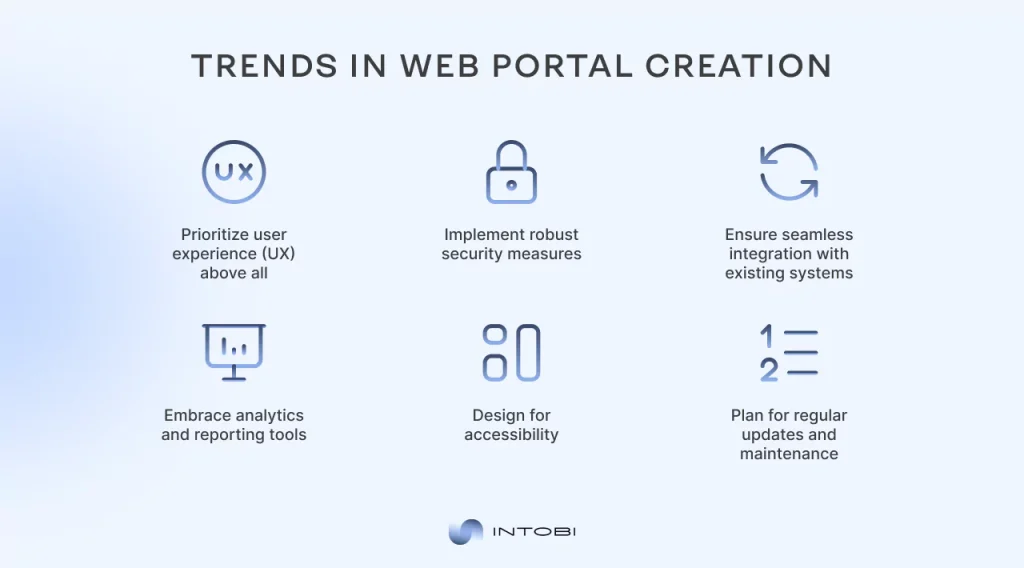
Trendy practices in web portal development

Apart from the basic steps of online portal development, we want to highlight the additional practices that’ll bring you exceptional results. Here they are: 

Trendy practices in web portal development

1. Prioritize user experience (UX) above all

The ease of use of your web development portal is critical to its success. Slow response times, a cluttered interface, or unclear navigation can irritate and alienate users.

Design your portal with minimalism and usability in mind. Leverage UX best practices like intuitive navigation, responsive design for mobile and desktop users, and consistent branding. Test frequently to ensure every feature works as intended and delivers a smooth, enjoyable experience.

2. Implement robust security measures

Security isn’t optional in your portal development. No matter if your portal handles sensitive employee data, customer payment information, or proprietary business documents, it must be protected against breaches.

Implement role-based access controls, use robust encryption techniques, and carry out frequent security assessments. It should be impossible to compromise on features like secure APIs and multi-factor authentication (MFA).

3. Ensure seamless integration with existing systems

No portal exists in isolation. For your portal to be truly exceptional, it must work seamlessly with existing tools like CRMs, ERPs, and analytics platforms. Smooth data flow between systems is ensured by integration, which boosts output and lowers errors in manual input.

Opt for APIs and middleware solutions that enable real-time communication between your portal and other software. In addition to increasing functionality, this helps prepare your portal for future integrations.

4. Embrace analytics and reporting tools

A web portal should not only serve users but also provide insights for administrators. You may monitor user behavior, spot bottlenecks, and gauge performance parameters by integrating analytics tools.

From usage statistics to engagement rates, robust reporting capabilities help you refine the portal over time. Tools like Google Analytics, or custom-built dashboards can offer invaluable insights for continuous improvement.

5. Design for accessibility

All users, including those with impairments, should be able to access your portal on both mobile and online devices. Include accessibility features like keyboard navigation, screen reader compatibility, and high contrast design choices. Your portal will be inclusive and compliant with international standards if you adhere to criteria such as the Web Content Accessibility criteria (WCAG).

6. Plan for regular updates and maintenance

Opening a portal is only the first step. Regular updates, bug fixes, and performance optimizations keep your portal running smoothly and securely. Your portal will develop in tandem with your business requirements and user expectations if you have a solid maintenance plan.

These steps can provide you with a portal that withstands the test of time. While the ideally functioning portal is cool, the unique one that prioritizes UX and impeccably predicts their desires on the site can become the “classic” in the digital space. 

Tools and technologies for web portal development

Regardless of the portal type – if you want to differentiate, consider the time-verified tools and technologies. Whether it’s B2B web portal development or crafting tailored portal development solutions, the right tools ensure efficiency, scalability, and a seamless user experience. Let’s explore some of the most unique and effective tools across three key areas: frameworks and platforms, collaboration tools, and testing and deployment technologies.

Development frameworks and platforms

The foundation of any web portal lies in its frameworks and platforms, which determine its functionality, speed, and scalability. Here are some standout choices:

  • Liferay
    Liferay is specifically designed to build enterprise portals. It offers features like user role customization, secure data handling, and integration options, making it a strong choice for B2B and internal portals.
  • OutSystems

    OutSystems provides a low-code platform that allows for rapid development of web portals without compromising on flexibility. It’s well-suited for businesses that need quick implementation with room for customization.
  • Django (Python)
    Django is a powerful web framework that prioritizes scalability and security. It is particularly effective for creating portals with complex back-end operations, such as B2B service platforms or customer dashboards.
  • React + Node.js
    Combining React for the front end with Node.js for the back end ensures a dynamic, responsive user experience. This stack is ideal for portals that require real-time updates or interactive user interfaces.

Collaboration and project management tools

Developing a web portal involves teamwork across multiple disciplines, and efficient collaboration tools make the process smoother:

  • Jira
    Jira is highly effective for managing tasks, tracking progress, and maintaining alignment across development teams. Its features support agile methodologies, ensuring that projects stay on schedule.
  • Figma
    Designers and developers can collaborate in real time on the portal’s UI/UX design thanks to Figma. Its interactive prototypes ensure that design elements are consistent and user-friendly.
  • Slack with integration bots
    With the addition of integration bots, Slack centralizes communication and easily connects with Jira, GitHub, and Google Drive. This keeps all team members informed and aligned.

Testing and deployment tools

Reliable testing and deployment tools ensure that your web portal functions properly and delivers a smooth experience for its users:

  • Selenium
    Selenium automates browser testing, allowing you to check the portal’s compatibility and performance across multiple devices and browsers.
  • Postman
    Postman is essential for API testing, ensuring that all integrations in your portal work as intended, which is particularly important for B2B solutions.
  • Docker and Kubernetes
    These tools make deployment more efficient by containerizing applications and managing them across different environments. They are especially useful for scalable, cloud-based portals.
  • New Relic
    New Relic monitors performance in real time, providing detailed insights into load times, errors, and server health. This helps maintain an optimal user experience post-launch.

Remember that the tools and technologies you choose for your custom web portal development can define its performance and user experience. Analyze the accessible stack wisely, and go ahead!

Need help with choosing a stack?

Contact us

Overcoming common challenges in web portal development

There are still much confusion about what is a portal website and how to create a portal website. The truth is that the question of how to create a portal for your business shouldn’t be so scary and challenging. Let’s review and refute common myths and challenges regarding web portals development.

Common challenges in web portal development

1. Defining clear objectives means restraining oneself

The myth: “A portal can do everything for everyone.”

The reality: Trying to include too many features leads to a cluttered, ineffective portal.

What to do: Start by defining precise goals. Identify your target audience—whether employees, customers, or partners—and prioritize their needs. Focusing narrowly ensures your portal delivers purposeful, impactful solutions without unnecessary complexity.

2. Selecting the right technology is complicated

The myth: “Portals require overly complex and costly technology.”

The reality: The technology stack should match the portal’s scope, not overburden the project.

What to do: Choose tools and frameworks that align with your objectives. For smaller portals, low-code platforms like OutSystems work well. For large-scale solutions, frameworks like Django or Liferay offer scalability. Keep it simple but future-ready, avoiding unnecessary overengineering.

3. Integration with existing systems is challenging

The myth: “Integrating a portal with existing systems is too costly or unfeasible.”

The reality: Integration can be seamless with the right planning and tools.

What to do: Conduct a detailed requirements analysis. Middleware solutions and tools like Postman can streamline API testing and compatibility. For B2B web portal, ensure the portal effortlessly syncs with CRMs, ERPs, or other business systems to create a cohesive digital ecosystem.

4. Maintaining security and privacy is too demanding

The myth: “Portals are constantly exposed to security threats.”

The reality: Strong security practices significantly reduce risks.

What to do: Put multi-factor authentication, strong encryption, and frequent security assessments. Implement secure APIs and firewalls, and comply with data regulations like General Data Protection Regulation or Health Insurance Portability and Accountability Act (GDPR or HIPAA) to protect user trust. These safeguards guarantee that sensitive data is kept safe on your space.

5. Ensuring user adoption is too long

The myth: “If it’s built, users will automatically engage with it.”

The reality: Users won’t adopt a portal unless it’s intuitive and valuable.

What to do: Prioritize user experience (UX) by creating simple, role-based dashboards and personalized interactions. Provide onboarding resources like tutorials and guides to help users understand the portal’s value. Regular updates and support ensure continued engagement.

6. Keeping the portal scalable is exorbitantly expensive

The myth: “A portal must be perfect at launch and won’t need changes.”

The reality: Portals grow and evolve as user needs and technology change.

What to do: Use modular designs, cloud-based hosting, and scalable frameworks to future-proof your portal. Regularly update features based on user feedback and data analytics to stay relevant without overhauling the entire platform. Scalability doesn’t have to break the budget—it just needs smart planning.

Building a web portal doesn’t have to feel overwhelming. You can build a safe, interesting, and expandable portal by taking on these issues head-on and coming up with targeted, workable solutions.

However, you are not alone in this journey. Partnering with an experienced web portal development company can streamline the process and ensure your portal is built to meet your exact needs. We’re here to manage the intricacies while you concentrate on your business objectives, from choosing the best technological stack to guaranteeing smooth integration and excellent security.

Want to bring your vision to life?

Contact us

Intobi is a reliable web portal development company

Intobi team is driven by results. Among other web portal development companies, we go beyond coding. With a focus on delivering tailored portal development services, we create platforms that meet your needs and exceed your expectations. From user-friendly interfaces to robust back-end systems, we ensure your web portal works seamlessly, looks as you wish, and achieves your business goals.

Take MyRunResults among other web portal examples of our commitment to innovation and quality. This dynamic platform serves runners and event organizers by presenting real-time race tracking, personalized video highlights, and advanced event management tools. Through seamless integrations with Strava and Stripe, MyRunResults provides a unified experience for participants and organizers alike.

MyRunResults's interface

Challenges we tackled:

  • Platform slowdowns during peak event traffic.
  • Limited admin panel functionality, hindering event management.
  • Manual data handling, leading to inefficiencies and errors.
  • Lack of integration with third-party services like Strava and Stripe.
  • Absence of engaging, personalized features for users.
MyRunResults portal's interface

Value delivered:

  • Overhauled system to handle high traffic during race events.
  • Built an advanced admin panel with dynamic event management tools.
  • Automated workflows, reducing errors and boosting efficiency.
  • Integrated Strava for tracking and Stripe for secure payments.
  • Added unique features like personalized race videos and analytics dashboards.

The result? MyRunResults became a leader in its industry, transforming how runners connect with events and track their performance.

Conclusion

Web portals are the ultimate tools for businesses aiming to boost efficiency, engage users, and redefine their digital presence. By choosing expert web portal development services, you can turn bold ideas into innovative, interactive platforms that deliver real results. From advanced event tools to tailored user experiences, standout web portal examples like MyRunResults showcase the power of a thoughtfully designed portal.

If you have difficulties defining what custom software, including web portal software you need and how to make it real and drive growth – you’re at the right place! Contact us to clarify all the confusion and resolve your issue. Don’t wait till tomorrow to set the stage for progress!
FAQ

What is web portal development?

The main goal of web portal development services is to build centralized, user-specific interactive platforms.  Unlike standard websites, portals offer personalized access to tools, data, or content designed to enhance engagement and streamline processes for businesses and users alike.

How do I create a web portal?

Start by collaborating with a web portal development company to define your goals, audience, and functionality. Experts help with planning, technology selection, design, and implementation, ensuring your portal is both effective and scalable to meet your business needs.

What is web portal design?

Web portal design is about crafting user-centric interfaces that are intuitive and role-specific. It combines functionality with a visually appealing layout, ensuring seamless navigation and personalized content delivery for employees, customers, or partners.

How much does it cost to build a web portal?

The web portal development cost depends on complexity, features, and integrations. Small-scale portals might cost less, while enterprise solutions with advanced tools and custom functionality will require a larger investment. Get a tailored quote from experts for clarity.

How long does it take to build a web portal?

The timeline depends on your portal’s complexity and the expertise of your portal development company. Simple portals might take weeks, while intricate solutions with advanced features could take months. Partnering with experienced web portal development services ensures efficient delivery.

How To Create A Customer Portal For Any Website: An Ultimate Guide

TL;DR

A customer portal lets clients manage accounts, access resources, and contact support on their own, which raises satisfaction and speeds up communication. This guide explains what a customer portal is, the core features an effective one needs – from secure login and self-service tools to integrations, billing, and analytics – and the value it brings to both businesses and clients, followed by a step-by-step development guide.

Make a summary of this article with AI:

A customer portal is a highly convenient feature and a strategic tool for businesses to improve client satisfaction and expedite communications. Any customer portals enable users to manage their accounts, access personalized resources, communicate with support teams, and perform key actions with ease. For businesses, these portals are essential for reducing operational overhead and fostering deeper client relationships!

In this guide, we’ll cover everything about how to create a customer portal tailored to your niche and particular needs. If you’re starting from scratch or enhancing an existing client portal for website, this guide provides actionable insights and best practices to create your own client portal that delivers measurable results.

Let’s get started on building a customer portal for business-to-business (B2B) or business-to-client (B2C) that not only meets expectations but sets a new standard for user satisfaction!

What is a customer portal?

A customer portal is an all-in-one, secure platform where customers can log in to manage their accounts, access personalized information, and interact directly with your services. Whether they’re checking order statuses, downloading resources, or reaching out for support, a customer portal puts convenience and control right at their fingertips.

It’s about creating a seamless connection between your customers and your business. A well-designed portal empowers users, strengthens trust, and keeps them coming back for more. For this reason, it’s worthwhile to learn how to build a client portal for your organization.

Core features of an effective customer portal

For a customer portal to truly succeed, it needs to go beyond surface-level functionality. It should be a tool that not only simplifies customer interactions but also integrates seamlessly into your business processes. Here are the must-have features for effective customer portal development:

Core features of an effective customer portal

1. Secure login and user authentication

Security is paramount. Whether you’re working on B2B customer portal development or B2C customer portal development, robust authentication measures are key. Choose among single sign-on (SSO), two-factor authentication (2FA), or role-based access to ensure sensitive information remains protected. This establishes trust and confidence in your portal.

2. Personalized customer portal dashboard

A centralized, user-friendly dashboard is the cornerstone of any great portal. With a customer portal dashboard, users should have a thorough analysis of their operations. Pending orders, transaction histories, support tickets, account settings, and more—all presented in a clean, intuitive interface. For B2B customer portals, this could include advanced tools like contract management and custom reporting.

3. Self-service tools

The best portals empower users to handle their own needs without external assistance. Features like account updates, subscription management, and resource access reduce dependency on customer service teams.

Interesting

When you create your client portal, self-service should be a top priority.

4. Communication and support tools

Portals should include integrated messaging systems, live chat, and ticketing features that allow customers to communicate directly with your team. For customer and vendor portal development, this can include real-time collaboration tools to streamline workflows.

5. Document management and file sharing

A central repository for accessing and managing important documents like invoices, contracts, and compliance forms is invaluable. With customer portal software development, you can enable document uploads, e-signatures, and secure sharing options.

6. Mobile optimization and responsiveness

In today’s mobile-first world, your portal must provide the same excellent experience on tablets and mobile devices. When you’re focusing on customer web portal development, mobile compatibility ensures users can interact with your platform wherever they are.

7. Customization options

When building a portal through a customer portal development agency, it must be flexible enough to reflect your branding and unique business needs. Customizable dashboards, personalized notifications, and adjustable features make the portal feel tailored to individual users.

8. Integration with existing systems

A powerful portal should integrate with your customer relationship management (CRM), enterprise resource planning (ERP), and other existing systems to provide a seamless user experience (UX). Customer portal development, ensures real-time updates, efficient workflows, and accurate data synchronization.

9. Payment and billing management

Integrated payment gateways and automated billing features make it easy for customers to handle transactions directly within the portal. This is particularly important when you learn how to create a portal for your business that relies on recurring payments or subscriptions.

10. Analytics and reporting

In customer web portal development, including analytics tools is a must. Provide customers with detailed insights into their activity, such as purchase history or performance data. At the same time, gather actionable insights on user behavior to continuously improve your portal.

11. Role-based access control

For B2B or B2C, portals must support multiple users with different levels of access. For instance, a team manager may need access to detailed account data, while an associate might only see the essentials.

12. Notifications and alerts

Keep customers informed with automated notifications for important updates—whether it’s order confirmations, upcoming deadlines, or new feature releases. With customer portal software development, you can even give people the option to choose when and how they want to receive notifications.

13. Scalability and future-readiness

A portal should grow with your business. Whether you’re a startup or an established enterprise, customer portal development should consider long-term scalability, ensuring the portal can handle increased user loads and expanding feature sets.

14. Vendor management features

For businesses involved in customer and vendor portal development, adding tools for managing vendor relationships—like invoicing, collaboration, and contract updates—can make the portal a versatile tool for both parties.

Customer portal value for organizations and clients

The customer portals’ exceptional value benefits both workers and clients. Here are the eight most important ways a customer portal creates value:

1. Streamlined customer experience: A centralized platform gives customers easy access to all they need—account details, service options, and communication tools—improving satisfaction and reducing dependency on support teams.

2. 24/7 self-service access: Portals enable customers to perform essential actions like booking services, paying invoices, or updating information whenever they need, without waiting for business hours.

3. Improved operational efficiency: By automating repetitive tasks such as document sharing, payment processing, and ticket management, portals reduce the workload for teams, freeing them to focus on high-value activities.

4. Enhanced communication and collaboration: Integrated messaging systems and real-time updates ensure that clients and businesses stay connected, fostering trust and transparency in all interactions.

5. Secure document management: Portals allow users to upload, access, and download important files such as invoices, contracts, or reports securely, eliminating time-consuming email exchanges.

6. Personalized UX: Dashboards tailored to individual users’ preferences and data needs to ensure relevance, making the portal a tool clients value and trust.

7. Real-time data integration: Portals that sync with CRMs, ERPs, or other backend systems ensure clients always have the most accurate and updated information at their fingertips.

8. Scalable solutions for growth: A robust portal grows with your business, adapting to increased user loads and integrating new features over time. Whether it’s customer and vendor portal development or learning how to create a customer portal, scalability ensures long-term success.

Overall, mastering how to create a customer portal ensures a competitive edge for your company. While clients value the convenience, accessibility, and transparency that a well-designed portal offers, employees’ daily operations become smoother due to reduced repetitive tasks.

Need assistance with customer portal development?

Contact us

Step-by-step guide to creating a customer portal

Building a customer portal is a structured process that requires a clear understanding of your goals, the right tools, and a user-focused approach. When you’re crafting a portal for internal use, B2B interactions, direct consumer engagement, or just a customer portal template, following these steps helps you create a functional and engaging solution.

How to create customer portal step-by-step

Step 1: Define objectives and audience

Start with key questions:

  • What purpose will the portal serve? (e.g., account management, support, document sharing)
  • Who is your primary audience? (e.g., clients, vendors, employees)

Defining these will help shape the portal’s features and design. For instance, a B2B customer portal might need robust reporting and multiple user roles, while a B2C portal should focus on simplicity and accessibility.

Step 2: Choose the right tools and technology

Here is where you pick the resources that will power your portal. Let’s look at which tools and resources you’ll need to create client portal that resolves your efficiency issues:

1. Development frameworks and platforms

  • Low-code/no-code platforms: Tools like OutSystems or Appian let you create portals with minimal coding, which is ideal for small-scale needs.
  • Full-stack frameworks: For custom portals, use React.js, Angular, or Vue.js for the front end and Node.js, Django, or Laravel for the back end.

2. Content management system (CMS) and plugins

If you need to master how to create a client portal in WordPress, explore plugins such as MemberPress or WP Client Portal for customer portal functionality. For more advanced needs, turn to customer portal development specialists.

3. API integrations

Leverage APIs to connect your portal to existing systems like CRM (Salesforce, HubSpot) or ERP (SAP, Oracle). This ensures real-time data flow and streamlined processes.

For portals that rely on CRM, ERP, payment, or analytics tools, website integrations help keep data synchronized and workflows connected.

4. Authentication and security tools

  • Implement OAuth 2.0 and JWT for secure logins.
  • Use services like Auth0 or Okta for seamless authentication integration.

5. Cloud hosting services

Choose scalable cloud solutions like AWS, Microsoft Azure, or Google Cloud to host your portal. These platforms offer reliability and performance.

6. Analytics tools

Use programs like Mixpanel or Google Analytics to monitor user activity and enhance the functionality of the portal.

7. Collaboration software

For customer portal development, consider tools like Slack, Pumble, or Microsoft Teams for built-in communication capabilities.

The right combination of these tools and resources will serve you to create client portal that aligns perfectly with your business objectives.

For businesses that need a secure and scalable customer portal, web development services can help turn these tools and requirements into a reliable online platform.

Step 3: Design the UX

Designing the UX of your customer portal is where you shape how users will interact with your platform. Start by mapping out the layout and functionality before moving to development. Ensure navigation is intuitive, with clearly labeled menus and a consistent flow between sections like dashboards, communication tools, and document access. Mobile responsiveness is crucial as users increasingly access portals on their phones. 

For example, a B2B customer portal might prioritize multi-tiered dashboards and quick access to team-specific reports, while a B2C portal would benefit from a simpler, visually engaging design tailored for individual users. Engage a UX designer or a portal development company if your in-house expertise is limited, ensuring a user-centric approach that balances functionality and aesthetics.

Step 4: Implement essential features

When adding features, focus on those that deliver real value to your users. Essential tools include secure logins, personalized dashboards, and integrated messaging for seamless communication. In customer portal development, incorporating file-sharing capabilities and real-time collaboration tools could significantly enhance productivity. 

Tailor features to align with your goals—payment gateways for e-commerce portals, support ticketing for service-based portals, or advanced analytics for enterprise systems. Don’t overwhelm users with excessive functionality – prioritize simplicity and scalability so additional features can be integrated as needed.

Step 5: Ensure security and compliance

Security is non-negotiable. A customer portal must safeguard sensitive information with robust measures like encryption, 2FA, and role-based access controls. Complying with regulations like Health Insurance Portability and Accountability Act (HIPAA) or General Data Protection Regulation (GDPR) is vital, depending on your industry. 

For instance, a healthcare portal would need HIPAA compliance, while a global e-commerce portal must account for GDPR standards. Finding vulnerabilities is possible by routine penetration tests and security audits. Thus, you ensure your portal is protected against cyber threats. When discussing security and client trust, partnering with a customer portal development company experienced in secure systems, such as Intobi, is highly recommended.

Step 6: Test for basic functionality

Before launching, rigorously test the portal to ensure all features work as intended. This includes usability tests to assess how intuitive the portal is for users, as well as functional tests to verify the reliability of tools like document downloads, messaging systems, or payment integrations. 

If you’re developing a B2C customer portal, testing must account for multiple devices and browsers to guarantee a smooth user experience. For example, automated testing tools like Selenium, combined with real-world user testing, provide comprehensive feedback on the portal’s performance.

Step 7: Gather feedback and optimize

Once the portal is live, launch a beta phase to gather feedback from actual users. Finding pain areas or missing features that weren’t initially considered is made much easier with the help of the feedback. Make use of user interviews, feedback forms, and surveys to collect data and prioritize changes. In case users of report difficulties accessing specific reports, enhancing that functionality could significantly improve satisfaction.

Optimization should be an ongoing process—regular updates based on user needs and evolving technologies will ensure the portal stays relevant and effective. Engaging with a portal development company that offers post-launch support can make this process more seamless.

Building a customer portal is not a one-time endeavor—rather, it’s a dynamic platform that expands alongside your company and adapts to customer needs. You can create a portal that’s both functional and user-friendly by carefully designing the UX, implementing essential features, ensuring security, and continuously gathering feedback.

Types and cost of effective customer portal development

When planning to create client portal, it’s critical to comprehend the several types available and the associated expenses. Each kind meets particular commercial requirements, from basic pre-built solutions to advanced custom portals. A table of the main categories of customer portals and their estimated development costs is provided below.

Portal typeDescriptionEstimated cost range
Standalone portalsIndependent platforms with essential features like secure login, dashboards, and document access.$20,000–$50,000
Integrated portalsDirectly linked to existing systems (e.g., CRM, ERP) for seamless data synchronization.$50,000–$100,000
Custom-built portalsFully tailored solutions with advanced features and branding, built from scratch.$100,000–$250,000+
Vendor and customer portalsDesigned to manage interactions with both customers and vendors, including collaboration tools.$50,000–$150,000
B2B portalsFocused on business clients, offering multi-user roles, reporting tools, and integration options.$80,000–$200,000
B2C portalsCustomer-centric platforms with user-friendly interfaces for individual users.$30,000–$80,000

To select the appropriate and effective solution for your team, we emphasize the importance of defining your objectives, user requirements, and budget wisely. While costs may seem significant, the long-term benefits—smooth operations, enhanced competitive edge and customer satisfaction—make it a good investment. 

Common challenges and how to overcome them

Which issues does the creation of customer portal consist

Developing a customer portal comes with its share of challenges. From aligning features with user needs to ensuring seamless functionality, each hurdle requires a strategic approach. These are a few of the most typical problems and solutions to resolve them effectively:

1. Identifying user needs

Challenge: Misalignment between the features you provide and the actual needs of your users can result in low adoption rates.

Solution: Conduct thorough user research before development. Surveys, interviews, and usage analytics can help identify essential features and design elements. Engage actual users in the process of testing to validate functionality and usability.

2. Balancing simplicity with functionality

Challenge: Overloading the portal with features can make it confusing while offering too few can limit its usefulness.

Solution: Start with a minimum viable product (MVP) that includes essential features such as secure login, dashboards, and communication tools. Expand gradually in response to user input and changing requirements.

3. Integrating with existing systems

Challenge: Data discrepancies may result from inadequate interaction with CRM, ERP, or other backend systems.

Solution: Work with a portal development company that is experienced in API integration. Test the integration thoroughly to ensure real-time data synchronization and seamless workflows.

4. Maintaining high security standards

Challenge: Customer portals handle sensitive information, making them a prime target for cyber threats. 

Solution: Implement robust security measures such as encryption, two-factor authentication, and role-based access controls. Frequent security audits and adherence to laws like as GDPR and HIPAA are essential.

5. Achieving mobile accessibility

Challenge: A poor mobile experience can alienate users who rely on smartphones and tablets.

Solution: Focus on mobile-first design principles. Use frameworks like React Native or Flutter to ensure your portal is fully responsive and optimized for all devices.

6. Managing costs effectively

Challenge: Development costs can spiral out of control if the project scope isn’t well-defined. 

Solution: Define a clear roadmap with milestones and budgets. Opt for scalable solutions that can evolve with your business needs, and partner with a reliable customer portal development agency to avoid hidden costs.

7. Driving user adoption

Challenge: Even the most well-built portal may fail if users don’t adopt it.

Solution: Provide onboarding resources such as tutorials, FAQs, and live support. Regularly gather feedback and refine the portal to address user pain points.

8. Continuously maintening and updating

Challenge: Without regular updates, your portal risks becoming outdated and irrelevant.

Solution: Schedule periodic reviews and updates to keep the portal aligned with user expectations and technological advancements. Use analytics to track engagement and identify areas for improvement.

You can proactively address these challenges to ensure a smooth development process and deliver a customer portal that meets all users’ expectations, thus driving long-term value.

Need an effective solution for your business?

Contact us

The expected advanced customer portal features

Customer portals are evolving from simple service platforms into dynamic hubs of interaction powered by the latest advancements in technology and shifting user expectations. The future of customer portals lies in their ability to adapt to emerging trends, delivering value through hyper-personalization, automation, and seamless integration with advanced systems. 

Here are the advanced features an experienced customer portal development agency can include in the customer portal dashboard:

AI-powered personalization

Tomorrow’s customer portals will leverage artificial intelligence to provide truly personalized experiences. With predictive analytics that foresee consumer needs and AI-powered chatbots that provide real-time assistance, these tools will transform how businesses interact with customers. For example, portals could suggest relevant products, offer tailored content, or preemptively solve issues based on user behavior patterns.

Integration with the Internet of Things (IoT) and smart devices

The Internet of Things (IoT) is set to redefine customer portals by integrating smart devices into the user experience. Imagine a portal that syncs with a customer’s wearable device to provide real-time health updates or one that connects to a home automation system for monitoring energy usage. These integrations will expand the portal’s functionality beyond traditional tasks.

Self-service portals powered by automation

Automation will play a big role in the future, making portals even more user-friendly. Features like automated workflows, smart FAQs, and voice-activated commands will enhance self-service capabilities. Businesses investing in customer portal development will find themselves ahead of the curve with these time-saving features.

Cross-platform accessibility and Web 3.0

Future portals will transcend traditional boundaries, offering cross-platform accessibility across devices, operating systems, and even within the Web 3.0 ecosystem. Blockchain-enabled portals, for instance, will be able to provide decentralized and secure data storage, giving users full control over their information while ensuring transparency.

Intobi’s expertise in creating customer portals

We are driven by exceeding the requests of our clients. Our work on MyRunResults demonstrates our ability to deliver innovative and user-centric customer portals that address complex business challenges. MyRunResults, a platform dedicated to connecting runners with events, required a complete overhaul to meet the growing demands of its user base. 

We transformed a limited system into a feature-rich platform that caters to both runners and event organizers, enhancing engagement, performance tracking, and operational efficiency. Leveraging technologies like .NET, Angular, and Node.js, our team built a robust, scalable solution that has set new standards in the industry.

MyRunResults

Key value delivered:

  1. Enhanced admin panel: We rebuilt the admin system to offer dynamic event creation, detailed participant management, and seamless data uploads, empowering organizers to manage events efficiently.
  2. Advanced results and analytics dashboard: Our solution integrates with Strava to aggregate and analyze race data, providing detailed insights for participants and organizers.
  3. Comprehensive registration module: The customer portal allows users to register for events, manage profiles, and view past performances, while Stripe integration ensures smooth, secure payments.
  4. Personalized race video highlights: By implementing automated video generation using AWS Lambda, we delivered engaging and shareable personalized race videos for participants.
  5. Scalable and stable infrastructure: We optimized the system to handle high traffic and data loads during peak events, ensuring reliability and a seamless user experience.

The MyRunResults project exemplifies how we combine advanced technology, intuitive design, and business insight to create impactful solutions. In case your business needs an advancement in the face of a user-friendly customer portal – feel free to reach out! We are willing to help.

Conclusion

Learning how to create a customer portal is an essential step for any business looking to enhance user engagement. While everyone can learn how to create a web portal for free, an efficient solution is the one that adds to the users’ trust without undermining it. A thoughtfully designed portal can serve as a competitive advantage, giving clients a centralized platform for managing accounts, accessing resources, and communicating seamlessly with your business. 

At Intobi, we specialize in guiding businesses on how to create a customer portal tailored to their unique needs. From crafting secure admin systems to integrating features like personalized dashboards and automated workflows, we ensure your portal is user-friendly and future-proof. Let us help you transform your ideas into a powerful tool that drives growth.

Contact Intobi today for a free consultation, and let’s create a custom solution that delivers notable success!

FAQ

How to create a customer portal?

To create a customer portal, start by defining your business needs, user requirements, and security standards. Collaborate with a customer portal development company to design a custom client portal with features like account management, communication tools, and easy access to services.

What is the customer portal?

A custom client portal  is a safe online space where clients may communicate with your company, manage accounts, and access information. Whether for B2B or B2C, it streamlines communication, improves engagement, and enhances the customer experience, making it essential for modern businesses.

What is customer development in CRM?

Customer portal development in CRM refers to understanding customer needs and behaviors to improve relationships and drive business growth. By leveraging customer portal software development, companies personalize interactions, calling for customer satisfaction and loyalty.

What should a client portal include?

A B2B customer portal should include a user-friendly dashboard, secure login, document management, support features, and real-time updates. For a comprehensive solution, consider B2B customer portal development or B2C customer portal development services for easy access and smooth communication.

What is the best practice for the customer portal?

The best practices for a business customer portal include prioritizing security, providing seamless navigation, and offering personalized services. Regularly update features based on customer feedback to create a customer portal dashboard that drives engagement and satisfaction.

Building Your Own AI Assistant: A Step-by-Step Guide

TL;DR

A custom AI assistant automates repetitive tasks, manages workflows, and helps businesses work more efficiently. This guide explains what AI assistants are, their main types, and how they work, then walks step by step through building your own – from defining its purpose and choosing an AI model to designing the conversational flow, testing, integration, security, and ongoing maintenance.

Make a summary of this article with AI:

A personal artificial intelligence (AI) assistant is a whim of numerous businesses and individual entrepreneurs today. Each well-informed business person acknowledges the worthy reasons for such a demand. Among other benefits, a custom AI automates repetitive tasks, manages workflows, and optimizes in-team communication. That’s why we created an extensive guide on how to create AI helper for everyone who needs to boost their business productivity. 

In this article, we will explain step-by-step how to create an AI from scratch without a PhD in machine learning (ML) or a background in software engineering. We’ll explore the key concepts behind how to make your own AI assistant, from understanding its core components to selecting the right AI models and tools. You’ll also learn how to design an assistant that suits your specific needs, set up the development environment, and implement essential features. 

After reviewing this piece, you’ll be able to proceed right to creating your own AI. Let’s create AI assistant together!

Understanding AI assistants

We propose you review an extensive definition of a virtual AI assistant and its components before we switch to how to create a personal AI assistant. The understanding allows for more personalized and relevant interactions. Moreover, by delving into the AI assistant’s capabilities, you can expand its capabilities as your user needs grow.

Definition and key components

To be short, an AI assistant is your digital companion powered by intelligent algorithms. It anticipates your needs, learns from your behaviors, and evolves with you. Due to the coding nature, it is less inclined to human errors and can handle way more data than you or any of your employers can. Its key components include: 

  • Natural language processing (NLP) for understanding and generating human language.
  • Machine learning (ML) for continuous learning and adaptation to user behavior.
  • Dialogue management to manage the structure and flow of conversations coherently.
  • Contextual understanding to interpret context and maintain relevance in responses.
  • Integration framework to connect with external systems and perform actions.
  • Knowledge base for storing and retrieving relevant information.
What an AI assistant should essentially include

Types of AI assistants

If you’re wondering how to create a personal AI assistant, you should essentially learn which types of digital partners exist. As a result, you can select an option that best meets your needs the most effectively.

Task-oriented assistants

Such partners are primarily focused on specific tasks like scheduling and reminders. They can assist you in scheduling meetings, sending automated reminders, and managing to-do lists. Or, task-oriented assistants can set up a calendar appointment when you mention a date and time.

Conversational agents

They are designed for natural, human-like dialogue. Conversational assistants are useful in customer service, as they handle FAQs, process orders, and provide guided assistance through a website. For instance, chatbots help troubleshoot issues with internet connection.

Personalization assistants

Customized companions adjust suggestions according to user choices. They can assist you in recommending products, creating personalized playlists, or curating content based on your interests. For example, personalization assistants suggest articles or videos that match your reading and viewing history.

Knowledge assistants 

This type extracts and provides quick and accurate information from large datasets. It is highly helpful for research. An assistant retrieves relevant documents, answers factual questions, and summarizes complex topics. It can, for instance, write a summary of the latest market trends when you need quick insights.

Autonomous agents

These assistants perform complex and decision-based tasks. They can assist you in doing autonomous trading, project management, or similar fields. For example, they automatically execute stock trades based on real-time market analysis.

How AI assistants work

A digital AI companion operates by combining multiple technologies. When a user inputs a command – either through text or voice – the assistant first processes and interprets the language using NLP. Thus, it understands the words and main user intent. With this understanding, it then resorts to ML models, which predict the most appropriate response or action.

After the objective identification, the digital supporter moves to the execution phase. It generates a natural-sounding response or performs an action like sending an email, scheduling an event, or retrieving information. These actions are usually supported by back-end systems and application programming interfaces (APIs) that connect the assistant to various applications, databases, and third-party services. Below, we will discuss the intricacies of how to create an AI assistant in detail. 

What do you want your AI assistant to do?

Contact us

How to build your own AI assistant

Step 1: Defining your AI assistant’s purpose

The essential stage of how to create AI helper is a clear identification of its purpose. Before diving into the technical aspects of how to build your own AI, establish the specific problem your assistant will solve or the tasks it will perform. This foundational step ensures that you will choose the right instruments for development, and the result will satisfy your initial business or personal requirements. The goal definition includes some steps:

  1. Identifying the primary function: This involves pinpointing the core tasks your AI assistant will handle – whether it’s answering user questions, scheduling appointments, controlling smart devices, or giving personal advice. Defining this function shapes the technical requirements and guides the selection of the right tools and technologies.
  2. Setting goals: Measurable objectives help monitor success during development and ensure that the AI assistant meets your expectations. You might aim to enhance user engagement or automate certain tasks. Define how many daily active users you want to achieve along with the time you aim to save with the digital companion.
  3. Outlining key features: When you build your own AI assistant, take time to highlight its key features. They can include understanding language, handling multiple tasks, recognizing voice commands, giving helpful suggestions, and connecting with other systems. Knowing these characteristics well will enable you to select the ideal AI models and tools.
 Essential steps to outline the goal of the AI assistant

Step 2: Ensuring prerequisites

Once an objective is clear, check on the availability of all necessary skills and tools. Though a rich background in software engineering is not essential for digital assistant creation, some prerequisites are required for effective product creation. With them, the how to create AI assistant process becomes a structured plan with the necessary technology stack and knowledge to work with it. 

Required skills and necessary tools

To make your personal virtual AI assistant, you must know or have team members who know how to work with several technologies. Let’s review them along with the required instruments that can help you make your own AI. 

  1. NLP

Natural language processing is crucial to your AI assistant development process and understanding of human language. For this, you can try Hugging Face’s transformers to handle tasks like language generation and understanding. Additionally, spaCy efficiently processes text, recognizes entities, and performs linguistic analysis.

  1. ML and Deep Learning (DL)

You will need to use machine learning algorithms to train your AI assistant to recognize patterns and make decisions. PyTorch and TensorFlow are two strong libraries that allow us to build, train, and deploy deep learning models. The collections offer pre-built functions to design neural networks, train models on datasets, and optimize their performance over time.

  1. Speech recognition and synthesis

If you want your AI assistant to support voice interactions, you’ll need to convert spoken language into text and vice versa. Google Speech-to-Text API can help with transcribing user speech into text.

Interesting

Amazon Polly or Google Text-to-Speech will enable your assistant to generate natural, human-like speech when responding to the user.

  1. Data preprocessing and feature engineering

Working with raw data often involves cleaning and preparing it before feeding it into a machine learning model. Libraries like pandas and NumPy are a must to do this. pandas provides easy-to-use structures to manipulate and analyze data. NumPy helps with numerical operations, often required in machine learning pipelines. These tools make it easier to extract useful features from your data and optimize it for training.

  1. API integration and backend development

To allow your AI assistant to perform tasks like setting reminders, fetching weather information, or controlling smart devices, you will need to integrate external APIs. Frameworks like Flask or Django provide all you need to build a backend system to handle these requests. Flask, for instance, can be used to design lightweight web services with which your AI assistant interacts. Django, on the other hand, offers more robust, feature-rich solutions for complex web applications.

Setting up your development environment

While creating artificial intelligence, a well-organized development environment can save a lot of time and nerves. Before proceeding to assistant development, we highly recommend setting up your working space most conveniently and effectively.

It means collecting tools that instantly notice the mistakes in a code, can test it, and check its capability to scale or operate across different environments. For these purposes, you can use:

  • Git and GitHub to track changes in your code
  • PyCharm or Jupyter Notebook to write, test, and run your code 
  • AWS, Google Cloud, or Microsoft Azure to host your models and ensure scalability for real-time usage
  • Docker to ensure your AI models run consistently across different environments when deployed

Step 3: Choosing the suitable AI model

The chosen AI model predefines your assistant’s capabilities and performance. When you formulate your path on how to make an AI assistant, the model you select will influence the range of tasks it can perform and the quality of its responses. This choice will also affect how quickly it responds. 

Overview of popular AI models

When wondering how to create an AI, you can review the structure of the most popular AI models. The trending virtual AI assistant models in 2025 include:

1. OpenAI’s ChatGPT

A conversational AI model developed by OpenAI, founded on the Generative Pre-trained Transformer (GPT) architecture. As of 2025, the model is in its fourth version, GPT-4, which offers improved context understanding, more accurate responses, and better handling of complex topics compared to previous iterations. It can run on both Central Processor Units (CPUs) and Graphic Processor Units (GPUs), but performance is significantly enhanced on GPUs.

OpenAI’s ChatGPT logo

Straightforward via RESTful API, but complex custom fine-tuning needs OpenAI’s involvement. Available through OpenAI’s API with options for different model configurations.

2. DALLE

An OpenAI’s image generation model is designed to translate written descriptions into images. The latest version, DALLE-3, offers improved image coherence, quality, and control over artistic styles. It is widely known for generating high-quality, realistic images with improved handling of object relations and spatial configurations. This model requires powerful GPUs for optimal performance.

OpenAI’s DALLE logo

DALLE is simple for image generation but lacks advanced control features for specific details.

3. Gemini

A collection of generative AI models created by Google DeepMind. It focuses on multimodal capabilities, combining language and image understanding. Google DeepMind aims to provide advanced reasoning and context comprehension, enabling users to work across different media. The model runs on Tensor Processing Units (TPUs) optimized for deep learning models.

Gemini logo

Gemini is especially suitable for projects requiring simultaneous handling of multiple data types (text, image, and possibly video).

4. MidJourney

A popular image generation model that excels in producing highly detailed, artistic images based on textual prompts. It is well-known among digital artists and creatives for its stylistic outputs and ease of use through platforms like Discord. As in the case of DALLE, it generates images in under a minute. MidJourney operates in a cloud-based environment, so users don’t need powerful local hardware.

midjourney

It is available primarily through Discord integration, as there is no traditional API.

5. Microsoft Copilot

An AI-driven helper incorporated into Microsoft 365 programs like Word, Excel, and Outlook. It leverages GPT-4 for natural language understanding and productivity-enhancing features. Thus, it effectively summarizes documents, generates text, and automates repetitive tasks. Copilot is cloud-based, leveraging Microsoft’s Azure infrastructure.

Copilot logo

The model is available only within Microsoft 365 applications and does not stand alone. 

6. Perplexitty.ai

An AI assistant designed for conversational responses to user queries, much like a chatbot, but optimized for retrieving and summarizing information from the web. It combines the best of traditional search engines and AI chat interfaces. Perplexitty.ai is a cloud-based model and requires minimal client-side resources. This makes it highly accessible for developers, regardless of their hardware setup.

For teams building scalable AI assistants, cloud app development can help deliver secure, accessible tools with reliable deployment and minimal client-side load.

 Perplexity.ai logo

It is mainly a web-based tool, so APIs are not widely available.

Factors to consider when selecting a model

You create your own AI assistant, so it must be easy-to-use for you or your team. Consider the factors below to choose the most convenient model.

  • Use cases: Decide what you need from your AI assistant based on the tasks you need to do, such as conversation, scheduling, or image generation. 
  • Performance speed: Ensure the model is fast and accurate so it is effective for real-time interactions. Check low latency and minimal computational needs for smooth performance.
  • Customization and fine-tuning: Look for models that let you tweak them to fit your needs. Thus, you can make it more tailored to your preferences.
  • Integration capabilities: Make sure the AI can easily connect with the systems – like apps, APIs, or home automation tools.
  • Cost and scalability: While learning how to build your own AI, review the pricing options carefully to have the most for your budget. Consider API fees, subscriptions, and scalability options. 

Step 4: Implementing core functionality

Whether you want to know how to make an AI or how to make an AI voice assistant chatbot, it is essential to learn the core functions it must incorporate. Nevertheless, all digital assistants require several common elements. Let’s review them. 

Coding the basic structure

Python is the main language used to create AI assistants because of its ease of use and extensive library ecosystem. Consider spaCy and NLTK for natural language processing. Machine learning models require frameworks such as PyTorch and TensorFlow for the development and improvement. Using pre-trained models like GPT and BERT, Hugging Face’s Transformers will enable deep language understanding. 

Developers frequently utilize Dialogflow or Rasa for conversation management, designing conversational flows and integrating these models into practical applications. Then, you can use JavaScript to make responsive web-based interfaces for fluid user interaction.

Developing an appealing user interface (UI)

To learn not only how to build AI but make it visually appealing and easy-to-use, take your time to ensure a professional UI/UX design. Responsive design strategies are necessary to adjust the interface for mobile phones as well as PCs. Incorporating interactive elements like buttons, sliders, and voice prompts makes the experience more engaging. Clear visuals and icons help simplify the interaction process, making navigating more effortless for you as a user. To create dynamic and responsive web interfaces, consider a combination of JavaScript with frameworks like React or Vue.js. 

Integrating the chosen AI model

Proper integration is key to creating a smooth, functional AI experience. After building the structure and designing the interface, the next step is to connect your chosen AI model. Embed the model into your system to process inputs, generate responses, and interact with users in real time. Whether you’re using pre-trained models like GPT or BERT or custom-built ones, integration ensures that the AI assistant can perform its core tasks. Make sure the model seamlessly communicates with your user interface and can handle the required functions, such as voice commands, text input, or complex queries. 

Building essential features

Eventually, make sure to include all the necessary functionality in your model. For instance, in how to make your own AI voice, you’ll need speech recognition to process spoken commands and text-to-speech responses. Ensure the assistant can fulfill essential duties like reminding people to do things, answering queries, and operating smart gadgets. These essential features make the AI practical and effective for everyday use.

Step 5: Designing the conversational flow

How to create an AI chatbot always includes the creation of a concise, conversational flow. You can start by mapping out the most common user queries and responses, keeping conversations simple and focused to avoid confusion. 

Creating an NLP pipeline

An NLP pipeline assimilates and interprets human language for your chatbot. It includes steps like text processing, tokenization, and understanding the intent behind the user’s input. Tools like spaCy or NLTK can help set this up, enabling your AI to process language effectively and deliver accurate responses.

Developing dialogue management systems

Consider creating a robust dialogue management system when figuring out how to make a virtual assistant. It manages the flow of conversations and decides how the helper reacts to user input. Tools like Rasa or Dialogflow are great for building flexible, structured dialogues. Thus, you can make your assistant more interactive and responsive.

Handling context and maintaining conversation coherence

In learning how to make an AI chatbot, creators should manage context and ensure conversation coherence. Your AI needs to remember past interactions to respond accurately to follow-up questions. We advise implementing context tracking by storing relevant user inputs or session history. Proper context management keeps conversations connected and smooth, making the chatbot feel more natural and intuitive. 

How would you design your AI assistant?

Contact us

Step 6: Testing and training your AI assistant

Once you’ve learned how to build an AI assistant or how to create an AI chatbot specifically, proper training is essential for its long-term success. Follow these stages for practical evaluation and training:

Steps to evaluate your AI assistant
  1. Collect relevant data: Focus on gathering data that closely matches the real-world queries your assistant will encounter. This could include chat logs, customer interactions, or other relevant datasets.
  2. Fine-tune the model: Load your pre-trained model and adjust parameters like learning rate. Feed your collected data into the model, running multiple training cycles to improve its accuracy with your specific use cases.
  3. Test with sample conversations: Create mock conversations that cover a wide range of inputs, including common questions and rare edge cases. Analyze the assistant’s responses and take note of any errors or inconsistencies.
  4. Evaluate performance: Use tools to measure how well the assistant responds. Track metrics like intent recognition accuracy and how quickly it returns results, comparing these to set benchmarks.
  5. Adjust and retrain: Use the insights from testing to refine the model, adjusting any weak areas. Add new training data or modify parameters, then retrain the model to address performance issues and improve accuracy.

Step 7: Integration and security measures

When you grasp how to make your own AI chatbot, the next step is deploying it into real-world applications. Set up your hosting environment, whether on a cloud platform like AWS, Google Cloud, or locally on your own server. Ensure the proper integration of your AI chatbot with the necessary platforms – such as websites, apps, or messaging services – through APIs.

You should also implement security measures, like encryption, to protect user data. Additionally, we advise testing the chatbot in its deployed environment to check whether it functions as expected under real conditions. Make sure it integrates smoothly with databases or other systems it may need to interact with. These measures are essential to deliver a better user experience and make the chatbot more functional across different platforms.

Step 8: Maintaining and updating your AI assistant 

How to build AI companion that will effectively serve you as long as you need is always about constant trends monitoring and assistant updating. To keep your AI assistant up-to-date, regularly incorporate the latest advancements in AI models and tools. This can include updating the NLP engine or integrating new features, like voice commands or multi-language support. Stay informed about new user trends and behaviors to ensure your assistant evolves alongside user needs. 

Regularly check how well your AI responds to user queries and stays accurate. Gather feedback to spot issues like misunderstandings or slow replies. Retrain the model with fresh data to update it or adjust algorithms. Keep your assistant current by adding new languages, features, or adapting to user behavior. 

How Intobi can help you get the necessary solution 

At Intobi, we specialize in developing tailored AI solutions that fit your unique business needs. Our crew can help you at every stage of the procedure – from defining the purpose of your AI assistant to ensuring smooth deployment and integration.

For businesses that need AI tailored to specific workflows, custom software development can help turn complex automation ideas into scalable, secure digital solutions.

We leverage our expertise in both mobile development services and web development. We can help you build an AI assistant that enhances productivity, streamlines operations, and delivers effortless user experiences. We’ve worked with numerous clients across different industries, helping them integrate AI into their everyday operations. One of the cases that makes us proud is Kato – a digital platform for data exchange and collaboration in commercial property transactions.

Kato

Kato is a modern platform that transforms commercial real estate transactions. It offers a fully digital space for data exchange and collaboration. The platform simplifies everything from property matching to final agreements. Users can close deals with just a click. Thus, as it was expected, Kato boosts efficiency, cuts down paperwork, and ensures transparency for all parties involved.

While developing Kato, we demonstrated our expertise through advanced technologies. Kotlin Multiplatform ensured seamless access across iOS and Android, while React.js boosted web interactivity. PHP and Laravel provided a robust backend for AI functions, and Chart.js facilitated effective data visualization. This strategic combination creates a powerful, user-friendly AI assistant tailored for the commercial real estate sector, enhancing client services and engagement.

Conclusion 

AI has already successfully replaced everyday duties previously completed by people. To build AI assistant is one of today’s best decisions for your productivity growth. Whether it’s automating customer service, scheduling tasks, or managing workflows, AI solutions have consistently improved efficiency and reduced operational costs. 

Knowing how to make my own AI assistant is only the beginning. Keeping it up-to-date is crucial for long-term success. Constant observation and updates are crucial for keeping your AI assistant relevant and effective. With this guide on how to create your own AI, you have the tools to build an assistant that evolves with your business needs.
If you doubt your current expertise is enough to build a modern and scalable AI assistant – contact us. By trusting Intobi, you gain access to a dedicated team that ensures your solution is functional, scalable, and aligned with your business goals.

FAQ

Can I make my own personal AI assistant?

Yes, you can make your own personal AI assistant by reviewing numerous tutorials on the web. After learning how to create your own AI and having everything done, monitoring the assistant permanently is essential. Testing will keep its responses sharp, making it smarter with every conversation.

Can I create my own generative AI?

Yes, you can easily build your own generative AI like ChatGPT, Bard, Perplexity, etc. To begin, you must acquaint yourself with the foundational concepts of AI assistant development. Learn how to create my own AI with numerous resources available, including online courses and tutorials.

How can I create my own AI?

In how to build your own AI, first define its purpose — whether it’s managing tasks, answering queries, or assisting with specific services. Once the goal is clear, switch to how to make an AI assistant, and choose anAI model like GPT or a speech-recognition tool if you want voice interaction.

How to create a generative AI assistant?

If you need to learn how to create an AI chatbot, you should delve into the core concepts of technology. Though the process does not require a PhD in machine learning, it is crucial to comprehend the technical aspects to grasp how to build an AI chatbot that effectively resolves your problems.

From Idea to Screen: Creating Your Streaming Service from Scratch

TL;DR

Streaming has become central to how people consume entertainment and content, and there is still room for niche platforms next to Netflix, Twitch, and YouTube. This guide walks through creating a streaming service from scratch: defining your niche and audience, acquiring or producing content, building the technical infrastructure, and designing a simple UX/UI. It also covers monetization models and how to market your service.

Make a summary of this article with AI:

Do you know streaming services have become critical to entertainment and content consumption? From movies and business TV streaming services to live gaming and educational content, the world has moved to on-demand and live-streamed experiences.

With giants like Netflix, Twitch, and YouTube dominating the scene, building your own streaming business platform from scratch may seem daunting. However, with the right approach and technology, creating a streaming service tailored to your vision is possible and a profitable opportunity in a rapidly growing industry.

This guide will take you through the essential stages—from planning and development to launch and growth. Let’s explore step-by-step how to create a streaming platform from scratch. 

Defining your niche 

How to start your own streaming service? The first step in creating a streaming service is understanding the niche you want to target. Streaming services for business have exploded in popularity, but the most successful platforms carve out a specific emphasis area that satisfies a particular audience. Whether it’s a focus on a certain genre, language, region, or demographic, clearly defining your niche will help you stand out in an intensive market.

Identifying your target audience 

Selecting a niche involves thorough market research. Start by determining underserved audiences or gaps in current streaming business platforms. For example, platforms like Crunchyroll have successfully targeted anime fans, while sports-specific platforms like DAZN have tapped into live sporting events.

Crunchyroll main page

By the way, Crunchyroll started as a small platform streaming anime content and has since grown into a giant with millions of subscribers. By focusing exclusively on anime fans, it was able to develop a deep understanding of its audience, curate content accordingly, and become a beloved brand within its niche. Their dedicated approach allowed them to tap into merchandising, events, and licensing deals, diversifying their revenue streams beyond subscriptions.

Consider the following steps to narrow down your niche when starting a streaming service:

  1. Analyze audience needs. Use tools like Google Trends, social media analytics, or surveys to understand what specific groups seek. Are there emerging trends or a lack of specialized content? For instance, niche content focused on cultural heritage, regional storytelling, or eco-conscious documentaries could attract unique audiences.
  1. Competitive analysis. Study competitors to identify what works and what doesn’t in their platforms. Evaluate their strengths, weaknesses, user reviews, and content offerings. Can you offer something they don’t? Competitors might have broad libraries, but if their content is spread thin, focusing on depth in a particular area can be your edge.
  1. Global vs. local appeal. Consider whether your platform should have global aspirations or cater to a more regional audience. For example, some platforms may succeed by focusing on specific languages (e.g., a French-only platform), while others might aim for a global reach with multilingual content.
  1. Monetization potential. Examine the monetization opportunities within your niche. For instance, a platform targeting professionals, such as e-learning content for healthcare workers, can command higher subscription fees or partnerships with educational institutions.

Building a community around your niche

Community-building is necessary for a niche platform. It is a great idea to engage with your audience through forums, social media groups, and exclusive events (virtual or physical). You foster loyalty and encourage organic growth by providing a space where fans can interact, share, and discuss their favorite content. User-generated content (like fan reviews, art, and discussions) can also help enrich the platform’s ecosystem.

Content acquisition and creation

Your content is the basis of your streaming business platform. With a strong catalog of engaging material, even the most well-designed platform can attract and retain users. There are two prior strategies for content acquisition: licensing existing content or producing original shows and films.

Licensing existing content 

In fact, licensing allows you to purchase the rights to stream content others produce. This approach is common for new platforms since producing original content can be expensive and time-consuming. However, we prepared several ways to approach licensing to get the most value for your platform.

Types of licenses

They can vary based on duration (how long you have the right to stream the content), geography (in which regions the content can be streamed), and exclusivity (whether other platforms can also stream the same content). Securing exclusive licenses for sought-after content can give your platform a competitive advantage. 

Syndication agreements

You may be able to negotiate syndication agreements, where you license content to and from other platforms. This can be a cost-effective way to add variety to your library without the high costs associated with original productions. For instance, streaming services for business like Hulu often share content as part of broader licensing agreements.

Hulu main page

Acquiring niche content

Platforms that target specific genres or audiences should focus on acquiring highly specialized content that appeals to their core users. For instance, a platform focused on horror films might work with smaller studios or independent filmmakers to acquire exclusive horror content.

Interesting

The key is finding material that resonates deeply with your audience, even if it’s not mainstream.

Producing original content 

Producing original content can be a game-changer for your streaming as a service. Unique, high-quality content can drive subscriptions and set you apart. However, this approach requires significant investment and careful planning.

Budget allocation

Establish a realistic budget for original productions. While big-budget shows like Netflix’s Stranger Things or The Crown can attract global attention, smaller productions can still drive significant engagement. For example, indie documentaries or low-budget web series can resonate well with niche audiences without breaking the bank.

Hiring talent

Whether producing scripted series or reality content, working with top-tier writers, directors, and actors is critical. This may involve collaborating with production houses, scouting emerging talent, or even launching contests for user-generated content that can be turned into professionally produced series.

Cross-promotion with brands

Partnering with brands for product placement or co-producing content can offset production costs while creating new revenue streams. Brands are often interested in collaborations that help them reach specific audiences, particularly in niche streaming business platforms. A platform focusing on fitness content could partner with sportswear companies or wellness brands, etc.

Netflix main page

For example, Netflix established the model of investing heavily in original content with shows like House of Cards and Orange is the New Black, and more recently, blockbuster films and international series. These shows not only brought in subscribers but also helped Netflix become a global entertainment leader. By diversifying its original content, including international productions, Netflix successfully satisfies different demographics worldwide.

Technical infrastructure

One of the most essential factors in starting a streaming service is ensuring that your technical infrastructure is robust, scalable, and user-friendly. Users expect smooth, uninterrupted streaming experiences, especially in a world where ultra-fast Internet and high-definition content are becoming the norm. 

Right hosting solution

Your choice of hosting provider will directly impact the quality of your streaming as a service. Streaming requires a lot of bandwidth, and if your platform is popular, traffic spikes can cause lag or downtime if your hosting solution isn’t up to the task.

Services like Amazon Web Services (AWS), Google Cloud, and Microsoft Azure deliver scalable solutions that allow your platform to grow without compromising performance. They also provide built-in CDN (content delivery network) solutions to reduce latency and provide faster streaming for users around the globe. CDNs distribute content across multiple servers worldwide so users can access it from the nearest location, reducing load times and buffering issues.

As your streaming business platform grows, you’ll need to ensure that it scales smoothly. A sudden influx of users, especially around new releases or exclusive content, can crash your servers if you’re not prepared. Implementing load balancing and auto-scaling solutions helps manage traffic effectively.

Player compatibility

Your platform’s video player is another crucial component when building a streaming service. Users access content through various devices—smartphones, smart TVs, tablets, and desktops—so your player needs to work seamlessly across all platforms.

  • Cross-platform functionality: Ensure your video player is compatible with different operating systems and devices. Using technologies like HTML5-based players can help ensure smooth functionality across devices without needing multiple custom solutions.
  • Adaptive streaming: Adaptive bitrate streaming automatically adjusts the video quality based on a user’s Internet connection. This ensures that users with slower connections still get a smooth streaming experience, while users with high-speed connections can enjoy high-definition content.

Data security and privacy

In the age of data breaches, it’s essential to protect your users’ data. Implementing SSL certificates, encryption protocols, and secure payment gateways are the first steps in safeguarding sensitive information.

DRM (digital rights management) technology helps prevent unauthorized access and piracy of your content. Platforms like Widevine are widely used to encrypt and secure video streams, ensuring that only paying users have access.

Widevine main page

If your streaming business platform operates in regions with stringent data privacy laws, such as the European Union (GDPR) or California (CCPA), make sure it adheres to these regulations. Failure to comply can result in hefty fines and damage to your platform’s reputation.

Want to attract subscribers for your streaming platform?

Contact us

User experience (UX) and user interface (UI) design

UI/UX design is a critical differentiator in a crowded streaming business market. Poor UX can drive users away even if you have the best content. Focusing on ease of use, intuitive navigation, and personalization will guarantee that your users keep coming back.

Simplified onboarding process

A frictionless onboarding experience sets the tone for how users interact with your platform. Below, you can find how to make the process seamless.

Social logins

Users can sign up using their existing social media accounts or Google/Apple IDs. This reduces the time and effort needed to create an account, eliminating the need to fill out lengthy forms. Users appreciate the convenience, and social logins can help you tap into their social networks for future marketing.

Quick tutorials

Incorporating a quick tutorial or walk-through upon signing up can familiarize users with your platform’s key features. This is particularly useful for introducing new users to features like personalized playlists, content recommendation engines, or social sharing capabilities.

User profile customization

Allowing users to set up and personalize their profiles gives them a sense of ownership. They can select preferences like content genres or language options, which helps tailor their experience with personalized recommendations.

Let's discuss

Contact Us

Intuitive navigation

The design of your streaming business platform should be intuitive enough for users to find what they’re looking for without hassle. The following considerations can improve navigation:

  1. Search and filtering: Offering robust search and filter options is essential. Users should be able to search by genre, actor, director, mood, or rating. Filters can also help users find content that aligns with their interests—content for kids, international films, or exclusive releases.
  1. Categories and playlists: Group content into easily identifiable categories like “Top Picks,” “Trending,” or “New Releases.” Also, offering curated playlists or content bundles (e.g., “Binge-worthy Series” or “Documentaries to Watch this Month”) can guide users through your library and promote extended viewing.
  1. Responsive design: Since users access streaming services for business through various devices, it’s crucial to have a responsive design that works equally well on smartphones, tablets, smart TVs, and desktops. Consider optimizing your platform for different screen sizes to ensure a fluid, user-friendly experience.

Personalization and recommendations

Personalization has become a defining feature of many successful streaming services for business, such as Netflix’s recommendation engine. By leveraging machine learning algorithms, you can recommend content based on a user’s viewing history, ratings, and likes/dislikes.

Content curation

Personalized content recommendations enable users to engage more with the platform, improving retention rates. Machine learning (ML) algorithms can analyze viewing patterns and suggest shows or movies based on what similar users are watching.

Push notifications

Sending personalized push notifications can boost engagement. Whether alerting users about new episodes of a show they follow or suggesting similar content, notifications help bring users back to the platform regularly.

Monetization strategies 

Once your streaming business platform is live, monetization becomes a top priority. Depending on your target audience and content model, you can implement several proven strategies.

Common monetization tactics

Subscription models

Subscription-based streaming services for business, often called SVOD (subscription video on demand), have proven to be highly successful. Users pay a recurring fee—usually monthly or annually—for unlimited access to their content library.

For businesses planning a subscription-based streaming platform, SaaS development services can help build scalable billing, user management, and content access features.

  • Tiered subscription plans: Offering tiered pricing plans gives users flexibility. For instance, you can offer basic, premium, and family packages with varying levels of access or perks like ad-free viewing, HD/4K streaming, or early access to new content. Platforms like Disney+ have successfully used this model to cater to a broad audience.
  • Free trials: They are a great way to attract new users. A one-week or one-month free trial can encourage people to sign up and explore your platform. However, make sure to prompt users to convert them into paying subscribers near the end of their trial period.
  • Bundling with other services: Partner with other companies to bundle your streaming service with other products. For example, partnerships with Internet service providers, smartphone manufacturers, or telecom operators can expand your reach. Amazon Prime Video, for instance, is bundled with Amazon Prime’s e-commerce benefits, making it more attractive to users.

Ad-supported streaming

Another popular streaming business monetization method is AVOD (ad-supported video on demand), where users can access content for free but are shown advertisements at intervals.

Targeted advertising

Advanced targeting allows advertisers to deliver specific ads based on users’ preferences and demographics. This can make ads more relevant, increase ad revenue, and improve user experience. Streaming platforms like Hulu offer both subscription-based and ad-supported models, giving users options based on their preferences.

Dynamic ad insertion

Dynamic ad insertion allows you to insert ads into the video stream in real time, making it more personalized for each user. This technology improves the user experience and increases ad revenue by serving relevant ads based on the viewer’s profile and interests.

Sponsored content

Partnering with brands to create sponsored or branded content can offer an additional revenue stream. You can work with brands to produce exclusive series, documentaries, or even short-form content that aligns with your platform’s target audience.

Pay-per-view (PPV)

To create your own streaming service, you can use this approach for concerts, sports, or special performances. Users pay a one-time fee to access specific content, which can be an effective strategy for platforms offering exclusive or niche live content.

Platforms like Triller TV have successfully monetized live events through PPV. Whether it’s a sporting event, a concert, or a webinar, users are often willing to pay for exclusive access to live content they can’t find elsewhere.

Triller TV main page

Another strategy is to offer packages around specific events. For instance, you can create bundles of content related to a major event like a music festival or sports tournament, attracting viewers to your platform for a limited time.

Hybrid monetization approaches

Combining multiple streaming business monetization strategies can be the most effective way to maximize revenue. For example, you could offer a basic free plan with ads (AVOD), while giving users the option to upgrade to an ad-free experience through a subscription (SVOD). Disney+ has recently adopted this hybrid model, offering ad-supported and ad-free subscription options.

Disney+ main page

Thus, by experimenting with different monetization strategies and listening to user feedback, you can optimize your approach to generate revenue while providing value to your users.

How to monetize your streaming platform?

Let’s chat

Marketing your streaming service 

Сreating a streaming service is only half the process. It would be best to have an effective marketing strategy to reach your target audience and build a loyal user base.

Brand awareness

Before starting a streaming channel, it’s vital to build awareness around your brand. Use social media, content marketing, and partnerships to get your brand in front of potential users.

It is important to create a strong brand identity that resonates with your target audience. This includes a memorable name, logo, tagline, and visual style. Your brand should reflect the niche you’re targeting, whether it’s an edgy platform for indie films or a family-friendly streaming service.

Using PR can generate buzz for your platform before launch. Secure media coverage, interviews, and reviews from industry experts and influencers. Hosting launch events, virtual screenings, or influencer collaborations can help create excitement around your platform.

Social media marketing

Social media is a powerful tool for constructing a community around your streaming as a service. Platforms like Facebook, Instagram, TikTok, and Twitter allow you to engage with your audience, share updates, and promote new content.

Famous social platforms

Content teasers and trailers

Create engaging content teasers and trailers to showcase upcoming releases or highlight your most popular shows. Sharing exclusive behind-the-scenes footage, interviews with actors, or sneak peeks can generate excitement and anticipation.

Hashtags and challenges

Utilize popular hashtags or create your own to encourage user participation. Social media challenges related to your shows or events can quickly go viral and increase user engagement. For example, TikTok challenges can prompt users to create and share their own content based on your platform’s shows.

Influencer partnerships

Collaborating with influencers who have large followings can expand your platform’s reach. Influencers can help promote your streaming business service to their audience through sponsored posts, reviews, or collaborations.

  • Micro-influencers: While partnering with big-name influencers can be effective, don’t overlook micro-influencers. These are individuals with smaller but highly engaged followings who can have a significant impact within niche communities. For instance, an influencer within the fitness community could promote your streaming platform’s workout content.
  • Affiliate programs: Implementing an affiliate program allows influencers, bloggers, and content creators to earn commissions by referring users to your platform. This can incentivize influencers to promote your service regularly.

Launch and growth

When your platform is ready, it’s time to launch. However, the work doesn’t stop there. To stay competitive, you need to ensure continuous growth and improvement.

Soft launch vs. full launch

A soft launch allows you to test your platform with a smaller audience before going live to the general public. This can help you identify any technical issues, enhance the user experience, and make critical adjustments based on feedback.

  1. Beta testing: During the soft launch, invite a select group of users to test your platform and provide feedback. This group can include influencers, industry experts, or loyal followers. Test across various devices and Internet speeds to ensure consistent performance.
  2. Full launch: Once you’ve resolved any issues identified during the soft launch, you can proceed with a full launch. Ensure you have sufficient marketing efforts to create awareness and drive traffic to your platform on launch day.

Data-driven growth

Post-launch, focus on gathering and analyzing data to drive growth. Track key metrics like user acquisition, retention, and engagement rates. By monitoring these KPIs (key performance indicators), you can make data-driven decisions to improve your platform.

Regular A/B test new features, design elements, and marketing campaigns to optimize performance. For instance, testing different homepage layouts or subscription pricing can help determine the best options to maximize user retention and conversion rates when building a streaming service.

Focus on building long-term relationships with users by implementing loyalty programs, rewards, and personalized content recommendations. Engaging users through email marketing, in-app messaging, and social media can keep your platform top of mind.

Development expertise at Intobi

Over the years, we’ve partnered with clients from diverse industries to bring their vision to life. Our experience covers the entire process, ensuring that each solution is tailored to meet our clients and their audiences’ needs.

Here’s a breakdown of our approach across critical stages of development:

How Intobi build your solution

1. Product discovery

The foundation of any successful streaming business platform is laid during the product discovery phase. During this phase, we work closely with clients to understand their business goals, target audience, and competitive landscape.

We conduct thorough market research to understand the streaming industry’s trends, challenges, and opportunities. We analyze the competition to identify gaps our client’s platform can fill.

Defining the platform’s audience is important. We help clients profile their ideal users based on demographics, preferences, and behavior patterns. This allows us to tailor the content focus, user interface, and marketing strategies to attract and retain viewers.

In collaboration with the client, we determine the platform’s must-have features. Whether personalized recommendations, live streaming capabilities, or multi-device access, we ensure that the final product meets user expectations and offers a competitive edge.

2. Design

In the design phase, we transform ideas into a tangible, user-friendly interface. Our experienced UI/UX designers focus on creating an intuitive experience that keeps users engaged and returning for more.

Our UX design process is centered around simplicity and ease of navigation. We map out user journeys to ensure visitors can effortlessly browse, discover, and view content. From search filters to personalized playlists, we make every interaction seamless.

We also pay close attention to visual aesthetics. A visually appealing, responsive design is essential to making a solid first impression. We create custom UI designs that reflect the brand’s identity while being accessible across different devices, such as smartphones, tablets, smart TVs, and desktops.

3. Development

Then, we move into the development phase, where our engineering team turns the designs into a fully functional streaming platform.

Our development team works on both the streaming service’s frontend and backend systems. The frontend ensures a responsive and visually engaging user interface, while the backend handles complex functionalities such as video encoding, CDNs, and user management.

For companies building browser-based streaming platforms, web development services can help create responsive, secure, and scalable products with smooth frontend and backend performance.

Streaming platforms handle vast amounts of user data, so we prioritize security. We implement robust security protocols, including encryption, access control, and content protection, to safeguard user information and prevent piracy.

4. Testing

Quality assurance is an essential phase in our development process. We perform rigorous testing to identify and fix issues before the platform goes live.

Our QA team extensively tests all platform features to ensure they work as intended. This includes testing the video player, payment gateways, and user account functionalities.

We ensure cross-platform compatibility since users will access the platform from various devices and browsers. This guarantees that the service works seamlessly across iOS, Android, smart TVs, and desktops.

5. Deployment

We move to deployment once testing is complete and the platform is fully optimized. This phase involves rolling out the streaming service to the live environment.

We assist clients in executing a smooth launch strategy, which may include a soft launch to a limited audience for final testing or a full-scale launch with marketing campaigns. Our team monitors the platform closely during the launch to address immediate issues.

6. Ongoing support

Our commitment to our clients doesn’t end after the platform is launched. We provide ongoing support and maintenance to ensure the streaming service’s long-term success.

We continually monitor the platform’s performance and address any bugs or technical issues that arise post-launch. Regular updates are also provided to improve functionality and user experience.

As the platform grows, we work with clients to introduce new features that align with user feedback and market trends. This could include adding more advanced recommendation systems, expanding content offerings, or integrating social media sharing.

Conclusion

Creating a streaming service from scratch may seem challenging, but with the proper planning, technology, and strategy, you can transform your idea into a profitable reality. Your streaming platform can attract and retain a loyal audience by focusing on user experience, content quality, and scalability. Success depends on continuous improvement, user feedback, and adaptability to modern trends and technology. 

If you need expert guidance, our software development company is the best choice. We specialize in creating robust, scalable solutions based on your requirements. Contact us to start building a streaming service that stands out!

FAQ

How much does it cost to start a stream?

On a basic level, you can start with minimal investment—using a smartphone/webcam and free streaming software. For a more professional setup, you might invest in a quality camera, microphone, lighting, and a capture card if you’re streaming from a console.

How to start a live streaming service?

Starting a live streaming service involves several key steps: defining your niche, selecting a platform, gathering equipment, setting up your streaming software, planning your content, promoting your streams, testing, and launching.

How much are 1000 streams worth?

The monetary value of 1,000 streams can vary widely based on the platform and the monetization model. For instance, on Spotify, artists typically earn between $0.003 and $0.004 per stream, which means 1,000 streams might generate between $3 and $4.

How to Build a Social Network

TL;DR

Niche social networks – for professional networking, health and wellness, or specific hobbies – are in high demand. This guide explains how to build a social network step by step: market research and idea validation, planning and strategy, UI/UX design, technical considerations like tech stack, security, and scalability, the development process, and launch and marketing.

Make a summary of this article with AI:

Like-minded people should have a place to get together to create powerful projects. Social media websites and especially networks dedicated to specific topics such as professional networking, health and wellness, or niche hobbies are in demand now. They bring a lot of inspiration and motivation for productive work, as the users can find their partners there. That is why numerous businesses worldwide create a social network and constantly strive to expand it.

In this article, we’ll articulate which considerations are essential to create your own social network and how they can modify your business affairs. We will delve into  how to create a social network and make it work for you. Apart from the basic steps of creating a social network, you’ll learn essential technical considerations such as technology stack for front-end and back-end development. It will be an exciting journey and your first step to creating your own social network. Let us begin!

Market research and idea validation  

If you don’t want to create a social network with a low demand, evaluate the market as an initial stage of launching. You may have a high-quality product that uses innovative technologies and complies with the latest trends. However, it can significantly lose popularity and effectiveness if it does not rely on an accurate market analysis. Do the following steps to attract as many clients as possible:

Competitor and idols analysis

Firstly, conduct a thorough market research on which social networks already exist. Review your main competitors’ social media websites and make notes about their strong and weak features. This will allow you to define your taboos and features that you will potentially add to your network. Apart from competitors, you can choose organizations you admire and analyze how they contribute to building their community. By reviewing the strategies of your idols, you can get inspiration for building a great thing.

Define your UVP (unique value proposition)

After reviewing your competitors’ approaches to creating and maintaining social networks, it’s time to define how you can differ from them, avoiding getting lost. Review your strengths thoroughly and brainstorm which outstanding features your social media website can have.

For instance, you can create a social media website with narrowly used innovative technologies, gamification elements, highly creative UX (user experience) design, etc. A clearly formulated UVP is your main weapon against countless competitors with unique social networks.

Identify target audience

Even the weirdest thing can find its buyers if the advertisement works properly. Meaning, every product has a specific target audience, who has to learn about it before purchasing or using it. That is why you must know exactly who your social media website should attract. Target audience criteria that can help create social network website by attracting the right people include: 

These criteria help define an image of a person potentially interested in your product. Give clear descriptions to all of them to avoid wasting money on ineffective ads. 

Validation

While defining your UVP and target audience is essential for successfully launching a social website, using surveys and MVPs (minimum viable products) guarantees success. 

Surveys

Polls aim to gain feedback from your intended target audience. Launch short surveys before creating a social network to gather data on people expectations, preferences, and pains. It is vital to avoid making it long and complicated as people usually do not like to spend much time filling out forms. By asking clear questions, you can learn how your audience interacts with existing social networks and what these websites lack. Thus, you will know what features to add to a new platform. 

MVP

After having sufficient data on the users’ expectations, companies usually launch test runs of the product to grasp whether they succeed in satisfying their audience. MVPs are the products presented to a limited number of early users to test the product features. 

Interesting

Being patient and creating MVP before launching a large-scale product ensures much greater social network success in the future. 

Planning and strategy 

Project discovery is an essential phase to create social networking website that will work for you. During this stage, you and your team should closely collaborate to develop a step-by-step strategy on how to build a social network. When you reviewed a market analysis and formulated UVP and a clear concept, you should:

Define objectives

The objectives of your social network launch should be measurable. You can not objectively define your success and implement advancements without quantitative goals. Instead of “attracting as many users as possible,” define a specific number of users to attract. Moreover, you should identify a timeframe for this achievement, including both due date and milestones. By noting insufficient engagement by a specific milestone, you can include advancements and reach a set goal by the due date.

Choose the platform type

There are numerous options for social website types. Among the most popular, there are:

  • Social networking sites: Such networks comprise individuals from a similar niche who look for career development. A person can find a colleague on social networking sites and propose to become partners by collaborating. Considering that we can expect a rise to over six billion social network users in 2028, your chances of finding a partner are pretty high. 
  • Informational social networks: This type provides information about the specific niche, including updates and educational materials. Members can ask questions and discuss materials with each other. 
  • Websites for communication: If you want to create a great community of your adherents in one place, you can develop a website just for communication. Users may not pursue professional goals there but simply want to communicate about a niche or related topics. Firms usually develop messaging apps to achieve this goal.
  • Interest-based networks: These platforms connect users around shared hobbies, passions, or specific interests. If your niche comprises many topic branches, creating different channels devoted to separate subtopics will be wise and allow users to communicate freely.
  • Photo and video sharing sites: These networks allow those interested in areas contiguous with media to “hang out” in their community. The visual component is an important component of our lives. Thus, media exchanging social networks attract a broad range of users – from lifestyle bloggers to professional artists.

While networking is not the main feature of several types of platforms, one can find a colleague or a potential partner on any of them by being an active member and commentator.

How to monetize your social media website?

Contact us

Monetization strategies

When you create a social network, it is important not only to learn how to build a social media website but how to monetize it. Basic or additional charges are not just a money extraction but a resource for maintaining and advancing the platform. Having enough monetary resources, you can implement the latest innovative technologies, making the network even more attractive to users. Here are some time-tested monetization strategies you can use:

Advertising

Niche brands will not miss the opportunity to run their ads in an environment with a concentration of users interested in the topic. To ensure the efficiency of this monetization approach, ensure several options for ad banners on a platform. The variety of alternatives enables price variety, which increases the chances of ad purchasing.

Paid features

Include separate in-app purchases of unique advanced features. Ensure a variability of premium functionalities to satisfy the maximum number of clients. This can be advanced analytics, ad removal, interactive features in the user interface, expanded content editing tools, etc. 

Premium memberships

Subscriptions are among the most popular types of platform monetization. Several of the aforementioned paid features can be united in a group and presented as monthly/yearly/forever subscriptions. Thus, the users can choose the most convenient option.

Educational materials

You can invest exclusively in unique courses presented on your social network. Narrowly niched informational social networks are ideal for launching courses as the audience is initially knowledge seekers.

Other networks are also great spaces for educational courses. For instance, courses on building a business or personal social network can be interesting and relevant for anyone, regardless of interests and profile. 

Partnerships 

Instead of buying some services or features to implement them in the network, you can partner with them. For instance, you can collaborate with API (application programming interface) services to leverage user experience and make the website more unique. These may be content, payment, advertising, authentication, analytics APIs, etc. While you get an enhanced social network, API service providers increase usage and strengthen brand reputation by partnering with social networks.

By making your social network highly profitable, you can constantly attract more businesses there and improve the platform. 

User interface and user experience (UI/UX)  

You need a team of dedicated professional designers to make a social media website rich in site visitors and high session durations. The visual component of a network is responsible for the site’s intuitiveness. More intuitive websites attract users much more than complicated and confusing interfaces even with a broad range of functions. Over 80-90% of users leave the page immediately if they face stuffed design, challenging navigation, and poor loading times.

When creating the design, keep these three things in mind:

User interface design (UI) 

If you strive to create social media website that will have word of mouth as a powerful advertising mechanism, invest much in the UI design development. UI design is the process of a team of experts making a highly intuitive and comprehensive interface. Relying on their oversight and experience, they develop unique visual components of different software. 

The practical process of UI design development starts with organizing information structure and navigation. Next, the designers develop wireframes to outline the basic layout and functionality of the site and go ahead to making journey-simulating interactive prototypes. Testing the usability allows to find and fix any usability problems and guarantees that the design is clear and easy to use. Once the team validates the core structure, they create mockups incorporating branding elements, colors, and typography.

User experience considerations (UX) 

UI is inseparable from the UX, as the program’s interface forms visitors’ experience. The main UX principles include coherent user pathways and uniformity of all visual components. They are essential for a flawless user experience. Basically, you have a single chance to persuade a person to stay on your platform. 

Clarify the designers your main desires and expectations along with the mood and values you want the design to reflect. Designers should ensure a pleasurable time for your social media website users by combining their experience and oversight with your technical assignment.

Accessibility

To create a social media website with the maximum possible user count, the network must be accessible through any device. According to Statista, mobile phones have 59% of the global web traffic. When you assign designers to create a social network interface, the result should be intuitive and holistic, whether on the notebook or a smartwatch.

You can also review the W3C accessibility standards to create a highly inclusive environment within your network. These principles can make your network available for elderly individuals, those with impairments, and non-native speakers. 

Technical considerations  

The technology stack is the crucial choice when you want to build a social media website. The programming language defines not only the overall performance, scalability, and maintainability of the platform but also the scope of available functionality. The technical component impacts the speed and accuracy of data processing and the network’s capability to integrate with other technologies, such as third-party APIs or payment gateways.

For businesses that need a social network tailored to specific users, features, and growth plans, custom software development can help turn a unique platform idea into a scalable digital product.

Let’s review the technical considerations more clearly. 

Technology stack

Choosing a technology stack is a fundamental step to build social network. It enables all the functions you want in your social network. The technology stack consists of front- and back-end solutions as well as other middleware components that support the overall functionality of the application. There are countless options of front-end and back-end development. Consider all the details to choose the most suitable for your idea. 

Moreover, the chosen technology stack will directly impact your platform’s scalability and privacy measures. The right stack also makes future updates and integrations easier. This helps your social network adapt to new technologies and changing user needs.

Security and privacy

Apart from providing the website with a complete set of necessary and supplementary operations, you should ensure high user security. Qualitative protection of sensitive user data is a must for ambitious social networks that strive to attract billions of people. Use robust multi-factor authentication (MFA) to safeguard accounts against illegal access. 

You should also conduct regular security audits and vulnerability analyses to identify and address possible threats. Neglecting regular checks may lead to thundering cases of data breaches. This can significantly affect your network’s reputation and make users turn to competitors.

Scalability

To create social website for billions of people worldwide, it must be able to handle such pressure. High scalability allows social websites to process a growing number of users and data seamlessly. Meaning, the social networks must have a technology stack that can deal with massive amounts of data and countless information exchanges simultaneously. 

Designing a scalable architecture involves using load balancers to equitably distribute traffic among servers. This ensures consistent performance during the busiest periods. Plus, implementing a microservices architecture lets different parts of the application scale separately when needed.

Development process  

The foundational elements of the social networking website development are front-end and back-end technology stack. Front-end development focuses on building the face of your social network — the part users see and engage with. Back-end is responsible for the server side of a web application. Let’s delve into today’s most widespread options.

For businesses building a social media website, web development services can help create a scalable platform with strong frontend, backend, and API architecture.

Front-end development

Using technologies like HTML (HyperText Markup Language) and CSS (Cascading Style Sheets), developers create the structure and style of your site. HTML organizes content with headers, paragraphs, images, and links, making the site navigable and accessible. With CSS, you can style everything from colors, fonts, and spacing to advanced animations and responsive layouts that adapt beautifully to different screen sizes.

For the front end, popular choices include JavaScript frameworks like ReactJS, Angular, or Vue.js. These powerful frameworks bring your interface to life. They add dynamic user interfaces, responsive designs and smooth interactions that captivate users. It’s all about crafting an intuitive and visually appealing experience that makes your social network stand out among competitors.

Back-end development

The main goal of a back-end is to manage the logic, database interactions, and overall functionality that users rely on but don’t directly see.​​ The server acts as the engine. It handles user requests, sending back responses quickly and efficiently. It also deals with user authentication along with archiving and getting data out of databases. Popular choices include relational databases like MySQL or PostgreSQL, or NoSQL options like MongoDB for handling huge volumes of data.

On the back end, developers often use frameworks like Django, Ruby on Rails, or Spring Boot combined with languages like Python, Ruby, or Java to manage server-side operations. These tools simplify complex tasks like managing data, processing user requests, and ensuring everything runs smoothly. 

Include APIs in your back-end to create a social media website interacting with other apps. They enable integration with other systems, like payment gateways or social logins. Additionally, they allow mobile and web apps to communicate with the server.

For teams planning both web and mobile versions of a social network, mobile app development services can help create scalable apps that communicate smoothly with the same backend.

For instance, your social network’s front end uses an API to communicate with the back end when a user uploads an inquiry. The back end processes this request, interacts with the database if needed, and then sends a response through the API. After that, the user sees this response on the front end.

Testing and debugging

When you create a social media website, you should test thoroughly every feature and functionality to check whether everything works as intended. You can choose from various testing methods, such as integration evaluation to guarantee various system components function together or unit evaluation to verify separate parts. Or, you can use end-to-end testing to verify the whole work process from the start to the end.

During testing, you may note errors or bugs in the system. Now, it’s time for debugging – identifying and fixing arisen flows. In how to build a social media website that works seamlessly, debugging is an essential process. Keep in mind that most users leave the page and go to competitors’ websites if faced with difficulties on the page. Thus, you must not miss the debugging stage but rather double check.

Want your own social media site?

Let’s chat

Launch and marketing  

To create your own social media site, network development is just the beginning. The real challenge lies in getting people to use it and keep them engaged. That is why you should start your marketing campaign already during the development phase. To maximize the future engagement, consider the following:  

Beta testing

If you don’t know how to launch your social media website – start with beta testing, and you won’t go wrong. Launching an MVP is an effective method to advance your marketing strategy. By gathering opinions from a small group of users, you learn which features they like the most. Thus, you will know which aspects of your social network to emphasize in your marketing campaign.

Marketing strategy

Creating a social media website is not enough for people to start using it. Moreover, even if using it for a long, users can cease at any time if one of the competitors presents more innovative features. Or – develop a more appealing and comprehensive marketing strategy. 

That is why social media website marketing is a non-sop process. It ends neither when you gather the initially intended number of users nor exceed that number. The reason is that once you relax and neglect marketing and improvement – your competitor will take your place. You can leverage other social networks and well-known websites to promote your. Or launch a blog and provide exclusive offers to attract and reward your newcomers.

Thus, you should plan your marketing strategy not only until one of the goals is achieved but much further. 

Launching

When the beta testing is over, essential feedback is gathered, and a marketing strategy is planned – you can launch your social media website and enjoy the result. Make sure that your marketing strategy has prepared potential users for the launch so that the great number of people register on the social network immediately after the launch.

Well-executed launches generate buzz and put word of mouth in motion. Remember, maintaining momentum is key—continue to innovate and refine your offerings to stay ahead of competitors and keep users excited. Once you create social network, you engage in a never-ending project that needs regular reviews and polishing.  

Post-launch considerations  

After a social network development and a launch, monitor the activity on your network. It should satisfy the intended users’ expectations while trying to exceed them. Control the following aspects to maintain the quality of the product.

User engagement

It defines both your network’s popularity among users and stakeholders’ interest in partnering with you. We have collected some tips to maintain and increase your user engagement while building a social network:

  • Interactive profiles: Provide enough possibilities for users to make their personal pages as interactive as possible. Create space for an extensive description of one’s personality. People should be able to tell as much as they want about themselves, including hobbies, past experiences, or even secret preferences.
  • Quick downloading: Both while authorization and reviewal of the network’s content, users want to avoid slow processing. Thus, when choosing a technology stack, consider the details and assure that the chosen framework provides fast data processing.
  • Filter: During any research, people like to use filters, as it fastens the process significantly. No matter what type of social website you have, a search is always included to find another user at least. Include search filters to make the experience more pleasurable.
  • Notification management: Implement a notification management system that allows users to define what they want to be notified about. Receiving countless irrelevant notifications can make people leave your network.

Continuous improvement

Your adherents will be more dedicated to your project if you create a social network that prioritizes continuous improvement. Implement complaints and feedback forms on your website to resolve ongoing malfunctions or immediate real-time problems.

According to a survey by HubSpot, 90% of customers rate an “immediate” response as important or very important when they have a customer service question. For urgent inquiries, 60% of customers define “immediate” as 10 minutes or less. 

Community management

When you create your own social network site, keep in mind that it is people who let it work and not just the development team. However, you must manage both the user community and your employees to succeed. Here are some statistics that can persuade you to constantly enhance your community management:

  • According to 88% of respondents, a company’s reaction to reviews range from somewhat to highly significant.
  • Esteban Kolsky, a famous customer strategist and researcher, found that 72% of clients will tell six or more others about a positive network experience. 
  • 83% of clients want to use community forums for self-help assistance.
  • Employee turnover is 14.9% lower in organizations that regularly provide feedback to their staff.
  • 85% of workers show greater initiative after receiving a comprehensive feedback at work.

Thus, in order to keep the clients and employees dedicated, take your time to create an appealing feedback form that will not bother respondents but comprise all the important questions. You can present a feedback form for social network users through the main menu, profile sections, pop-ups after key actions, or embedded within help and support pages.

Challenges and how to overcome them  

Similarly to establishing any business, building a social media website implies challenges and unexpected issues. Here are the most common problems you may face while social network building, along with the mitigation methods:

Intrusive monetization 

In how to create a social network that brings profit, it is crucial not to be extra. While monetization ensures the platform’s growth and development, there is a danger of losing a great bunch using if making the ad of paid-feaures too intrusive. Or, making the previously free functions chargeable. 

To avoid losing an audience due to the obtrusive advanced features proposals, ensure that core functionalities remain accessible to all users. Introduce monetization gradually with transparent communication about the benefits of premium options. Consider using subtle prompts, like occasional non-intrusive notifications or banners, and provide options for users to opt out of certain ads or upsells. 

Technical issues

A poorly chosen stack leads to compatibility issues, difficulties in scaling, and increased technical debt – accumulation of suboptimal code, quick fixes, or outdated technologies. Mismatched technologies also cause bottlenecks, security vulnerabilities, and challenges with integration of third-party services. 

When you create a social media website, prioritize well-documented and widely adopted technologies that have active community support. Additionally, engage experienced developers familiar with the chosen stack for proper implementation and maintenance. 

Regulatory compliance and privacy

Problems with privacy are frequent in the modern web field. When more than half of small companies worldwide didn’t use cybersecurity protection, one of every five faced cyberattacks.

To prevent reputational harm, implement strong data encryption protocols that protect user information both in transit and at rest. Incorporate robust authentication methods, such as MFA. Regularly conduct security audits to mitigate potential risks before they become critical issues. To stay compliant with worldwide rules, review and ensure accordance with global data protection regulations (GDPR).

Conclusion 

In sum, the idea to create a social network website is both exciting and challenging. You can build a social network that will grasp the attention of millions or billions of web users worldwide. However, to build your social network with such a scale, you should consider numerous details, such as choosing the right technology stack and defining your accurate target audience. Additionally, you can gain more users by ensuring security and wise monetization. 

Remember to develop versions of your network for a variety of devices. Contact us to create an MVP that will help you test the website, correct flaws, and ensure a smooth, large-scale launch. Your results will reflect the time and effort dedicated to discovery and development processes. Thus, be patient and meticulous to create a social media website that brings both pride and profit.

FAQ

FAQ

How to create a social media website?

In how to create a social media site, you should rely on the five main stages: market research, competitor analysis, developing your unique value proposal (UVP), identifying a target audience, and conducting a beta test of your idea. The next step is choosing the right technology stack.

How to build up your social network?

When wondering how to make a social network, you should first define objectives and a type of social network. It may be a social network for professionals as well as a platform to find people with the same interests, etc. Discovering the idea is a fundamental step in social network building.

What does it mean to build a social network?

Building a social network means building a social network website where users can connect, communicate, and share specific content based on the network’s specialization. It implies designing and developing a system that handles numerous interactions, various forms of media, and messaging at once.

How much does it cost to build a social media network?

To create my own social network that functions properly and supports versions for various devices, you will need $30,000 – $50,000. However, to build a cohesive website with advanced functions, you will need up to $100,000.

How to make a social media website?

For building a social network or a social media website, you have to conduct thorough market research and define your objectives. Then, use one or several tools for effective goal setting, such as a SWOT or PESTLE analysis, to advance your idea and estimate potential success.

Node.js vs Python: Choosing the Right Tool for Your Next Project

TL;DR

Node.js and Python are among the most in-demand technologies for new projects, and each has clear strengths and weaknesses. This comparison covers performance, scalability, and concurrency, typical use cases, ecosystems and libraries, learning curve and development speed, community support, and job market demand. In short, Node.js shines in scalable, real-time web applications, while Python wins in versatility and ease of use.

Make a summary of this article with AI:

When starting a new project, the most important choice is the technology stack. Node js and Python are among the most in-demand coding frameworks today. While both programming tools serve numerous tasks, each has its strengths and weaknesses notable in comparison. 

In this review, we compare the key features of Node js vs Python and their ecosystems. This article will help you define which characteristics set suits your project better. We will discuss Node js performance vs Python along with their communities and the current job market. Examples of use cases will also help you define the winner within the Nodejs Python framework. So, let’s choose your fighter!

Background 

Firstly, let’s delve into the Python vs Node backdrops and review both tools’ initial purposes. Learning the originally intended applications of Node.js vs Python can help you make the right choice. 

What is Node.js?

Based on JavaScript, Node.js is rather a runtime environment for today’s web application development than a coding framework. It runs JavaScript code by using the V8 JavaScript engine, the same engine used by Google Chrome. Its event-driven architecture with a non-blocking I/O (Input/Output) model is especially useful for high-scalable application development. 

Due to Node.js’s initial design for web development, it efficiently handles the main challenges in this field. 

Overall, when comparing Node.js vs Python, Node.js is a frequent developers’ choice due to its fast performance, scalability, and concurrent connections administration. ​​Microsoft, Netflix, PayPal, IBM, Walmart, LinkedIn, and GoDaddy are among the most well-known Node.js users. 

Let’s switch to the second candidate.

What is Python?

Python is a programming language that becomes increasingly popular among the beginners within IT field. And there’s a logical explanation for that. It has a relatively simple and readable syntax while maintaining wide applicability and efficiency. 

As the creator noted, Python’s short, understandable, and straightforward structures with many action possibilities make it so delightful. It does not frustrate readers like messing codes do.

When comparing Python vs Node, Python is a little older. While the Node’s release year was 2009, Python was widely presented in late 1989. In the beginning, users in the tech community did not express much interest in it because of its slow processing. However, it had more time for improvement and became one of the top three programming languages for making websites, according to Statista.

Below we detail the functionality of the two languages to address the Python Node.js competition.

Performance comparison 

Although Node js vs Python are two deserved stars of the computer languages pool, there are several operational differences. You can estimate your compatibility with each by reviewing the following Python vs Node performance comparison.

Execution speed

Node.js

The operation speed is frequently one of the first factors you’ll look at when choosing a technology stack. 

Node.js’s event-driven, non-blocking architecture facilitates faster code execution, which compiles JavaScript directly to machine code.

Python

Rapid prototyping is one of the Python’s main benefits. At the same time, it handles server-side and CPU (central processing unit)-intensive tasks slower than C or Node.js, most possibly due to the GIL (Global Interpreter Lock). The recent Python versions, 3.5 or later, successfully narrow these speed flaws. 

Scalability

Node.js

Node.js’s scalability can fully serve microservices and serverless architectures with its horizontal scaling. This structure allows it to split the burden among several servers or processes, contributing to faster issue-solving. Because of its non-blocking I/O style, it handles heavy workloads well and accommodates more users and their requests. Moreover, Node.js can assist with developing both back and front end solutions.

Python

In the case of Python, it is not the best choice for large-scale projects requiring a high level of dynamic. Although scalable, it might need other frameworks and technologies, such as Django or Flask, combined with asynchronous libraries.

Interesting

In a scalability Node vs Python competition, Node is the better choice.

Concurrency handling

Node.js

It operates on a single thread and does not support multithreading. Nevertheless, it still succeeds in managing several tasks with asynchronous programming. With such a technology, it can manage several connections at once without blocking the main thread. It also enables Node to manage many concurrents with low resource consumption and high productivity. 

Python

In contrast, Python’s concurrency handling is less effective due to the GIL again. While Node.js has strong asynchronous programming as an antidote, the same feature is certainly not Python’s forte. The reason is that Python’s asynchronous development does not entirely remove the GIL’s restrictions on CPU-bound tasks. CPU-bound jobs cannot exploit several CPU cores simultaneously, as the GIL stops many threads from running Python code in parallel.

Thus, when comparing Python vs Node js performance, Node.js is more flexible, especially for microservices development.

Use cases

To better understand the usefulness of both coding languages, we suggest you assess their use cases. Something from the list may give you an answer on what to choose.

When to use Node.js

If analyzing Node.js vs Python applicability, Node’s technology is perfect for real-time solutions. It can serve chatting apps, APIs (Application Programming Interfaces), complex single-page websites such as portfolios, Internet of Things deployments, streaming services, etc. Node.js’s event-based architecture makes it an ideal component for applications requiring frequent data transfers between the client and the server. Several global organizations use it because of the need to manage several requests at a time.

For instance, in the case of LinkedIn, Node.js technology allows the platform to handle countless messages at once. PayPal appreciates its possibility of serving hundreds of millions of users daily. Uber employs it to process 14,000 client requests daily. Even NASA uses Node.js to transfer legacy databases to the cloud and make them accessible to users through APIs.

Therefore, if your project involves frequent interactions between client-side applications, Node.js can satisfy this request. By the way, we, as a credible NodeJS development company, will help you create digital products using this powerful technology.

When to use Python

In a Python vs Node comparison, the first excels in data science and scientific computing rather than in handling high concurrency, real-time applications, and I/O-bound tasks. Python is better for developing applications in machine learning, artificial intelligence, and similar fields. It is favored in these fields due to its ease of use and broad support for statistical and mathematical calculations. 

For example, programmers of the social media giant Facebook use it to write code that runs and generates configuration objects. Netflix uses Python in its recommendation and content delivery systems. Instagram, Google, and Spotify use Python for analytical and backend services.

Thus, when comparing Node vs Python performance, Python is a better choice for providing data analytics and complex statistical modelling for both small- and large-scale projects. 

How to select a suitable project tool?

Let’s chat

Ecosystem and libraries 

Node.js: npm ecosystem

Node.js proudly boasts a vast ecosystem managed by npm (Node package manager). This is the largest repository of open-source libraries and packages in the world, which contains over 3.1 million packages. The platform satisfies the need for any required info and has broad library support. Developers do not have to write all the code from scratch but can quickly locate and integrate the tools they need. These factors accelerate the developmental process and frequently affect the choice Node js vs Python.

The npm ecosystem includes services like npmjs.com, which gives users access to package documentation, the Registry, and the CLI (Command Line Interface) tool. Express, Socket.io, Sequelize, Async.Js, and Ethers.js are some of the most popular libraries within the npm ecosystem today.

Python: PyPI and extensive standard library

Python Package Index (PyPI) provides developers with over 400,000 packages catering to diverse programming needs, from web development to data science and machine learning. It comprises pre-developed modules and functions for online connection, arithmetic, networking, and so on. It has many libraries and packages for creating dynamic desktop, mobile, and web apps.

In a Python vs Nodejs comparison, Python has a really vast math library. This explains its better suitability for machine learning and data science applications. Its extensive standard library covers numerous programming tasks, such as creating websites and scientific computing.

We’ve already discussed Python’s deficiency related to GIL. Nonetheless, the Python Asyncio library module for advanced developers can help those who need to execute many processes in parallel. The event loop, responsible for organizing and coordinating the execution of asynchronous tasks, is at the core of Python’s asyncio module. It offers an asynchronous programming style that lets a program run other tasks while waiting for I/O activities to finish. 

Thus, the Python vs Node.js library competition rather does not have a winner. Both software languages are equipped with useful packages serving different developers’ needs. 

Learning curve and development speed 

Node.js vs Python framework is especially relevant for the novices in the modern IT sector. The request of which language is easier to learn is among the most common. Let’s give a definitive answer to that question.

Ease of learning for beginners

The truth is that none of these languages is complicated in comparison with other popular programming tools such as C++, Java or Rust. Though, they have a few distinctions in syntax. Let’s review them.

Node.js

Developers familiar with JavaScript can easily transition to Node.js. Their existing skills align with both front-end and back-end Node.js development. However, it might be difficult for IT newcomers to understand concepts like callback functions, non-blocking I/O, and event-driven design. Plus, Node.js supports Promises and syntax such as async/await. It is usually complicated for beginners to grasp how async functions work and how to handle errors with .catch().

Python

The easy-to-read and easy-to-recall syntax is the unique strength of Python. Intended to be intuitive like natural language, it renders simple English keywords such as if, else, for, while, def. Additionally, for code blocks, it uses whitespace indentation instead of curly braces or semicolons. This makes the code visually more logical and aesthetically pleasing.

If you know any other more difficult script language, it will take one afternoon for you to get familiar with Node.js or Python. In case you are an absolute beginner – a couple of weeks will be enough to learn the very basics of both languages. For absolute beginners, Node.js will certainly be more complicated to learn than Python.

Development speed and productivity

Node.js

The programming language utilizes JavaScript on the client and server sides. This minimizes switching contexts between languages and streamlines the development experience. Node.js also offers a vast library of packages for quick development along with a wealth of materials, support, and knowledge exchange. 

Also, with Node.js frameworks like Express, NestJS, and Fastify, developers can create applications more quickly. These libraries have varied levels of abstraction to suit a range of demands, from highly structured to minimalist. Thus, the developers don’t have to write from scratch.

Python

Regarding Python vs Nodejs development speed, Python pulls ahead due to its relatively simple syntax. Its broad standard library covers many everyday programming tasks. This makes many developers’ lives easier as they always have an exhaustive dictionary at hand. As in Node.js’s case, programmers using Python can implement complex functionalities to the project without reinventing the wheel.

Additionally, Python frameworks like Django and Flask offer useful pre-built tools for database management, routing, and templating. The current developers with such a database need a much shorter time to finish the project setup.

Community and support 

Both Node js vs Python have large fan bases across the globe. The large-scale communities enable a consistent knowledge and material exchange which benefits the demand for languages.  

Size and activity of developer communities

Node.js

The coding tool’s strong community has ensured growth within the United States, especially. 6.3 million U.S. websites use Node.js, making it the most widely used tool for 2025 web development in the country. Node.js developers can stay connected through active forums, regular meetups, and conferences like NodeConf. 

Python

According to GitHub, Python is also the second most popular programming language. Thus, it has a larger community than most other programming languages. The Python fan base regularly arranges numerous conferences like PyCon to engage more people in a Python community.

Available resources and documentation

Node.js

The programming utility has extensive documentation covering everything from basic server setup to complex API integrations. The Node.js Foundation, now part of the OpenJS Foundation, monitors regular updates. npm provides free access to a vast library of packages that appear right after these updates and are ready for usage. 

Python

The Python Software Foundation maintains the official Python documentation. It has several sections, such as installation instructions, library references, tutorials, and language references. In a Python vs Nodejs renown, Python gains more popularity among the ambitious community of beginners. These novices are willing to share resources and gain insights. Such an open-minded society contributes to the great number of available resources on the web. 

Searching for a professional development team?

Contact us

Job market and industry adoption 

Demand for Node.js developers

According to Statista, Node.js became the most popular web framework among software engineers. 42.73% of developers in the professional world choose this programming language today. There is a great demand among global giants such as FAANG companies (Facebook, Amazon, Apple, Netflix, Google) for Node.js developers for backend services. 

Demand for Python developers

Python is now in demand because of its productivity and high development speed. Today, we observe a high rise in AI and machine learning technologies. Between Node vs Python, the second suits the projects that include these fields. Thus, the rising number of AI companies will likely hire Python programmers to achieve their goals.

Industries favoring each technology

Due to the slight differences in Node js vs Python performance, various industries have their own preferences for each technology. 

Node.js

It is an effective computer language for social media and entertainment, e-commerce, gaming, finance and fintech, etc. Overall, it can satisfy the needs of any industry requiring real-time apps to process numerous requests, messages, or transactions at once.

Python

Industries that include scientific computing, data analysis, machine learning, or artificial intelligence choose Python for their projects. This includes data science and analytics, banking, cybersecurity, automotive and manufacturing, etc. However, industries favoring Node.js can also prefer Python for data-heavy management tasks.

Pros and cons summary 

Node.js advantages and disadvantages

Node.js pros:

  • High concurrency: Asynchronous programming allows it to manage many concurrents with low resource consumption and high productivity.
  • Competitive speed: Built on the V8 engine, Node.js provides fast execution and high performance, especially in I/O-bound applications.
  • Largest libraries ecosystem npm: 3.1 million packages within the ecosystem meet all information needs and speed up the setup development.

Node.js cons:

  • Syntax: In Nodejs vs Python, Python is easier to learn and use.
  • Single-threaded limitations: Node.js may struggle with CPU-intensive operations, as it operates on a single thread.
  • Concepts complexity: IT novices may find ideas like callback functions, non-blocking I/O, and event-driven design challenging.

Python advantages and disadvantages

Python pros:

  • Simplicity and readability: Python has one of the simplest syntaxes to learn.
  • Versatility: The coding language can serve big and small projects’ analytical needs.
  • AI and ML support: Python has numerous libraries such as Pandas, NumPy, and TensorFlow, which contain documentation and tools for the growing in popularity AI and ML technologies.

Python cons:

  • Weak concurrency: GIL stops many threads from running Python code at once.
  • Slower speed: Assessing Python vs Nodejs performance, GIL affects Python’s slower processing.
  • Scalability: Though Python is suitable for any-scale project analytical needs, it can not effectively handle projects requiring high-performance optimization.

Decision framework

We compared Node.js vs Python’s syntax, library ecosystems, learning and development speed, community support, debugging tools, and current position in the market. It’s time to summarize the Python vs Node results.
Choosing between Python vs Nodejs depends on your project’s specific requirements, as each has its distinct strengths and limitations.

Node.js is particularly suitable for real-time applications like chat apps, APIs, and streaming services for the entertainment industry or any that require managing many requests. Its great benefit is the vast npm ecosystem, which accelerates the development of countless packages.

Python’s easy learning curve makes it popular among IT newcomers. It is favored by fields that need scientific computing data analytics and artificial intelligence support. However, GIL affects its performance in CPU-intensive operations, limiting Python’s scalability and concurrency management.

Python vs Nodejs are now in great demand in the job market. Therefore, you should choose what you want or have to do rather than evaluate hiring chances. 

Both languages have various online courses, webinars, and documentation from both official and third-party sources. Some even doubt whether Node.js vs Python performance should be compared. Developers can easily find free guides and tools for building scalable and efficient applications, advancing their expertise. 

Conclusion 

In sum, the choice of Node js or Python strongly depends on a company’s or a person’s individual needs. If your company seeks a reliable app for administrating many clients’ requests, choose Node.js to streamline the process. In contrast, Python can be useful for projects focused on data analysis or AI-driven tasks.

Python vs Nodejs are easy to learn if you know any other more complex scripting language. If you are a complete beginner, you can pick up the fundamentals of both languages in a few weeks – a month. There are numerous available resources with the basics and advanced knowledge of both.

As a mobile app development company, we can assist you in building your unique application. Specializing in this niche, we were awarded a Top-rated software development & design company title in spring 2024 and fall 2023. If you need a full-stack mobile solution for your business – contact us to define the next step!

Building a Social Media App: A Step-by-Step Guide

TL;DR

A social media app is a place where communities connect, ideas flow, and engagement grows. This step-by-step guide explains how to build one: identifying your niche and target audience, designing an engaging user experience, developing a scalable platform, implementing strong security and privacy measures, and choosing a sustainable monetization model.

Make a summary of this article with AI:

Developing a social media app is about creating a platform where communities connect, ideas flow, and engagement thrives. The demand for tailored social networks has grown, opening the door for entrepreneurs to compose unique experiences.

In this guide, we will explore the essential steps on how to make a social media app, challenges, and strategies involved in building a social media app. You will discover the process from planning the concept to launching a dynamic platform that resonates with the target audience. Whether you aim to create a niche community or compete with industry giants, analyzing the development process is essential to bringing your vision into a reality.

1. Identify your niche and target audience 

Specifying your niche and comprehending your target audience are critical first steps in creating a social media app that stands out. By mastering these phases, you’ll be equipped to build an app that attracts users and sustains their engagement over time.

Analyzing existing social media apps market

Before developing your social media app, it’s essential to conduct a thorough analysis of the current market. This involves researching and understanding the strengths, weaknesses, and gaps of existing social platforms. By analyzing competitors and the broader industry, you can discover opportunities to build a platform that solves existing user pain points.

It is vital to start by exploring popular social media giants like Facebook, Instagram, Twitter, LinkedIn, and niche-specific platforms like TikTok, Reddit, and Clubhouse. Then, examine what makes these apps successful—their user interface (UI), unique features, or community-building tools. Take note of their monetization strategies, user retention techniques, and how they foster user engagement.

According to a Statista report, the social networking app development market is projected to grow at a compound annual growth rate (CAGR) of 7.17% from 2022 to 2029, with the market size expected to reach $206.80 billion by 2029.

Social networking market

Now, consider the platforms’ challenges and limitations. Perhaps there’s a lack of privacy-focused apps, limited options for certain user demographics, or features that users consistently complain about. Identifying these gaps will allow you to position your app strategically by offering something existing platforms do not.

Market research doesn’t stop at identifying competitors. It would be best if you also discover user behavior and preferences:

  • What types of content do people engage with most?
  • What drives them to join new platforms, and what makes them abandon others?

By gathering insights into user habits, preferences, and frustrations, you can better align your app’s features and functions with what your target audience truly wants.

Defining your unique value proposition

Once you understand the market clearly, it’s time to specify your unique value proposition (UVP). Your UVP is the core reason users will select your app over others. It differentiates you from competitors and highlights the specific advantages your app offers.

To define a strong UVP, consider the following aspects:

  • Addressing unmet needs: Your market analysis should have revealed gaps your app can fill. Focus on these pain points and unmet needs to create a UVP that directly addresses what your target audience is missing. For example, if your research demands a platform that offers better content discovery or more control over privacy settings, make that the centerpiece of your UVP.
  • Fostering a specific community: Social media thrives on communities. Instead of targeting a broad audience, consider focusing on a specific niche or group. For example, a platform dedicated solely to photographers, book lovers, or wellness enthusiasts can create a more intimate and engaging environment for users with common interests. You can build a loyal and passionate user base by clearly defining your niche.
  • Emphasizing user experience: The user experience (UX) is a significant factor in the success of social media app development. If you can offer a smoother, more intuitive, and more enjoyable experience than your competitors, you’ll have a strong UVP. Focus on features like easy navigation, personalized content feeds, and seamless interaction that enhance overall usability.
  • Leveraging trends and innovations: Staying ahead of trends and integrating the latest technologies can also help your app stand out. Whether incorporating AI for better content recommendations or integrating blockchain for secure data management, leveraging technology trends to align with user needs can set your platform apart.

After defining your niche and UVP, the next step is to tailor every aspect of your social media app development to your target audience. Understand their demographics, preferences, and behaviors. This allows you to create features, designs, and marketing strategies that resonate specifically with them.

For example, if you’re targeting Gen Z, your app should prioritize visual content, short-form videos, and interactive elements. For a professional audience, features like networking tools, industry-specific content, and knowledge sharing might be more relevant.

Moreover, develop a user-centric onboarding process that satisfies your audience’s expectations. First impressions are crucial, and your onboarding flow should immediately demonstrate your app’s value and relevance to new users.

2. Design an engaging user experience 

How your app looks and functions will determine whether users stick around or move on to something else.

Interesting

An intuitive and visually appealing UX can create the foundation for solid user engagement, satisfaction, and growth.

Incorporating features that foster interaction and community 

When creating a social media app, selecting and prioritizing the right features is important. Users expect certain standard functionalities in a social platform, but the unique and well-implemented features can set your app apart. Here are some core and advanced features to consider:

User profiles

A customizable and detailed user profile is necessary. Users should be able to express themselves and connect with others based on shared interests. Adding profile badges, activity trackers, and personalized content feeds can enhance the user profile.

Instagram user profile

Content sharing and posting

Whether it’s text updates, images, videos, or other multimedia content, seamless sharing options are vital. Make it easy for users to post content with simple editing tools, filters, and templates that encourage creativity.

Interactive feeds and timelines

Feeds should be personalized based on user preferences, interactions, and behavior. Incorporating algorithms that learn from user activity can make content more relevant and engaging. Adding interactive elements like reactions, comments, and quick-sharing options can keep users engaged.

Notifications and alerts

Timely and relevant notifications keep users engaged and returning to the app. However, these notifications should be customizable, allowing users to manage what they want to be notified about, thereby preventing notification fatigue.

Messaging and social interaction

Social media is built on communication. Integrating robust messaging features (such as one-on-one chats, group conversations, and voice or video calling) can help foster connections. Moreover, implementing features like message reactions, stickers, and disappearing messages can enhance user interaction.

TikTok messaging

Gamification

Adding gamified elements (challenges, badges, leaderboards, or rewards) can make your social app development more engaging. These elements tap into users’ competitive nature and motivate them to interact with the platform.

Discovery features

Help users find content and people that match their interests through advanced search tools, hashtags, and suggested connections. Personalized discovery features make the platform more enjoyable and relevant.

Community and group building

Providing features that allow users to create or join communities, groups, or events based on shared interests helps strengthen engagement and fosters a sense of belonging.

Let's discuss

Contact Us

Ensuring visual design aligns with your brand and target audience 

Visual design significantly influences how users perceive and interact with your social media app. An aesthetically pleasing and brand-aligned design can boost credibility, make the app more enjoyable, and strengthen your brand identity.

Below, you can discover how to ensure the UI/UX design services align with your brand and audience:

  1. Consistency in branding: Your app’s visual identity should match your brand’s overall style and values. This includes everything from color schemes and typography to icons and logos. Consistency across these elements strengthens brand recognition and creates a cohesive experience for users.
  2. Simplified and intuitive navigation: User-friendly navigation keeps users engaged. Your design should prioritize simplicity, ensuring users can effortlessly move through the app. Clear menu structures, logical content flow, and easily accessible features enhance user satisfaction and reduce friction.
  3. Emphasizing visual hierarchy: Visual hierarchy is essential in guiding users’ attention and actions. Use font sizes, contrasting colors, and strategic placements to highlight critical actions or content. For example, call-to-action (CTA) buttons should stand out clearly and be positioned where users naturally look.
  4. Designing for mobile-first: With most users accessing social media via mobile devices, your design should be optimized for small screens. This means creating touch-friendly interfaces, minimizing clutter, and ensuring content adapts smoothly across different screen sizes and orientations.
  5. Incorporating visual elements: Use design elements like animations, micro-interactions, and dynamic visuals to make the experience more interactive. For instance, subtle animations when a user likes a post or transitions between screens can make the app more engaging and lively.
  6. Accessibility and inclusivity: Ensure your design is inclusive and accessible to all users, including those with disabilities. This can involve providing options for text resizing, incorporating voice commands, and choosing color combinations that are easy to distinguish for users with color blindness.
  7. Regularly updating the visual design: In fact, design trends evolve rapidly, and it’s crucial to stay updated with modern styles while retaining your brand essence. Periodically refreshing the design to align with user preferences and market trends helps keep your app visually appealing.

How can your social media app work?

Contact us

3. Develop a scalable platform 

When building a social media app, thinking beyond the initial launch is critical. Success often brings growth, and a platform must be prepared to handle increasing users, content, and interactions. Developing a scalable platform ensures that your app can accommodate growth without compromising performance, user experience, or security.

Choosing the right tech stack and development approach

Picking the suitable technology stack lays the foundation for your app’s performance, flexibility, and scalability. Your tech stack contains the programming languages, frameworks, libraries, and tools used in social media apps development. Making intelligent choices here ensures that your app can handle growth and adapt to changing needs.

Backend architecture

The backend of your social media app development is the engine that powers data storage, retrieval, and processing. Opting for a scalable backend architecture is critical. Microservices architecture, for instance, is often a preferred approach for scalable platforms.

Unlike monolithic architecture, where all components are tightly interconnected, microservices allow you to develop, deploy, and scale individual components independently. This modularity makes it easier to maintain and scale specific features without affecting the entire system.

Programming languages and frameworks

The choice of programming languages and frameworks directly impacts scalability. For instance, languages like JavaScript (Node.js), Python (Django), and Ruby on Rails are commonly used for scalable web and mobile applications. They offer extensive libraries, community support, and compatibility with cloud services. Choose frameworks prioritizing efficiency, performance, and ease of scaling as your user base grows.

For teams building cross-platform social media apps, React Native development can help deliver consistent mobile experiences while keeping the codebase easier to maintain.

Database management

Your choice of database plays a significant role in scalability. For a social media app where data generation is high (including user profiles, posts, comments, likes, and messages), using a flexible and scalable database is vital. NoSQL databases like MongoDB or Cassandra are well-suited for handling large volumes of unstructured data, while relational databases like PostgreSQL can be ideal for structured data with complex relationships. You might even adopt a hybrid approach using both types of databases depending on specific data needs.

Cloud infrastructure

Hosting your app on scalable cloud services like AWS, Google Cloud, or Microsoft Azure allows you to increase server capacity as your app grows easily. Cloud solutions provide flexibility, allowing you to scale resources up or down based on real-time demand. They also offer managed services for databases, content delivery networks (CDNs), and other components that can enhance performance as your app expands.

APIs and third-party integrations

Incorporating APIs (application programming interfaces) and third-party services can help you build features quickly while ensuring they are scalable. For example, you might use social login APIs, payment gateways, or analytics tools. When integrating these, ensure they can handle increasing traffic and interactions as your app scales.

Development methodologies

Agile development practices, continuous integration (CI), and continuous deployment (CD) pipelines are essential for building and scaling apps effectively. These methodologies ensure your app is regularly updated, tested, and deployed without significant disruptions. They also facilitate faster iterations, allowing your development team to address scalability challenges as they arise.

With our extensive experience in mobile app development, our skilled team has a proven track record of delivering high-quality solutions. At Intobi, our expertise ensures that our clients receive technically sound, market-ready apps built for long-term success.

For instance, we developed a cross-platform mobile app for Kato with a user-centric design, replicating the web app’s features. We migrated a key module from AngularJS to React.js, strengthening the development foundation. As a result, the expanded functionality has made the platform more powerful, meeting all customer business needs and increasing customer lifetime value.

Kato mobile app

Planning for future growth and scalability

Once your social media app development approach with tech stack is in place, strategic planning is required to support future growth. Even if you start with a small user base, a scalable platform will allow you to grow without rebuilding core components.

  1. Load balancing and traffic management: Managing traffic efficiently becomes crucial as your user base grows. Load balancers distribute incoming traffic across multiple servers, preventing any single server from becoming overwhelmed. This setup ensures a smooth experience even during peak usage times. Implementing auto-scaling features that automatically add or remove resources based on traffic conditions is also vital.
  2. Data storage and management: As user interactions increase, so does the volume of data your app needs to manage. To prevent performance bottlenecks, plan for scalable data storage solutions. Implementing distributed data storage, caching mechanisms, and content delivery networks (CDNs) can improve data retrieval speeds, enhancing user experience. Ensure your data storage strategy is flexible enough to handle growth and varying data structures.
  3. Modular and extensible codebase: Building a social media app with a modular architecture ensures that you can add or update new features without disrupting the overall system. An extensible codebase allows for easy integration of future tools, plugins, or services. Upscaling your app’s functionality becomes much simpler by keeping your codebase organized and modular.
  4. Optimizing performance: Scalability is about maintaining speed and responsiveness. Regularly monitor performance by conducting stress tests, identifying bottlenecks, and optimizing queries. Performance optimization should be continuous, with adjustments made as your app grows.
  5. Security and compliance: As your platform scales, ensuring data security and compliance with regulations (e.g., GDPR, CCPA) becomes even more critical. Implementing scalable security measures like encryption, regular audits, and automated monitoring helps you stay ahead of potential threats.

4. Implement robust security and privacy measures 

In this section, we will focus on various strategies for securing user data, implementing data privacy controls, and developing systems for content moderation and abuse prevention.

Securing user data and implementing data privacy controls

As social media apps development handles vast amounts of personal and sensitive data, safeguarding this information is critical. Effective data protection strategies comply with regulations and boost user confidence in your platform.

Data protection strategies

Data encryption

Encrypting data both in transit and at rest ensures that user information is protected from unauthorized access. Implementing strong encryption protocols, such as AES-256 for data at rest and TLS (Transport Layer Security) for data in transit, helps safeguard sensitive information from potential breaches.

Authentication and authorization

Robust authentication mechanisms are vital for securing user accounts. Implement multi-factor authentication (MFA) to add a layer of security beyond just usernames and passwords. Biometrics, such as fingerprint or facial recognition, can further enhance security. Additionally, implementing role-based access control (RBAC) ensures that users only have access to data and features relevant to their role, reducing the risk of unauthorized data access.

Data privacy policies

Clearly defined privacy policies are crucial for informing users about how their data is collected, used, and shared. Ensure your social media app development complies with data protection regulations such as GDPR (General Data Protection Regulation), CCPA (California Consumer Privacy Act), or other relevant laws.

Provide users easy access to these policies and obtain explicit consent for data collection practices. Regularly review and update privacy policies to reflect any changes in data handling practices or legal requirements.

Secure data storage

Utilize secure and compliant storage solutions for handling user data. Consider leveraging cloud providers with solid security certifications and compliance measures. Ensure that any third-party services or APIs used for data processing adhere to the same high standards of security and privacy.

Regular security audits

Conduct regular security audits and vulnerability assessments to identify and address potential weaknesses in your app’s infrastructure. Engage with cybersecurity experts to perform penetration testing and assess your application’s overall security posture. Promptly address any vulnerabilities discovered during these audits to mitigate risks.

Incident response plan

Develop a comprehensive incident response plan to address potential security breaches or data leaks. This plan should include procedures for detecting, reporting, and mitigating security incidents. Establish communication channels for informing affected users and regulatory bodies as required. Regularly review and test the incident response plan to ensure its effectiveness.

Developing content moderation and prevention systems 

Creating a safe and respectful environment is essential for the success of social media app development. Effective content moderation and prevention systems help manage user interactions and maintain community standards. 

Automated moderation tools

Implement automated content moderation tools to filter and review user-generated content. Machine learning algorithms and natural language processing (NLP) can help identify and flag inappropriate or harmful content, such as hate speech, spam, or explicit material. While automation can significantly enhance moderation efficiency, it should be complemented by human oversight to handle nuanced cases.

Community guidelines and reporting mechanisms

Establish clear community guidelines that outline acceptable behavior and content standards within your app. Provide users with easy-to-use reporting mechanisms to flag inappropriate content or offensive behavior.

Ensure that reports are reviewed promptly and that appropriate actions, such as content removal or user suspension, are taken based on the severity of the violation.

User education and awareness

Educate users about maintaining a respectful and safe environment. Provide resources and guidelines on using reporting tools effectively and promote best practices for online behavior. Engaging in proactive education can help foster a positive community culture and reduce instances of abuse.

Content review processes

Develop a structured content review process for handling flagged or reported content. This process should involve a combination of automated systems and human moderators to ensure fair and accurate assessments. Provide moderators clear guidelines and training to make informed decisions while handling sensitive content.

Detection and prevention algorithms

Implement advanced algorithms for detecting offensive behavior patterns, such as bullying or harassment. These algorithms can analyze user interactions, messages, and behavioral patterns to identify potential abuse before it escalates. Continuous refinement of these algorithms is necessary to adapt to evolving abuse tactics.

How can your app attract users?

Contact us

5. Devise a sustainable monetization strategy 

Monetizing a social media app effectively requires a detailed strategy that aligns with your app’s features, user base, and long-term goals. A well-chosen monetization model generates revenue, supports user retention, and maximizes lifetime value.

Exploring revenue models

Monetizing your app can be done in multiple ways, from in-app purchases to subscriptions and advertising. It is essential to select the one that aligns with your app’s goals and audience.

Leading revenue models for social media apps

1. In-app purchases

They allow users to buy virtual goods, premium features, or additional content directly within the app. This model is commonly used in social media app development that offer enhanced functionalities or virtual items. For example, users might pay for premium filters, stickers, or customization options.

Implementing IAPs requires careful balancing to ensure that premium features add value without detracting from the overall user experience. Clear communication about the benefits of in-app purchases and providing a seamless purchasing process can enhance user satisfaction and increase conversion rates.

2. Subscription models

Subscriptions provide a steady revenue stream by charging users a recurring fee for access to premium features or exclusive content. This model can be structured as monthly, quarterly, or annual subscriptions. Offering tiered subscription plans allows users to choose the level of service that best fits their needs and budget. For instance, a social media app might offer a free tier with basic features and premium tiers with advanced capabilities, such as ad-free browsing, enhanced analytics, or exclusive content.

Subscription models can help improve long-term user retention by providing ongoing value and creating a sense of commitment among subscribers.

3. Advertising

This is a widely used monetization strategy for social media app development, leveraging the large user base to generate revenue through various ad formats. Standard ad formats include display ads, native ads, video ads, and sponsored posts. To optimize ad revenue, it’s essential to implement targeted advertising that aligns with user interests and behaviors.

Using data analytics and machine learning, algorithms can enhance ad targeting and improve the relevance of ads shown to users. Moreover, maintaining a balance between ad frequency and user experience is crucial to prevent ad fatigue and ensure that ads do not detract from the app’s core functionality.

4. Affiliate marketing

This marketing involves promoting third-party products or services within your app and earning a commission for each sale or action generated through your referral. The subscription model works well if your app’s content or features align with relevant affiliate offers. For instance, a social media app focused on fashion might include affiliate links to clothing and accessories.

To succeed with affiliate marketing, select affiliates whose products resonate with your user base and integrate promotional content in a natural and unobtrusive way.

5. Data monetization

This monetization model involves leveraging user data to generate revenue through insights or analytics services. Social media apps can analyze user behavior and trends to offer businesses or market researchers valuable data insights. However, this model must be handled with utmost care to ensure user privacy and compliance with data protection regulations. Transparent data practices and clear communication about data usage are essential to maintaining user trust.

Let's discuss

Contact Us

Optimizing for long-term user retention and lifetime value 

While selecting a suitable revenue model is crucial, sustaining profitability depends on user retention and lifetime value. A successful social app development keeps users engaged and willing to invest in the platform over time. 

Enhancing user engagement

To maximize lifetime value, focus on enhancing user engagement through continuous app improvement and personalized experiences. Regularly update your app with new features, content, and enhancements that keep users interested and involved. Implementing personalization strategies, such as tailored recommendations or targeted notifications, can further increase user engagement and retention.

Building a strong community

Foster community within your social media app development by creating features that encourage user interaction and collaboration. Implement social features, such as groups, forums, or user-generated content, allowing users to connect with others with similar interests. A strong community can enhance user loyalty and encourage long-term usage, ultimately contributing to higher lifetime value.

Analyzing user behavior

Use data analytics to understand user behavior and preferences. Analyzing user engagement patterns, feature usage, and in-app purchase trends can provide valuable insights into what drives user satisfaction and retention. By leveraging these insights, you can tailor your monetization strategies to meet user needs better and optimize revenue.

Implementing loyalty programs

Loyalty programs reward users for continued engagement and purchases. Offering incentives, such as discounts, exclusive content, or virtual rewards, can encourage users to remain active and invest more in your app. A well-designed loyalty program boosts retention and increases the likelihood of users making repeat purchases.

Providing exceptional customer support

High-quality customer support can significantly impact user satisfaction and retention. Ensure users can access responsive and helpful support channels, including in-app chat, email, or social media. Addressing user issues and feedback promptly demonstrates a commitment to their experience and can enhance long-term loyalty.

Balancing monetization with user experience

Striking the right balance between monetization and user experience is crucial for successful social media app development. Avoid aggressive monetization tactics that frustrate users or detract from the app’s value. Prioritize delivering a positive user experience and ensure that monetization strategies enhance, rather than hinder, the overall app experience.

Conclusion

Creating a social media app involves creativity, technical expertise, and strategic planning. From understanding your target audience to fine-tuning your app’s features, every step plays a vital role in shaping the final product. While the journey can be challenging, a well-executed social media app has the potential to build thriving communities and generate substantial revenue.

Our mobile app development company specializes in how to create a social media app reliable and scalable. We provide end-to-end solutions from concept to launch. Contact us today to start our development cooperation!

FAQ

How much does it cost to start a social media app?

The cost to build a social media app varies depending on the app’s complexity, features, design, and the development team’s rates. On average, creating a basic social media app can cost between $30,000 and $50,000. If you’re looking for a feature-rich platform, the costs could rise to $100,000.

How to make your own social media app?

First, define your target audience and features. Start with market research and a clear value proposition. Develop a project plan for design, development, and marketing. Partner with developers, test the app thoroughly and ensure consistent updates and active community management post-launch.

Is building a social media app profitable?

Creating a social media app can be profitable if it successfully attracts and retains a large user base. Monetization strategies are standard revenue streams. However, profitability largely depends on the app’s engagement levels, user acquisition strategies, and scalability.

Can I make a social media app without coding?

Using no-code or low-code platforms, you can create a social media app without coding. Various tools allow you to design and build apps without writing code through drag-and-drop interfaces. While these platforms are great for MVPs and simple apps, they may have limitations in advanced features.