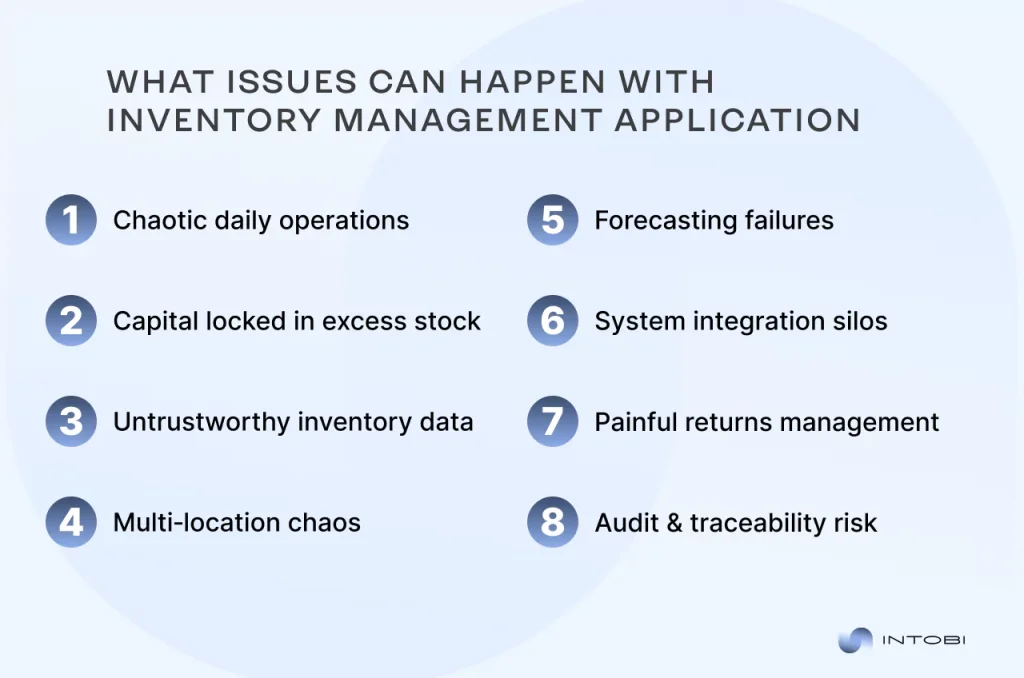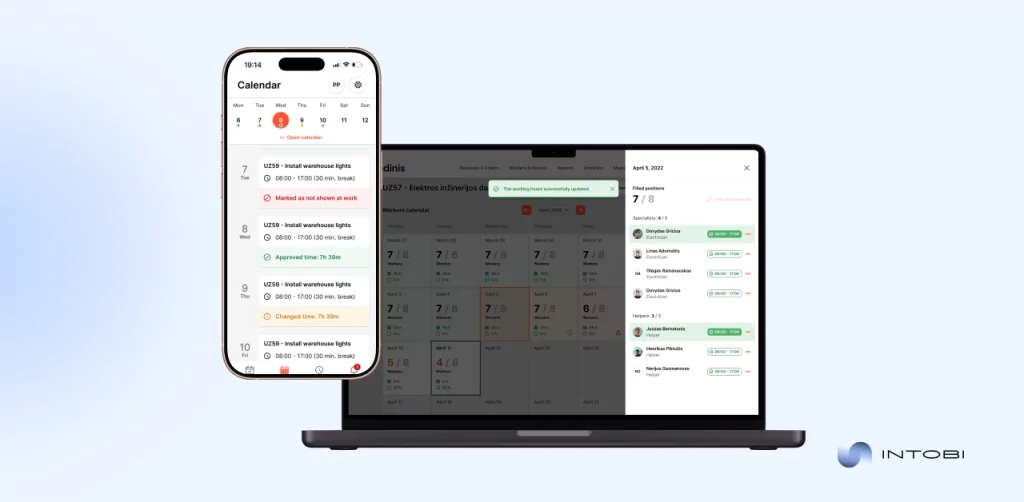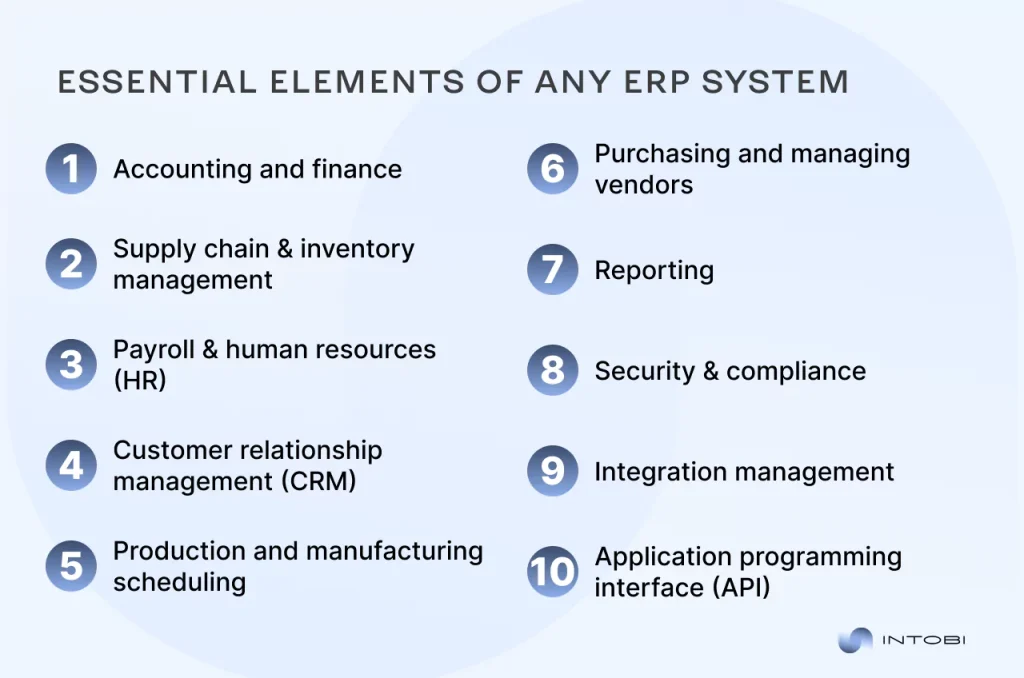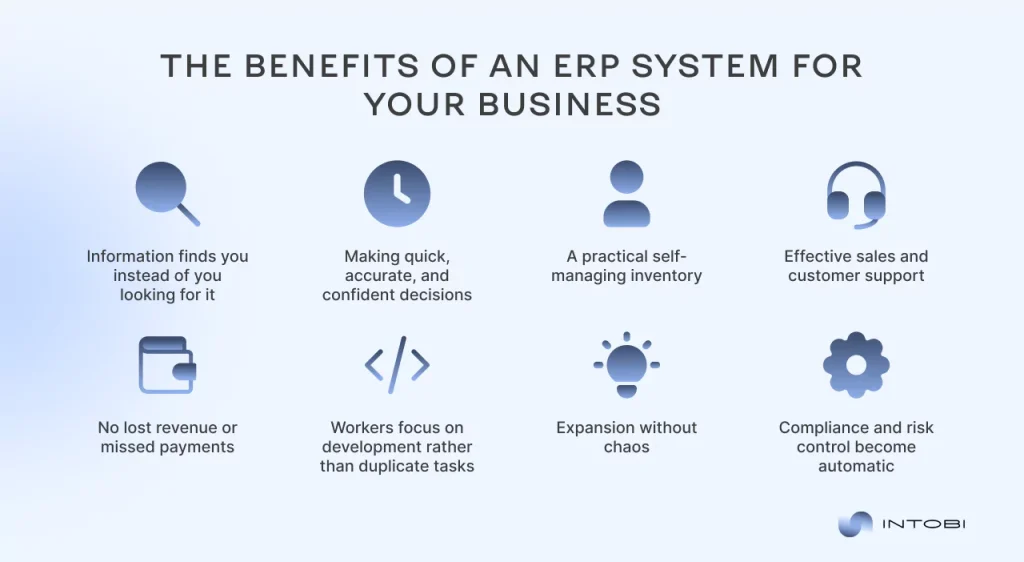

ERP for Manufacturing: Features, Benefits, and Top Picks

TL;DR

Manufacturing today demands seamless integration of production, inventory, quality, and finance. Many still use fragmented tools causing delays and errors. This guide helps founders and tech leaders decide between building or buying ERP software by focusing on fit, deployment, and cost over five years. It covers essential modules, key features, benefits, vendor comparisons, and decision criteria to confidently choose the right manufacturing ERP system.

Make a summary of this article with AI:

Modern manufacturing requires coordination across production, inventory, quality, and finance – but many companies still rely on disconnected tools that create information gaps and operational bottlenecks. For founders and tech leaders weighing a build-vs-buy decision, the practical question isn’t which vendor has the flashiest demo. It’s about which system fits your production complexity, deployment needs, and total cost over the next five years.

This guide walks through the module architecture, the features that actually matter on the shop floor, quantified benefits, a six-vendor comparison, selection criteria, and the custom-versus-off-the-shelf call. You’ll get the framework to make that decision with confidence, not guesswork. Start with the foundation: what manufacturing ERP really is, and how it differs from generic business software.

Manufacturing ERP dashboard connecting production inventory and finance modules

What Is ERP For Manufacturing?

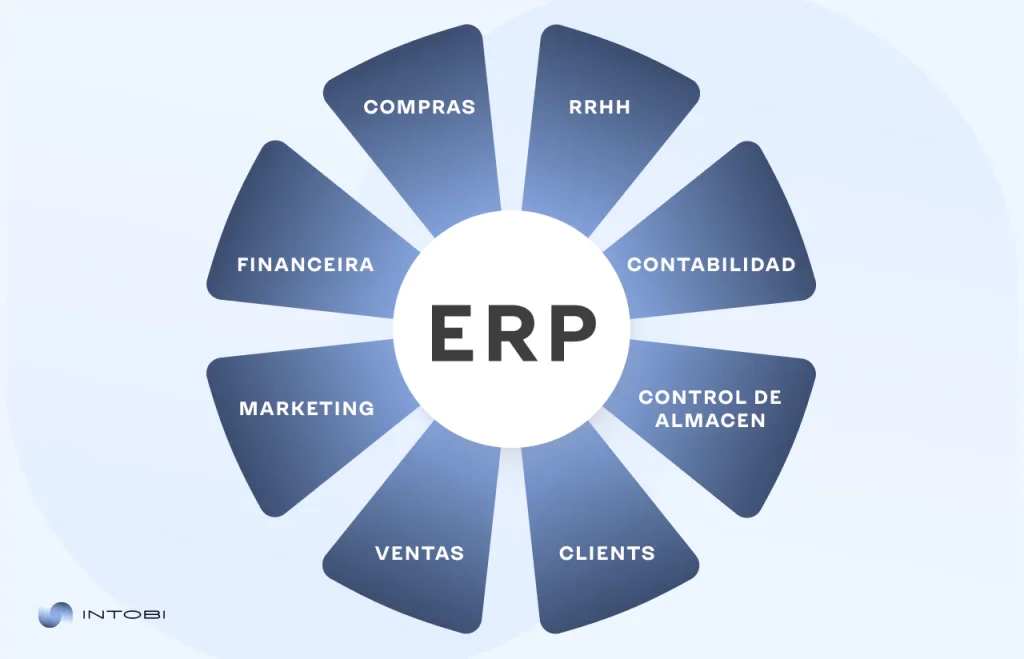
ERP for manufacturing is a centralized software system that connects production, inventory, quality, and finance into a single shared database. So what does ERP stand for in manufacturing? Enterprise resource planning – the discipline of running the whole operation from one source of truth instead of a dozen disconnected spreadsheets.

The difference from generic business software is structural, not cosmetic. A standard ERP handles accounting, sales, and basic inventory well enough. But an ERP system for manufacturing is built around bills of materials (BOM), work orders, and shop floor control – the mechanics of actually making things.

Four modules do the heavy lifting. The production management module schedules work orders and tracks output against capacity. The inventory management module records raw materials, work in progress, and finished goods across locations, along with material and labor variances. The quality control module ties inspections and nonconformance handling to specific lots. And the finance and accounting module ties every transaction back to real production costs.

Here’s why that matters for you as a decision-maker. When these four modules share one database, a material shortage flagged on the floor updates the schedule and the cost forecast at the same time – no manual reconciliation needed. Generic platforms treat production as an afterthought, forcing expensive add-ons. Purpose-built manufacturing ERP software includes MRP and traceability from day one. That’s the core distinction across the ERP for the manufacturing industry. Understanding what manufacturing ERP is sets up the next question: which specific features actually move the needle on the shop floor?

Key Features of Manufacturing ERP Software

Manufacturing employee using ERP software.

Seven features separate real manufacturing ERP software from a repurposed generic system. Miss any of them, and you’re back to bolting on spreadsheets.

Start with MRP-driven production planning. Master production scheduling, material requirements planning, and capacity planning work together so that when MRP spots a material shortage, it adjusts the schedule and generates purchase orders automatically. No manual chase.

Next comes inventory and warehouse control – tracking raw materials, work-in-progress, and finished goods across locations. This is the same discipline that drives serious inventory management software development and is applied to production. Quality management ties inspections and nonconformance handling to specific lot IDs, not loose paperwork.

Supply chain visibility matters just as much. Knowing where a shipment sits and when keeps the schedule honest – the same principle behind purpose-built ERP solutions for logistics. Integrated financials complete the loop. Every material and labor transaction ties back to real production cost, so margins aren’t a quarterly guess.

Then there’s shop floor data collection. Modern systems capture order progress, completions, scrap, and labor in real time via barcode, RFID, or mobile inputs. Would you rather learn about a bottleneck today or at month-end?

Finally, traceability for compliance. The ERP becomes the auditable chain linking raw material receipt to shipment history – essential when a food or pharma auditor asks you to trace a lot in minutes. That’s what an ERP software for manufacturing actually delivers. These features aren’t just checkboxes – each one translates into measurable operational and financial gains.

Benefits of ERP Systems for Manufacturers

The business case for ERP for manufacturing rests on gains you can measure, not vague promises. Six benefits show up again and again when the rollout is done right. 

Efficiency comes first. Automated workflows can increase production turnaround time by up to 1.5x, according to research on ERP ROI for manufacturers. Less manual data entry, fewer handoffs, faster output.

Cost reduction follows close behind. That same research links ERP to a 22% drop in operational costs by optimizing labor, materials, and machine time. Real-time visibility and inventory optimization change how you plan. Better stock tracking can cut inventory waste by up to 60% – capital that stops sitting on shelves. Pairing your ERP with cloud-based supply chain software further sharpens that picture.

Regulatory compliance shifts from a scramble to routine. When every lot, inspection, and shipment lives in one auditable chain, a recall or audit becomes a query, not a fire drill. Better forecasting depends on clean, connected data. Industry data show that AI-assisted ERP can meaningfully improve demand forecasting accuracy, so you order and staff based on real signals rather than gut feel.

Reduced downtime rounds out the list. Would you rather schedule maintenance or absorb a surprise line stoppage? Predictive maintenance tied to ERP work-order history can cut unplanned downtime substantially – one steel manufacturer traced failures weeks ahead.

For a manufacturing company, these ERP solutions turn scattered effort into measurable margin. Do the rollout well, and the numbers add up. With the business case established, the next step is knowing which platforms actually deliver on these benefits.

Top ERP Solutions For Manufacturing Companies

Picking the best ERP software for manufacturing isn’t about chasing a leaderboard. It’s about matching three variables to your operation: industry fit, deployment flexibility, and total cost against your production complexity.

Three names round out the shortlist beyond the six covered below. QAD Adaptive suits regulated global manufacturers – automotive, life sciences, CPG – with multi-level BOM control and FDA/ISO 13485 compliance baked in. Cetec ERP targets small job shops and contract manufacturers, with transparent per-user pricing and strong cost accounting. Global Shop Solutions, family-owned since 1976, focuses squarely on discrete manufacturing with its FLOOOM operation-level cost breakdown.

Which one fits you? That typically depends on whether you run simple assemblies or batch chemistry, and whether you need cloud speed or on-prem control.

AttributeQAD AdaptiveCetec ERPGlobal Shop Solutions 
Best fitRegulated global mfgSmall job shopsDiscrete manufacturing
StrengthCompliance, traceabilityCost accountingShop management
DeploymentFlexibleCloudCloud or on-prem

These aren’t the only contenders, but they show the range across ERP systems for manufacturing – from lightweight cloud tools to enterprise vertical suites. Choosing among the top ERP systems for manufacturing is a build-vs-buy decision with real cost consequences. Tell us about your project and get a clear development roadmap from our team.

Here’s how six leading platforms stack up on manufacturing-specific capability.

NetSuite

NetSuite is cloud-native from the ground up, which is why growing manufacturers gravitate toward it. Financials and production management live in the same suite – not two products stitched together after the fact.

That unified design pays off when you scale. A company outgrowing QuickBooks and a standalone MRP tool can consolidate both into one system, so a work order booked on the floor updates the general ledger without a second entry.

Where does it fit best? Mid-market manufacturers who want strong accounting depth alongside solid production and inventory control, without maintaining servers. The trade-off is customization cost. Heavy shop-floor complexity can push you toward a deeper vertical suite. But for financials-first operations, you’ll find the single-database approach hard to beat.

Epicor Kinetic

Epicor Kinetic goes deep where discrete manufacturers feel the most pain. Its industry-specific functionality is among the richest on the market, built for shops running complex, multi-level BOMs and intricate routings.

If your product has dozens of subassemblies and revision-controlled components, this is where Kinetic earns its keep. A make-to-order machine builder juggling engineering changes across active work orders gets granular control that lighter platforms simply gloss over.

The depth comes with a learning curve – you’ll want a capable implementation partner. But for discrete manufacturers whose competitive edge lives in production complexity, that trade is usually worth it. Need broad global finance instead? Then look at the enterprise pick next.

SAP S/4HANA

SAP S/4HANA is the enterprise pick – the one large manufacturers reach for when scale and regulation collide. It’s built for complex global operations, multi-entity finance, and cross-border compliance that lighter platforms can’t touch.

Think of a manufacturer running plants across three continents, consolidating results in multiple currencies while satisfying different regulatory regimes. That’s the environment where S/4HANA fits. The cost and implementation weight are real – this is enterprise software priced and scoped for enterprises. You’ll need dedicated IT and a serious change-management budget. But if your operation spans borders, entities, and strict compliance obligations, few systems match its depth. For everyone else, it’s more than you need.

Acumatica Cloud ERP

Acumatica prices differently, and that changes the math for mid-market manufacturers. Instead of charging per seat, it licenses on consumption – so you can add shop-floor users without a penalty for every login.

Picture a growing manufacturer that wants supervisors, planners, and machine operators all touching the system. Under per-seat pricing, that ambition gets expensive fast. Under Acumatica’s model, it doesn’t. The cloud flexibility rounds out the appeal – you scale capacity as production grows, not in costly jumps. Why cap who sees the data when access drives better decisions? For mid-market operations focused on total cost of ownership, that licensing structure is why Acumatica keeps making the shortlist.

Microsoft Dynamics 365 Business Central

Business Central makes the most sense when your team already lives in Microsoft 365. The integration is tight – Power BI dashboards, Excel exports, and Outlook workflows connect without middleware.

That familiarity lowers switching costs in a real way. A manufacturer whose finance team runs on Excel and whose planners already use Teams can adopt Business Central without retraining everyone from scratch.

Where does it shine? Small to mid-market manufacturers who value one vendor relationship and predictable licensing over deep vertical features. The manufacturing depth is solid rather than specialized – fine for standard discrete production, less so for heavy process complexity. But if you’re a Microsoft shop, you’ll appreciate how little friction the rollout brings.

Infor CloudSuite Industrial

Infor CloudSuite Industrial covers ground most platforms don’t – it handles both process and discrete manufacturing under one roof. That range matters if your operation blends batch chemistry with assembly work.

Its edge is the speed to deploy. Industry-specific templates come preconfigured for verticals, so you spend less time bending a generic system to fit and more time running it. A specialty coatings maker running formulations alongside packaged goods gets a starting point that already understands both.

Where does it fit? Manufacturers who want vertical depth without the enterprise weight of the largest suites. You’ll trade some raw flexibility for a faster, lower-risk rollout.

Interesting

Picking a name off this list is only half the job – the next step is matching platform capability to your specific selection criteria.

How to Choose the Best ERP for Manufacturing

Six criteria decide whether you pick well or spend two years regretting it. Work through them in order, and the shortlist narrows fast.

How to choose the best ERP for manufacturing

Industry fit comes first. A process manufacturer running batch chemistry needs formulation and lot genealogy that a discrete-focused platform treats as an afterthought. Match the system to how you actually make things.

The deployment model is next. On-prem maximizes control in latency-sensitive or regulated environments but increases your IT burden and upfront capital requirements. Cloud offers faster time-to-value and lower initial costs – and it can cut total cost of ownership by 30-50% over five years, according to an analysis comparing cloud and on-premises ERP.

Scalability matters because you’re buying for the operation you’ll run in five years, not today. Can the system absorb a 50% jump in transaction volume without a re-platform? Integration with existing systems is where many rollouts stall. Your ERP has to talk to shop-floor hardware and your CRM – plan to integrate ERP with custom CRM development rather than run parallel databases.

Total cost of ownership means the full 3-7 year picture: licensing, implementation, and support, not the sticker price. Vendor support quality decides your experience after go-live. Weigh implementation expertise and long-term stability – or work with an experienced ERP development company to bridge gaps. Score every ERP for manufacturing candidate against all six, and the best ERP for manufacturing surfaces on its own. These criteria play out differently depending on whether you’re a five-person shop or a multi-plant enterprise.

ERP for Small Manufacturers VS Enterprise Needs

The gap between what a job shop pays and what a multi-plant enterprise pays isn’t a rounding difference – it’s an order of magnitude.

ERP for small-business manufacturing typically runs $10,000-$150,000 in year one, including implementation, then $15,000-$75,000 annually. A 20-employee shop often lands near $50,000-$75,000 total. That’s affordable because cloud-based ERP software for small manufacturing businesses skips servers and dedicated IT entirely.

Enterprise sits elsewhere. Deployments exceed $250,000 and routinely climb past $1,000,000 with multi-entity finance and heavy customization. Implementation runs 2-5x the annual license on enterprise platforms, versus 1-3x on mid-market systems. Which side of the line are you on? If you can’t dedicate an internal team, the small-business path is usually the honest one.

AttributeSmall manufacturerEnterprise 
Year-one cost$10K-$150K$250K-$1M+
DeploymentCloud, no serversOn-prem or hybrid
Implementation ratio1-3x license2-5x license
IT requirementMinimalDedicated team

Cloud dominates the small end because it suits ERP software for manufacturing budgets without upfront hardware. Manufacturing leads ERP adoption, and smaller buyers grow fastest. You need a system sized to your operation. Budget fit is one hurdle – the rollout itself introduces separate risks worth planning for upfront.

Common Challenges In Implementing Manufacturing ERP
Manufacturing software integration solution for industrial operations.

Most ERP rollouts don’t fail because the software is broken. They fail for predictable reasons you can plan around before signing a contract.

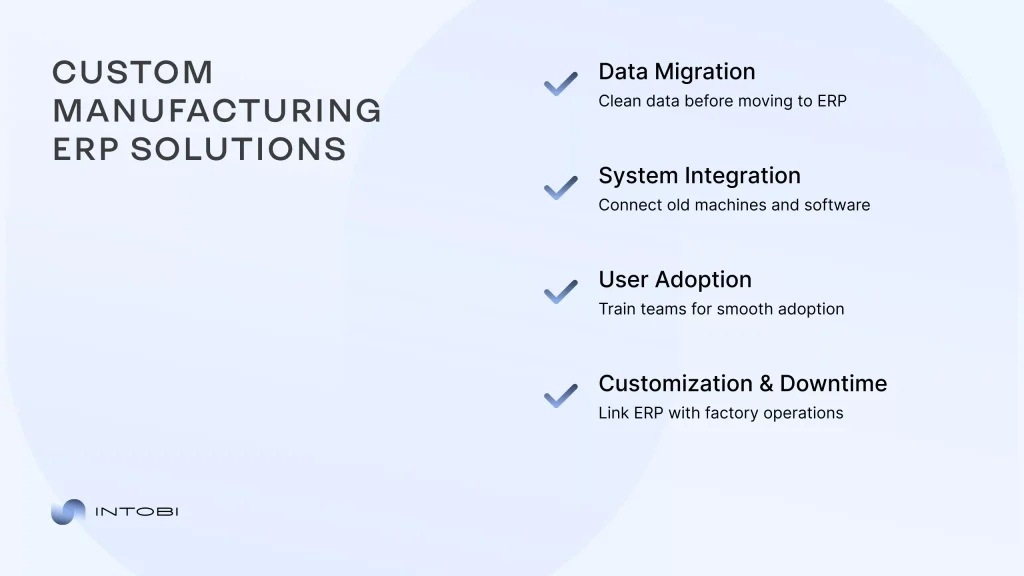
Data migration is the biggest culprit. It accounts for over 75% of implementation issues, according to research on ERP data migration for manufacturers. Inconsistent BOMs, duplicate part numbers, and fields that don’t map cleanly produce unreliable schedules and wrong inventory. Budget migration at 20-30% of effort and clean data before it moves.

Change management is the quiet killer. When operators and planners aren’t brought along, they route around the system – and the new platform ends up half-used. It ranks among the top causes of failed discrete rollouts.

Then there’s legacy equipment integration. Older CNC machines and PLCs predate modern APIs, stranding data in MES, SCADA, or local databases. Without a connection, the ERP leans on slow, error-prone manual input. An IoT gateway that speaks Modbus or OPC UA bridges that gap, but it’s real engineering work. Purpose-built custom supply chain software for manufacturers often handles that layer.

Customization limits and rollout downtime add friction. Push a generic platform too far, and the cost spiral ensues. Cut over all at once, and you risk stopping the line. Would you rather uncover these gaps in planning or after go-live? Manage them deliberately, and your ERP for the manufacturing industry rollout beats the odds. Some challenges are exactly why off-the-shelf ERP isn’t right for every manufacturer.

Custom ERP vs Off-the-Shelf For Manufacturers

Off-the-shelf ERP is the right default for standard discrete manufacturing. If your workflows map cleanly onto a packaged template, buying beats building.

The picture changes when your operation doesn’t fit the mold. Process manufacturers – chemicals, pharmaceuticals, food and beverage – need formulation, batch genealogy, and regulatory traceability that generic platforms handle inconsistently. Bend a packaged system too far, and you inherit brittle add-ons that break at every upgrade.

Three signals push toward custom. Regulatory traceability packaged modules can’t satisfy. Legacy equipment integration where 20-year-old PLCs won’t talk to a modern API. And non-standard workflows reflecting a real competitive edge.

Consider a packaging company whose legacy ERP lacked a direct API, resulting in inventory lag. A custom integration layer restored order without ripping out the core. That’s often the smarter play – custom ERP development for manufacturers can wrap a legacy system rather than replace it.

AttributeOff-the-shelf ERPCustom ERP 
Best fitStandard discrete mfgRegulated or niche mfg
Deploy speedFasterSlower
Workflow matchGeneric templateExact fit
Upgrade riskLowControlled

Would you force a batch-chemistry operation into discrete-manufacturing logic? These ERP solutions for manufacturing serve different jobs. If you’re weighing ERP for custom manufacturing, learn how to build an ERP system from scratch before committing. Tell us about your project and get a clear roadmap. We’ve guided manufacturers through exactly this build-vs-buy decision.

What We’ve Seen Work: Lessons From Custom Manufacturing ERP Builds

Custom ERP projects that succeed follow a recognizable pattern. The ones that stall almost always skip one of the three disciplines.

First, scope traceability and BOM logic before anyone writes code. Multi-level bills of materials, revision control, and lot genealogy are the hardest parts of any manufacturing build – and the most expensive to bolt on late. Map how a serialized part moves from raw receipt to shipment first. Everything else hangs off that spine.

Second, migrate data in phases, not in one heroic cutover. A single overnight switch is how you strand production the next morning. Moving master data, then transactions, then history in stages lets you validate BOMs and inventory counts before they drive live schedules. Would you bet the whole line on a single migration script running cleanly?

Third, treat shop-floor hardware integration as its own workstream with its own budget. Connecting older CNC machines and PLCs through an IoT gateway is real engineering, not a configuration checkbox. Teams that fold it into “general implementation” watch timelines slip.

One recurring lesson ties them together: the software rarely fails on its own. Weak data hygiene and rushed rollouts do the damage.

Plan these three upfront, and you’ll spend your budget on capability instead of rework. That’s the difference between a custom build that pays back and one that drags.

Need an ERP that fits your shop floor?

Contact us

The Bottom Line On Manufacturing ERP

An ERP for manufacturing earns its keep when it integrates production, inventory, quality, and finance into a single source of truth. The platform you pick matters less than the fit – industry type, deployment model, and total cost against your real production complexity.

Small shops thrive on cloud systems that skip servers and IT overhead. Enterprises need multi-entity depth and to accept the weight that comes with it. And when packaged templates can’t handle your batch chemistry or legacy PLCs, a custom build or integration layer often beats bending a generic system until it breaks.

Failures rarely stem from bad software. They come from dirty data, rushed cutovers, and skipped change management. Would you rather find those gaps in planning or after go-live?

Want to see how manufacturers solved these exact problems? Browse real project outcomes from builds like yours. For deeper guidance on ERP strategy, our technical articles cover the decisions ahead. Ready to move? Tell us about your project and get a clear development roadmap from our team.

FAQ

What is ERP used for in manufacturing?

It coordinates production planning (MRP), inventory, quality control, and finance within a single system. You get real-time visibility into work orders, shop floor status, and material availability. It also supports lot and batch traceability for compliance.

What is a good ERP for manufacturing?

It depends on your size and complexity. NetSuite and Business Central suit growing mid-market firms. Epicor Kinetic and Infor CloudSuite Industrial offer deep discrete and process functionality, while SAP S/4HANA is well-suited to large, regulated, multi-plant enterprises.

What is the ERP process for manufacturing?

Demand forecasting and master production scheduling feed MRP calculations. MRP then determines material needs, timing, and purchase or work orders. Shop floor control tracks execution while finance and inventory update in real time.

What are the top 3 ERP systems?

Commonly cited enterprise leaders are SAP S/4HANA, Oracle NetSuite, and Microsoft Dynamics 365. For manufacturing specifically, Epicor Kinetic and Infor CloudSuite Industrial are also shortlisted. The best choice depends on your size, industry, and deployment preference.

What does ERP stand for in manufacturing?

ERP stands for enterprise resource planning. In manufacturing, it links production execution – BOM, MRP, and shop floor control – directly to financial and inventory data in one shared system.

Transportation Management System Examples for Modern Supply Chains

TL;DR

Transportation management systems turn manual route planning and carrier selection into a transparent, cost-efficient process. This article explains what TMS platforms are and why they matter, then walks through examples across industries, the top systems used today, and the features that matter most. It also shows how to choose the right transport management solution for your business needs.

Make a summary of this article with AI:

Logistics has always been a vital component in the efficient operation of the business ecosystem. Modern technologies are now replacing conventional transportation controls, making these processes more efficient and less expensive through transparent cost analysis and streamlined transportation management.

​In this article, we take a closer look at transportation management system (TMS) examples across different business niches and use cases, explain how to choose the right software, and analyze best practices for implementing a TMS.

What are transportation management systems, and why do they matter?

A transportation management system is a software solution that helps businesses plan and track cargo movements, work with logistics providers or private carriers, and analyze operational performance.

Transport management solutions are indispensable for a company’s high-quality operations. These systems allow you to minimize transportation costs and transparently control all logistics processes. 

With a properly structured transportation management solution, you will avoid common documentation and calculation mistakes. This is especially important in e-commerce, retail, or manufacturing.

Modern TMS platforms typically use a cloud or hybrid architecture and provide application programming interface (APIs) for integration with customer management systems (CRM) and eCommerce systems (Shopify, Wix, Squarespace). 

While CRM systems handle customer and order data, TMS is responsible for transportation-related processes, including route planning, carrier selection, cargo valuation, shipment tracking, and cost optimization.

Overview of transportation management solutions

Transportation management solutions focus on route planning, carrier selection, real-time tracking, reporting, and performance as part of broader logistics management systems.

For companies that need tailored workflows beyond standard TMS features, logistics software development can help build a solution around routing, carrier management, tracking, and cost control.

How transportation software solutions support modern supply chains

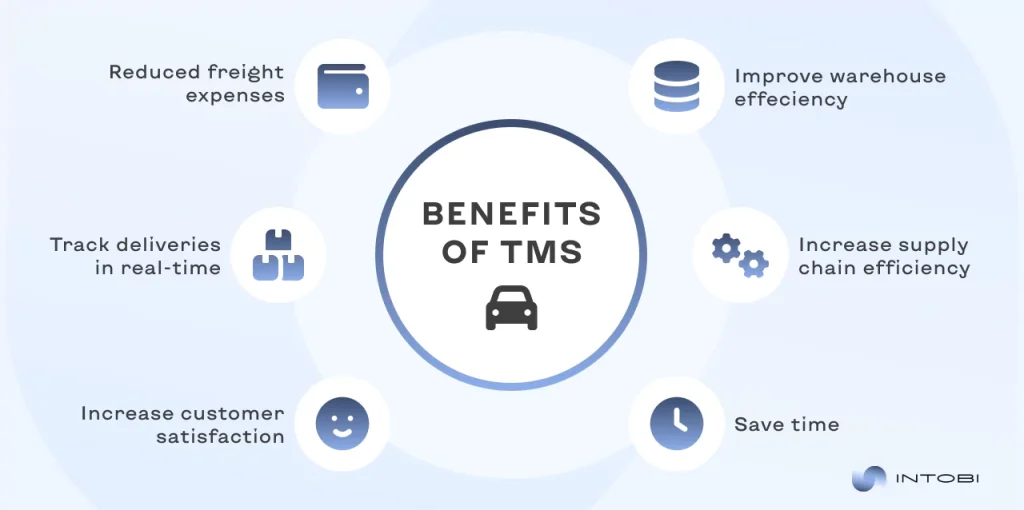
TMS modules give companies real-time visibility into freight movements, enabling rapid responses to delays, disruptions, or changes in demand.

Interesting

Crucially, these systems also optimize route planning and carrier selection, resulting in cost reductions and improved delivery performance. 

The main takeaway: TMS enables rapid, informed actions to maintain efficiency. Discover the full range of transportation management system benefits.

Transportation management system examples across industries

Certain business niches rely more heavily on logistics, which directly impacts brand reputation and operational efficiency. Let’s consider how transport management solutions can benefit various business sectors.

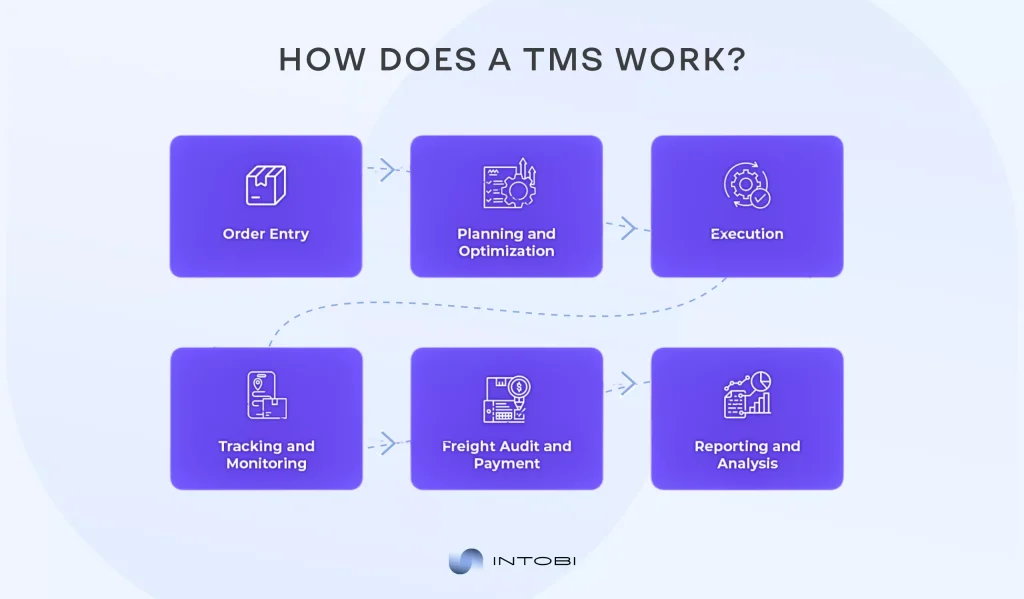
Diagram of a transportation management system workflow: order entry, planning, execution, tracking, payment, and reporting

Transportation management software examples for manufacturing

In manufacturing, the timely delivery of components and the shipment of finished products are crucial. Thus, companies with robust logistics consistently outperform direct competitors.

The key tasks that TMS systems can solve for this industry are ensuring uninterrupted production, planning strategic transportation, and minimizing costs through transparent reporting and analytics.

By synchronizing production and transportation processes, TMS solutions enable manufacturers to maintain operational stability, improve efficiency, and support sustainable business growth.

Transportation management system examples in retail and e-commerce

E-commerce interface with shopping cart icons and digital network

In the world of e-commerce and retail, when a store receives dozens or hundreds of orders per day, the business depends entirely on how well its TMS software works.

Since it is important in these niches to quickly process orders and deliver on time, transportation software solutions are primarily designed to support process continuity.

By providing full visibility into delivery processes and transportation costs, TMS solutions improve the customer experience, reduce logistics expenses, and support scalable omnichannel operations.TMS software examples for 3PL and logistics providers

TMS software examples for 3PL and logistics providers

Container transport at a seaport terminal

For 3PL companies (companies that manage part or all of the transportation operations) and logistics providers, a transportation management system is the primary tool. TMS ensures their logistics operations meet strategic goals for quality and efficiency.

TMS solutions also help logistics providers deliver performance analytics, automate routine processes, and expand their service offerings.

As a result, transportation management systems help 3PL companies improve service quality, maintain profitability, and remain competitive in a dynamic logistics environment.

Top transportation management systems used today

The choice of TMS is not always straightforward. It depends on the intended audience, business size, implementation complexity, and specific requirements. Some platforms serve global projects that require comprehensive oversight, while smaller companies can select a TMS tailored to their specific needs.

The team selecting transportation management software must identify the system’s specific required functions and expectations. This approach supports informed decisions and enhances business operations.

Popular TMS systems in global supply chains

Global logistics processes use systems that can simultaneously process large amounts of information related to transportation between different countries and regions.

The most popular TMS in 2026:

  1. Oracle Transportation Management (OTM)
  2. SAP Transportation Management (SAP TM)
  3. Blue Yonder TMS
  4. Infios TMS
  5. Uber Freight TMS
  6. C.H. Robinson Navisphere TMS
  7. Manhattan Associates TMS
  8. Descartes TMS
  9. MercuryGate TMS
  10. E2open / BluJay TMS

Such systems are adopted by major enterprises seeking uninterrupted logistics, advanced analytics, and system customization.

Top TMS systems for enterprise and mid-market companies

Medium-sized companies prioritize balancing feature depth with operational flexibility when choosing systems. The capacity to scale remains a critical selection criterion.

In this segment, the vast majority of TMSs offer robust modular functionality, helping companies move to more complex systems to scale logistics.

Top 10 TMS systems compared

When comparing leading transportation management systems, clearly define the key challenges each must address for your business, and consider the development requirements for each.

Top 10 TMS systems comparing
TMS PlatformTarget Business SizeBest ForKey Strength
SAP Transportation ManagementEnterpriseComplex global supply chainsDeep ERP integration, enterprise control
Oracle Transportation ManagementEnterpriseCost optimization & global logisticsAdvanced optimization & analytics
Manhattan Active TMEnterprise / Upper Mid-MarketRetail & eCommerceOmnichannel & execution speed
Blue Yonder TMEnterpriseAI-driven planning & forecastingPredictive optimization
MercuryGate TMSEnterprise / 3PLMulti-client logistics3PL-focused flexibility
Descartes TMEnterprise / Mid-MarketInternational & multimodal transportCompliance & customs
Trimble (Kuebix)Mid-MarketFast deployment & ease of useQuick implementation
E2open / BluJay TMSEnterpriseNetwork-based supply chainsPartner ecosystem
Infor Transportation ManagementEnterprise / Mid-MarketManufacturing & distributionERP-driven logistics
TransporeonEnterprise / Mid-MarketCarrier collaboration (EU focus)Carrier network & visibility

Best transportation management systems: Features that matter

We have already covered the basics of choosing transportation software solutions for different business niches and sizes. Now it’s time to dive deeper and consider the importance of specific functions that a TMS must perform.

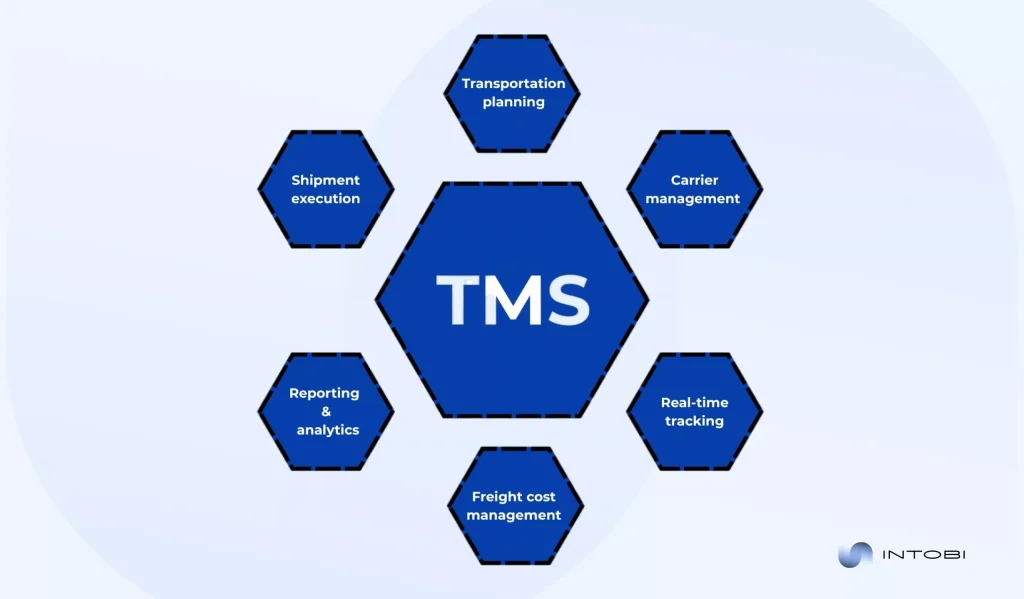
Core transport management system modules

Let’s consider the key modules every TMS includes. These foundational modules are essential for constructing a logistics system.

Diagram showing core TMS functions: planning, execution, carrier management, tracking, cost management, and analytics.

Transportation planning

Planning always has strategic value, especially in logistics, where the timely delivery of necessary equipment or goods to customers has a significant impact on the business.

Shipment execution

Has direct operational value, as it ensures transportation plans are properly executed in practice. This module coordinates dispatching, booking, and shipment control, helping businesses avoid delivery failures and delays.

Carrier management 

Setting tasks for drivers, cooperating with large logistics corporations, and tracking their efficiency, which will directly influence further steps.

Real-time tracking and visibility

Includes tracking the goods’ path in real time, enabling you to respond to urgent changes instantly and assess driver performance.

Freight cost management

Delivers financial control over transportation operations. By accurately calculating rates, monitoring costs, and validating invoices, this module helps prevent overpayments, improve budget predictability, and optimize overall logistics spending.

Reporting and analytics

These have long-term strategic value by transforming transportation data into actionable insights. This module enables businesses to evaluate performance, identify inefficiencies, and make data-driven decisions.

For teams that need deeper visibility across routes, costs, and operational performance, supply chain analytics software can turn transportation data into clearer business decisions.

Advanced capabilities in the best TMS systems

Higher-level logistics performance-tracking systems already include much more technology and features that enable deeper analytics and new insights. But their implementation is also much more difficult and complex.

Advanced route optimization and scenario modeling

Provide better control over the situation by creating multiple scenarios to ensure an uninterrupted supply of goods.

AI-driven forecasting and demand alignment

The best transportation management systems use machine learning and historical data to predict demand for logistics transportation. This can be useful for logistics marketers to create a better offer for potential customers.

Multi-modal and cross-border transportation support

The best TMS systems also support logistics across multiple modes, including water, rail, and air.

Cloud, automation, and analytics in modern transport management solutions

Nowadays, cloud-based TMSs are becoming increasingly popular. They are more flexible for frequent updates and have easy access with rapid deployment.

​Automation plays a critical role by minimizing manual tasks such as data entry, carrier selection, and cost calculations, thereby reducing errors and improving operational speed.

​While analytics can inform further development plans, a company can take its insights into account.

Want to create a TMS solution?

Contact us

Best transportation management software for different business needs

Every company has a unique perspective on how TMS should drive development. The key point: consider transportation management system examples based on your specific business goals for maximum benefit.

Best transport management software for high-volume shippers

For companies with large volumes of shipments, software is necessary that can process large amounts of information while eliminating all possible errors, ensuring the necessary speed and continuity.

Such systems should minimize annual work, maintain a stable level of service, and control large-scale transportation costs.

Best transportation management software for small and mid-size businesses

Software that is not overly complex is an ideal choice for small and medium-sized businesses. For this segment, ease of implementation, intuitive interfaces, and predictable costs are often more important than deep customization.

The best TMS solutions for these businesses provide cloud-based deployment, modular functionality, and integration with existing business systems. This allows companies to scale gradually as transportation needs grow.

Best TMS systems for complex global operations

Companies operating in multiple regions or countries need transportation management systems that can handle complex global logistics processes. Such systems must support intermodal transportation, regulatory compliance, and diverse carrier networks.

These systems provide control and visibility across global supply chains. Advanced exception management, analytics, and ERP integration capabilities are critical to maintaining reliability and cost efficiency in complex international operations.

Best transportation management system examples by use case

Different businesses use transportation management systems to solve different problems. While the principle of how TMS works remains the same, the problems it can directly help with may vary.

Best transportation management system examples for cost optimization

For companies where transportation costs account for a significant portion of operating expenses, the most effective TMS solutions are those built on transparency and cost optimization, which is made possible by basic analytics.

Best transportation management system examples for real-time visibility

In logistics processes where service times are critical, real-time control becomes a key value driver for a transportation management system. TMSs designed for this type of use case focus on real-time shipment tracking, exception management, and instant status updates throughout the supply chain.

These systems allow businesses to respond quickly to delays, disruptions, or route deviations. Real-time visibility is especially important for retail, e-commerce, and global supply chains with strict delivery expectations.

Transportation management software examples for scalability and growth

For growing companies and enterprises with complex, ever-growing logistics, scalability is a determining factor when choosing a transportation management system. The best systems for this use case are built on a modular architecture, feature customizable workflows, and integrate with other systems.

How to choose the right transport management solution

Choosing a TMS is a crucial step toward effortless logistics. At this stage, you need to understand your business, its goals, specifics, the problems you want to solve, and your needs. It is also important to familiarize yourself with the features specific to TMSs, their advantages and disadvantages, the complexity of implementation, and whether they will really help your company.

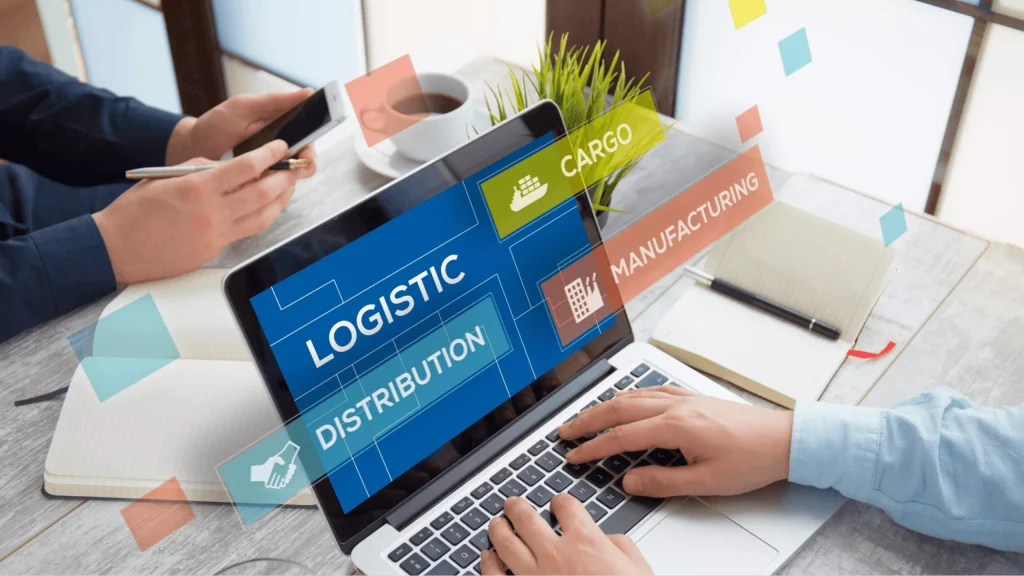
Logistics and distribution management on laptop

Comparing transportation management solutions and vendors

Choosing a transportation management system requires a comprehensive approach. You need to assess how well the system’s functionality meets your needs and whether the vendor can provide long-term support. It is important to pay attention to scalability, integration with other systems, deployment options, and compliance with the specific logistics tasks of your business.

At the same time, the vendor’s experience, technical support model, and product development plans significantly affect the implementation’s success and the system’s further evolution. The right solution is a combination of high-quality software and a reliable partnership with the vendor.

Evaluating best transportation management software vs custom platforms

When choosing the type of software, it is important to consciously understand your capabilities and the complexity of implementing an individual TMS.

Ready-made solutions offer quick implementation, basic functionality necessary for work, and minimize the risks of overspending.

While custom solutions provide more functionality than your business needs, they are not as quick to implement and may entail greater risk due to higher costs. However, if the company is a confident market player that needs customized solutions, this is a good choice.

Key questions to ask before selecting a transport management solution

In business, decision makers are constantly asking themselves questions. This acquired skill is also indispensable when choosing a TMS.

Specific questions:

  • Which transportation processes must the system support from day one?
  • Can the TMS scale with shipment volumes, new regions, and additional carriers?
  • How easily does the system integrate with our ERP, CRM, or eCommerce platforms?
  • Does the solution provide real-time visibility and proactive exception management?
  • How transparent and automated is freight cost calculation and invoice control?

Advanced questions for big companies:

  • How does the TMS support complex, multi-region and multi-entity operations?
  • How does the platform handle high transaction volumes and peak loads?
  • Does the system support advanced optimization scenarios and what algorithms are used?
  • How does the vendor support long-term scalability and product evolution?

Implementation considerations for TMS software

Implementing a TMS is an important, sequential process that requires close attention. First, conduct a detailed audit of the current situation to identify pain points you would like to fix. It is important to involve all responsible persons from the development department in this.

Integration with ERP and supply chain platforms

Integrating TMS data with other systems, like CRM or ERP is an extremely important strategic step toward building high-quality logistics that operate on data. In addition, it will help speed up all work processes and customer communication, thereby strengthening the brand’s reputation.

Measuring ROI from transportation management software

But no matter how progressive the ideas and theories are, they are meaningless if they do not pay off. It is important to calculate the profitability of all investments, including all costs associated with using a TMS.

How to measure ROI:

ROI =  (Total benefits − All investment  cost) / All investment cost × 100%

Change management and user adoption

Even the best work is meaningless if employees don’t take full advantage of modern technology. That’s why it’s important to support your employees’ adaptation to the new realities.

Final thoughts on transportation management software examples

Summarizing our article, we can confidently state that transportation management solutions are powerful tools that can scale and automate logistics, directly contributing to business growth.

The main thing is consistency and pragmatism. All technologies should be purchased and be a strategic step for the company.

And if you need help implementing TMS for your business, you can always contact our professional team of experts.

FAQ

What is TMS vs WMS?

TMS manages the transportation of goods between locations, while warehouse management systems (WMS) controls processes within the warehouse, namely goods receipt, storage, and picking.

Is TMS a CRM system?

No, TMS focuses on logistics and transportation, while CRM focuses on customer relationship management and sales.

What are the different types of TMS software?

The main types of TMS include cloud-based solutions (SaaS), on-premise systems for complete control, and hybrid platforms that combine the benefits of both approaches.

Logistics Software To Optimize Operations and Reduce Costs

TL;DR

Modern logistics covers far more than moving goods – it spans supply chain control, routing, warehousing, and real-time order tracking. This guide explains what logistics software solutions are, their key benefits, the top logistics management solutions in 2026, and how to choose the right one for your business. It also outlines the risks of managing logistics without software and the trends that will shape the field next.

Make a summary of this article with AI:

Logistics has become more than the simple transport of goods to their destinations in the modern business world. It constitutes a complicated system and entails supply chain control, route control, warehouse control, and real-time tracking of orders. 

Enterprises cannot be competitive without the use of modern technologies and tools, particularly in the global markets and in the context of high customer demands.

Software solutions for logistics automate the routine processes, save on costs, and enable you to make quick responses to changes. The use of logistics technology solutions provides transparency in all the stages of delivery and establishes a stable basis for business growth.

What are logistics software solutions?

Logistics management solutions are dedicated programs created to control, manage, and optimize the entire lifecycle of the delivery and storage of goods. 

These programs assist companies in arranging their work from the time an order is placed in the company’s hands to the delivery of the goods to the customer. In such a way, these processes are transparent, fast, and cost-effective. 

What is the primary concept of logistics management systems? The automation of routine work and the minimization of the probability of human error. 

The system assumes the role of route planning, warehouse tracking, and order tracking, instead of having to manually perform all of those tasks. This enables managers to concentrate on business development and strategic activities. in commensurate measure. 

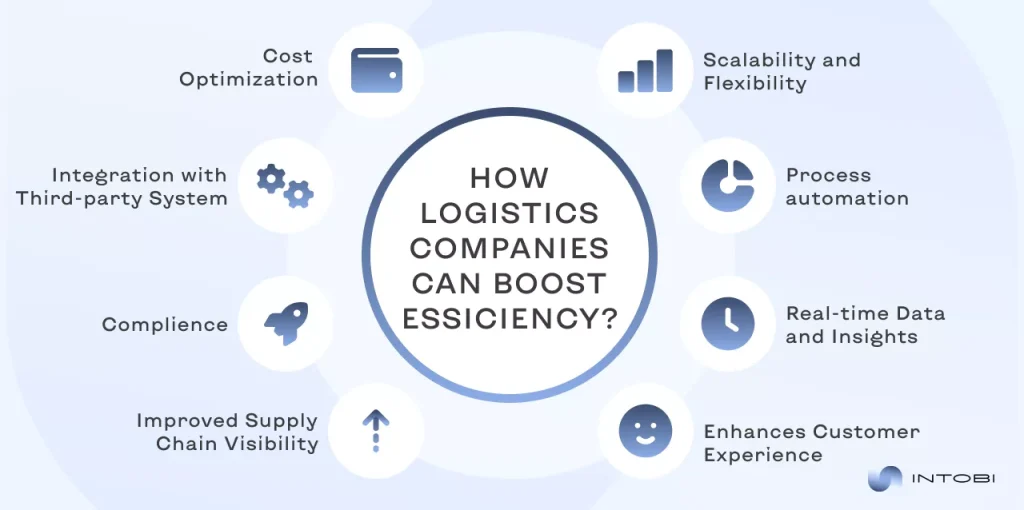
main ways to enhance efficiency for logistics companies

The typical key functions of a logistics solution are:

  • Transportation management systems (TMSs)

In fact, TMS covers route optimization, control of the transportation cost, and real-time cargo tracking. They help businesses reduce shipping expenses and improve delivery reliability.

  • Supply chain management (SCM)

Supply chain management logistics software helps plan demand, coordinate suppliers, and manage procurement. All this is about effective supply chain management as a whole.

  • Warehouse management systems (WMSs)

These warehouse systems are about inventory control, positioning of goods, receiving, and shipping processes. 

  • Analytics and reporting

The information includes the efficiency of transportation, costs, and customer service speed. 

With the help of these tools, companies can control every step of the logistics and react quickly to unforeseen changes. For example, when a particular route is congested or when there is a hold-up at customs, the system will automatically propose a different delivery solution. 

Besides saving money and time, software solutions for logistics assist in enhancing the degree of service. Customers would demand transparency and fast responses, and being able to scan a parcel online or view delivery times would make them more loyal.

Key benefits of logistics software solutions

The utilization of contemporary logistics enhanced solutions provides firms with a visible competitive edge. Its core worth resides in the fact that they ensure that all processes are easier, transparent, and cheaper.

To begin with, such systems save a lot of money. Planning of routes is automated to save fuel, time, and human resources. A smaller number of errors translates to fewer financial losses. 

Secondly, they guarantee speed and precision of delivery. Due to the real-time tracking, companies are able to manage the goods movement and react promptly to any changes. It is more relevant to those businesses in which large quantities of orders are placed. 

Another strength is improved inventory control. The integration with warehouse systems gives you an opportunity to learn the current information about the availability of goods, prevent shortages or surpluses, and plan purchases more efficiently. 

Better communication is no less important. The supply chain, including carriers, customers, and all participants, gains access to real data, thereby minimizing misunderstandings and enhancing trust levels.

The systems also offer analytics and reporting to aid in making sound business decisions. Managers receive an in-depth view of the expenses, productivity, and efficiency of the whole logistics process. 

Finally, the software solutions for logistics establish the circumstances of scaling the business. The company is able to serve more orders easily without raising expenses in commensurate measure. 

Interested in creating logistics software?

Contact us

Top logistics management solutions in 2026

In the year 2026, the logistics software market provides some high-end software that assists companies in efficiently managing their supply chains, warehouses, and transportation. 

The following are the top solutions:

best logistics software solutions
  • Blue Yonder AI (artificial intelligence) and ML (machine learning) solutions in demand, warehouse and transportation optimization. 
  • SAP SE A powerful enterprise resource planning (ERP) system of big international companies. 
  • Oracle SCM Cloud An analytics and visibility cloud supply chain solution in real time.
  • Manhattan Associates WMS and omnichannel logistics-related solutions, particularly in the retail and FMCG industries. 
  • MercuryGate TMS Multiple modes of transportation service, analytics, and specific requirement customization. 
  • Descartes Global network solutions, customs, and transit. 
  • Magaya Supply Chain Forwarding solutions, document management, warehouse, costs, and movements integration.  

Why is Intobi a unique choice compared to other companies?

Intobi is a software developer that provides custom SCM, TMS, and other logistics solutions. What sets Intobi apart?

Individual approach: Transport and logistics software are completely tailored to business processes, company requirements, scale, and industry peculiarities.

Complete development cycle: Audit and analysis, design, development, testing, and support. 

Technological expertise: Intobi has embraced the use of modern technologies, which will enable it to deliver logistics management software development solutions that are sustainable, scalable, and future-change-ready. 

Competitive price: This is relatively competitive, with an emphasis on cost savings without compromising quality. 

Good support and flexibility: The company develops a program and continually adjusts the system to new circumstances, including business development, new needs, and integrations.

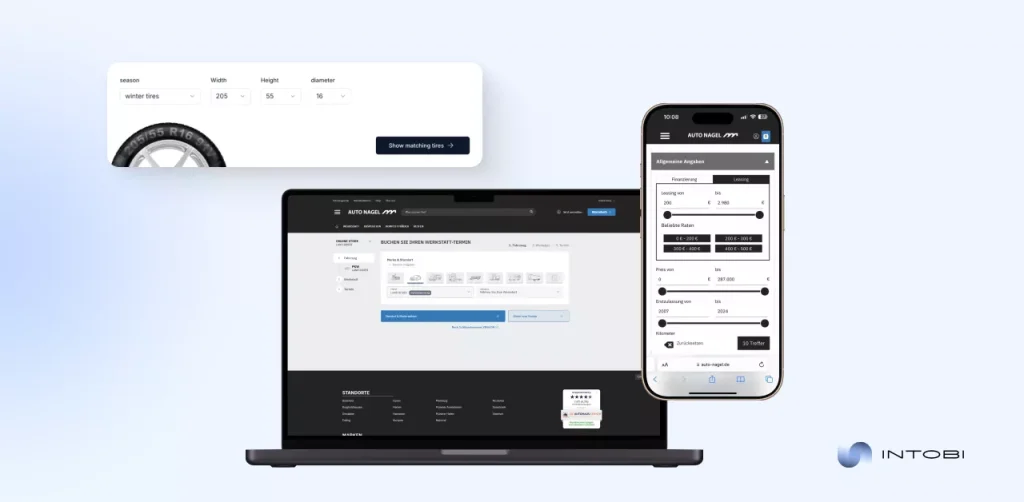
Case study: Auto Nagel

Speaking of real-life examples in logistics software projects, Intobi collaborates with the German company Auto Nagel. The mission was to develop a SaaS platform that integrates eCommerce, logistics management, document management, and drivers. 

Logistics software case

Our solution for Auto Nagel

Logistics and driver activity tracking modules, an eCommerce platform, and user roles, built-in accounting, and a powerful document designer. 

Outcome of our work

The efficiency of operations has increased, fewer mistakes in documents have been eliminated, and convenient drivers and integration of business processes.

How to choose the right logistics software for your business

Selecting logistics management software solutions is a strategic move that influences the effectiveness of all the business processes. To avoid a wrong step and invest in the correct solution, several important steps should be followed.

1. Define your needs and goals 

Before asking what the system is to solve, you must know what products it will solve. It may be transport management, warehouse management, document management or full supply chain control. Well-explained objectives will enable you to settle on a solution that will actually work. 

2. Consider the size of the business

Small businesses just require straightforward and less costly solutions, whereas medium and large corporations would be much better to invest in scalable systems with extensive functionality. 

3. Check integration facilities

The contemporary logistics operations are impossible without communication with CRM (сustomer relationship management), ERP or eCommerce systems. The logistics software solution implemented should be readily compatible with the available systems to eliminate duplication of data and manual labor. 

4. Pay attention to ease of use

The most sophisticated transport and logistics software will not work in case it becomes hard to learn among staff. A convenient interface, transparent functionality, and team training to a high standard are the obligatory success requirements.

5. Consider analytics and reporting

An efficient logistics management platform must offer analytics tools: expenses, delivery intervals, and performance of a driver or a warehouse. This will assist in making business decisions and quick responses to issues. 

6. Check the level of support

Factors include technical support and frequent updates. Select a supplier who sells the product and provides value to it to suit the market or your business with changes. 

7. Compare various solutions 

Although the ready-to-use solution packages offered by SAP, Oracle, Manhattan, and Blue Yonder are able to satisfy general demands, there are situations where companies might have different issues.

Custom-built logistics software developed by teams like Intobi will meet your specific business needs and seamlessly integrate with your existing business ERP and CRM platforms. Custom solutions will scale as your business grows, and provide intuitive interfaces, robust analytics, and dedicated support.

With a solution that centers on your workflow, in addition to improving efficiency and decreasing the potential for mistakes, you will leverage your logistics operation as an investment in the long-term success of your business.

8. Analyze your budget and ROI

A significant requirement is price, but more significant is the cost-benefit ratio. Resource saving and efficiency can be achieved much quickly through an investment in a more flexible and reliable logistics management system.

The reasoned decision on the logistics technology solutions is determined by a profound knowledge of the business operations, evaluation of scalability, integrations, and support. 

Compare ready-made and custom solutions, considering the long-term. This ensures the system does not incur costs, but rather serves as an investment in your company’s development.

Build the right software solution for logistics.

Book a call

Risks of managing logistics without software

Nowadays, logistics is not a support activity in business, but a component of competitiveness. Organizations that are not willing to use modern logistics software solutions assume serious risks. 

Such risks may be realized in terms of both these aspects: monetary losses and reputational issues, which eventually slow down the development of the business. 

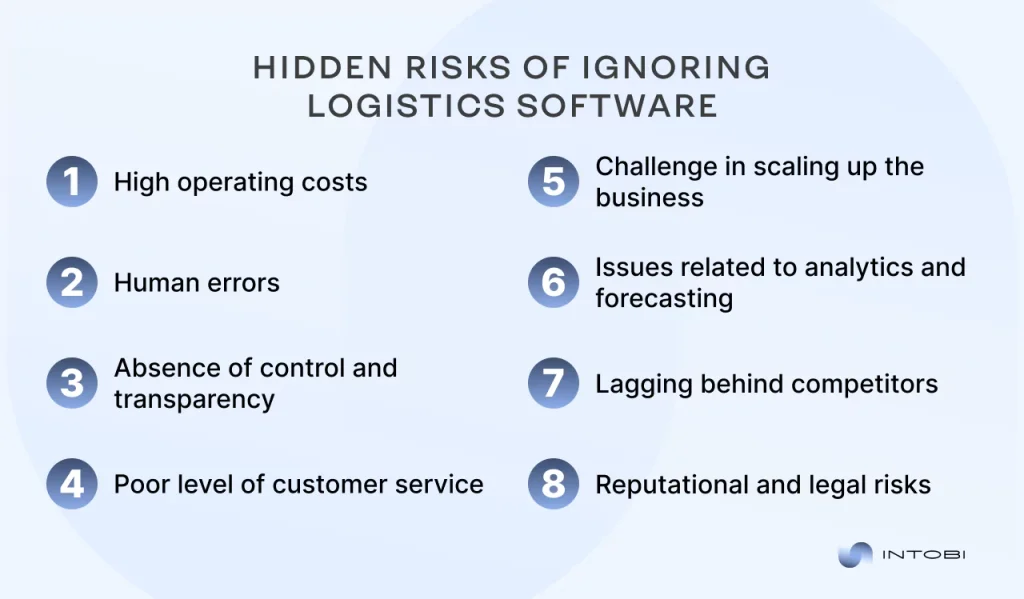
What you risk by not using logistics software

High operating costs 

The majority of the processes are conducted manually without automation: route planning, inventory control, and reporting. This results in wastage of time and resources, inefficient use of transport, and warehouses. This leads to an increase in fuel, personnel, and maintenance costs and consequently reduces profitability. 

Human errors 

Errors are always linked with manual data entry. Mistaken data in invoices, orders that are made twice, or wrong inventory information may have severe repercussions. A single error can lead to huge issues in big corporations that can be prevented under the condition of automation. 

Absence of control and transparency 

Lack of modern tools in tracking within a business implies that a business loses control of its supply chain. The managers lack access to real-time information, which prevents them from making fast and accurate decisions in case of an issue or delay. 

Poor level of customer service

Customers demand precise delivery timelines and the ability to track their orders. These customers turn to competitors if a company fails to be transparent and provide quick responses. 

Failure to deliver goods and frequent procrastination create a negative impression that cannot be easily rectified in the future. 

Challenge in scaling up the business

Manual processes are a bottleneck as the number of orders and customers grows. A company lacking logistics software will struggle to increase volumes, regardless of speed, leading to chaos and high expenses. This prevents growth and poses a competitive barrier. 

Issues related to analytics and forecasting

Without the modern systems, the businesses do not have high-quality data to analyze. Managers lack a clear vision of costs, are unable to predict demand, and struggle to establish the efficiency of carriers. This causes unplanned decisions and missing opportunities. 

Lagging behind competitors 

As other businesses are applying artificial intelligence, machine learning, and predictive analytics, businesses that do not use logistics software are slowly falling behind. The lag is irreparable because competitors are becoming quicker, more efficient, and less expensive when it comes to taking orders. 

Reputational & legal risks

Rules, standards, and requirements should be observed in international logistics. In the absence of logistics-enhanced solutions that regulate document circulation and adherence to the law, a company can easily face fines or even be denied the possibility of conducting business in some countries. 

In general, the lack of logistics software poses significant risks to businesses across multiple areas, including financial stability, productivity, customer experience, operational capacity, and competitiveness. Modern logistics management solutions allow a company to reduce these risks considerably and provide sustainable development in the future.

Future trends in logistics software

Interesting

The logistics software is undergoing a transformation – from an operational support tool to a strategic business platform. 

With the increasing complexity of supply chains and the rising demands of customers, future logistics software will be less about basic automation and more about intelligence, flexibility, and resilience.

One of the top trends is the increased application of AI and predictive analytics. Logistics networks are increasingly turning to forecasting demand, predicting risks ahead of time, and automatically recommending the best routes, inventory, or supplier swaps. The decision-making process is becoming less human and more data-driven.

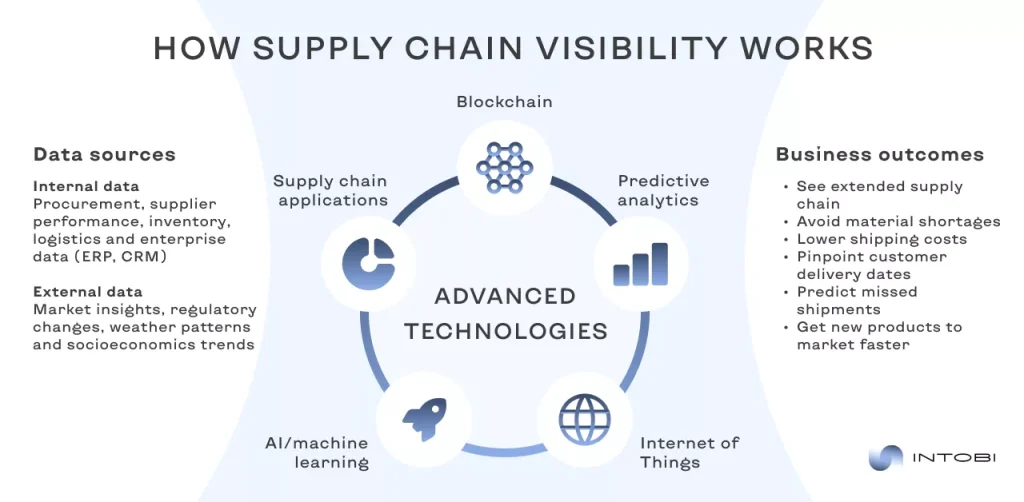
Another big change is end-to-end visibility in the supply chain. Expectations are rising for a unified view of transportation, warehousing, suppliers, and inventory. 

New logistics systems are tearing down data silos and integrating with ERP, SCM, and third-party systems to deliver real-time visibility instead of piecemeal reporting.

end-to-end visibility in the supply chain

Automation and robotics are also becoming standard, not just optional tools. Software is evolving to manage automated warehouses, autonomous vehicles, and smart sorting systems. 

The future lies in physical automation that is tightly connected to digital workflows. The main aim of these enhancements is to reduce human error while improving speed and scalability.

Cloud-native and modular architectures – another hot trend. Businesses no longer want rigid, all-in-one systems that are difficult to customize. Instead, they prefer flexible platforms where specific capabilities (TMS or WMS, or analytics) can be added, scaled, or replaced as needs change.

Finally, sustainability and cost efficiency are becoming core software requirements. Future logistics solutions will increasingly include tools to measure emissions, optimize fuel usage, and support greener transportation strategies, driven both by regulations and by customer expectations.

Wrap up

Logistics software sets a new dimension of efficiency for companies that are engaged in the sphere of supply and transportation. These solutions enable you to manage important processes within one system, decrease the possibility of mistakes, and minimize the time taken to execute operations. 

The role of supply chain and logistics software systems will only increase in the future as the digitalization of logistics will become a standard, without which it is hard to imagine the successful management of supply and the satisfaction of customers. 

Get in touch with us, and we will help you to create modern and reliable logistics software that optimizes operations and reduces costs. 

FAQ

What is logistic software?

Logistics software is a computerized tool used in business planning, managing, and tracking supply chain operations (such as transport, warehousing, and inventory) to provide quicker yet cost-effective deliveries.

How can logistics optimization software improve operational efficiency?

It can automate route planning, reduce fuel expenses, minimize lagging times, and simplify communication, enabling companies to conserve time, minimize expenditures, and enhance dependability in the delivery companies.

Can transport and logistics software help me scale my delivery operations?

Yes. It helps to increase shipment volumes and improve fleet management. It is connected with other systems, which makes it easier to increase operations without losing the speed and quality of the services.

What are the functions of logistics management?

These are transportation planning, inventory control, warehouse management, tracking of orders, and demand forecasting, which are directed towards the efficient movement of goods between the supplier and the customer.

15 Leading Real Estate Startups in 2026

TL;DR

Proptech startups are changing how properties are bought, sold, and managed. This overview explains how real estate startups stand out and the main types of real estate tech companies, then profiles 15 of the most promising startups in 2026 – including Magic Door, EliseAI, and HqO – with a look at what each one offers and why it matters for the market.

Make a summary of this article with AI:

Many real estate companies and startups have emerged in recent years that influence how properties are sold, bought, and managed. They also impact property investment, development, tenant experience, financing, and operational efficiency. Among the leading startups are Magic Door, EliseAI, HqO, and others.

These proptech startups unlock new possibilities for users, making buying, selling, and managing properties more efficient and accessible.

Get inspired by the impact of 15 top proptech startups in 2026, from real estate investment startup projects to smart property management platforms, and AI-driven property solutions. This article will help you understand popular trends, risks, and opportunities in the real estate field.

How real estate startups stand out

The real estate industry is one of the least digitized in the world. And this is a reason why PropTech (property technology) startups attract strong investor interest. In the US, between July and September 2025, venture capitalists invested about $4.2 billion in PropTech startups, after that distributing this money among 126 companies.

The rise of venture capital in proptech in 2025

Real estate tech startups are changing the traditional market, making buying, selling, and managing properties more efficient and accessible. 

These startups put technology at the center of their digital products. AI, automation, and virtual tools help speed up transactions and improve daily operations for both users and teams.

Interesting

The main focus remains on customer experience – entrepreneurs attract an audience with simple, intuitive platforms based on real user needs. 

Main types of real estate tech startups

Real estate startups contain various business models and niches within the industry. Here are several types of proptech startups:

TypeDescription
Property managementRent, maintenance, and tenant tasks management
MarketplacesBuying, selling, or renting properties online
CrowdfundingPool funds for real estate investments
VR/AR Virtual tours and property visualization
Short-term rentalsAirbnb-style listings and bookings management
Analytics & dataMarket insights and predictive analytics
Sustainable & greenEco-friendly building and retrofitting (modernization)
BlockchainSecure property transactions and title management
Finance & mortgagesDigital mortgages and financing solutions
Home improvementConnecting homeowners with contractors and designers

These are just a few examples. Nowadays, the real estate startup landscape continues to evolve with advancements in technology and changes in consumer preferences.

List of 15 best real estate startups in 2026

Let’s explore some of the prominent real estate startups that will significantly impact the market in 2026.

Magic Door

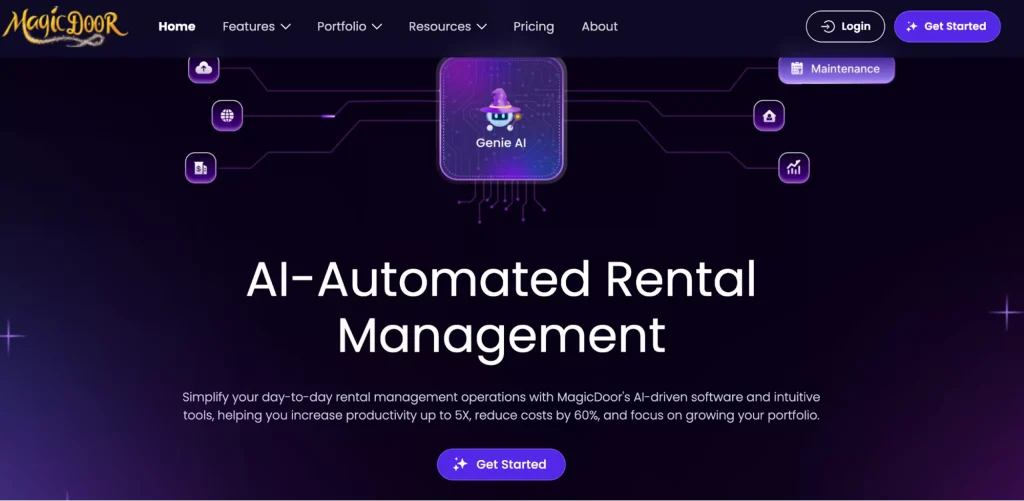
Magic Door is one of the top real estate startups 2026

Founded: 2023
Headquarters: Las Vegas, Nevada, United States
Fundraised: $6.5 million

MagicDoor is a real estate tech startup that uses AI to simplify property management for landlords and improve the tenant experience. The platform automates everyday tasks like rent collection, payments, and administrative work, helping landlords manage properties faster and more efficiently.

The listings are made and updated more quickly because of AI technology, which also simplifies inquiry management. Accounting becomes easier by having a unified system for managing funds, expenses, and records. 

Artificial intelligence helps summarize messages, making it easy for the tenant and landlord to communicate, even when using different languages. 

In general, Magic Door helps landlords save time, cut costs, and manage rentals up to 5× more efficiently.

EliseAI

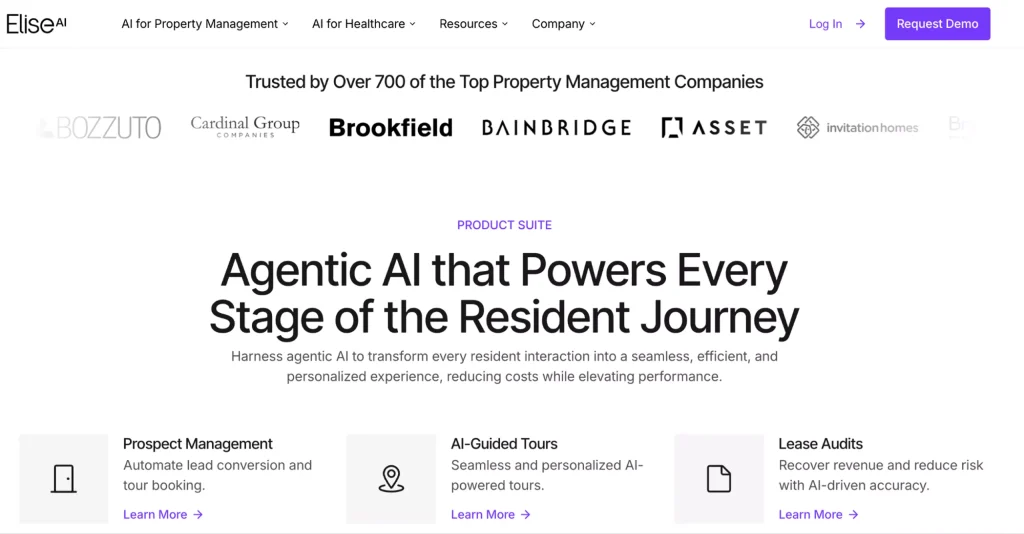
EliseAI is one of the top real estate startups 2026

Founded: 2017 
Headquarters: New York City, USA
Fundraised: $250 million

Elise is an AI-powered PropTech platform that was built to enhance property management and the resident experience. But what does this platform actually do? Almost everything. Elise automates and personalizes every step in the lifecycle of the resident’s journey. 

The platform handles lead conversion, AI-guided tours, lease audits, maintenance requests, and renewals. Elise ensures fee transparency, delinquency management, and convenient voice/text/chat communication through one streamlined system.

With EliseCRM, all resident interactions are organized, reported on, and actionable. So property managers can save time, reduce operations costs, and deliver consistent, 24/7 personalized support. EliseAI has raised capital in two major funding rounds: a $75 M Series D in 2024 and a $250 M Series E in 2025. This project aims for ongoing growth, AI innovation, and expansion in the U.S. market.

HqO

HqO is one of the top real estate startups 2026

Founded: 2018
Headquarters: Boston, Massachusetts, United States
Fundraised: $156.9 million

HqO is a startup that makes offices and commercial buildings smarter and more convenient for the people who work there. It offers a digital platform that integrates mobile apps, smart building systems, and analytics. 

What is the main idea behind this? HqO enables employees to easily access building services, including booking meeting rooms, receiving notifications, and accessing common areas and services.

With a commitment to sustainability, efficiency, and user satisfaction, HqO aligns itself with the evolving needs of the modern workforce and the demands of the real estate industry.

Flyhomes

Flyhomes is one of the top real estate startups

Founded: 2016
Headquarters: Seattle, Washington, United States
Fundraised: $310 million

Flyhomes has revolutionized the traditional homebuying experience by integrating technology and real estate expertise. With a commitment to simplifying the often complex process of purchasing a home, Flyhomes has garnered attention for its unique approach.

One of Flyhomes’ key features is its proprietary platform. This platform combines data analytics, machine learning, and user-friendly interfaces to empower homebuyers. The platform provides valuable insights into market trends, helping users make informed investment decisions. 

Additionally, Flyhomes offers various services – from mortgage financing to expert guidance throughout the homebuying journey.

WiredScore

WiredScore is one of the top real estate tech startups

Founded: 2013
Headquarters: New York, United States
Fundraised: $24 million

This startup was created to enhance connectivity and digital infrastructure within commercial and residential properties. This project has become a key player in ensuring that real estate developments meet the demands of our increasingly connected world.

The company’s innovative approach involves evaluating and certifying buildings based on their digital infrastructure, ensuring that they are equipped to handle the advanced technological needs of modern tenants and businesses. This certification has become a valuable asset for property owners and developers, as it attracts tech-savvy tenants and adds significant value to the overall real estate portfolio.

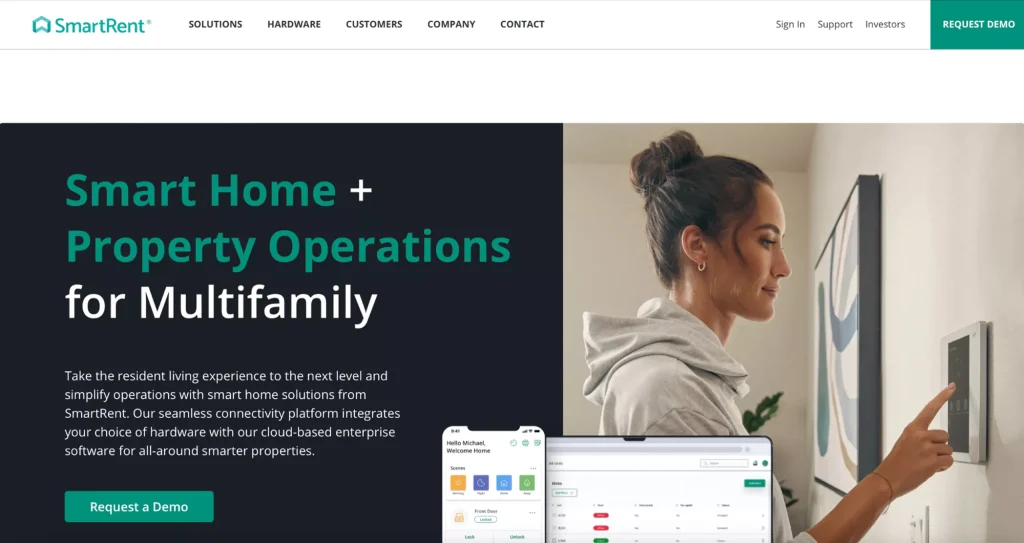
SmartRent

SmartRent is one of the top real estate tech startups

Founded: 2017
Headquarters: Scottsdale, Arizona, United States
Fundraised: $256.5 million

Established with a vision to enhance the efficiency and intelligence of rental properties, SmartRent uses cutting-edge technology to create more innovative and more connected living spaces.

At its core, SmartRent focuses on deploying innovative solutions that seamlessly integrate smart home devices and IoT (Internet of Things) technology into rental properties. This empowers property owners and managers with advanced tools for efficient monitoring and maintenance and provides tenants with a heightened living experience. 

From smart thermostats and security systems to automated lighting and keyless entry, SmartRent’s platform transforms traditional dwellings into modern, tech-infused homes.

Zumper

Zumper is one of the top real estate tech startups

Founded: 2012
Headquarters: San Francisco, California, United States
Fundraised: $180.2 million

Within top proptech startups, Zumper shapes the vision of how people search for rental properties. Founded with a concept to simplify and enhance the rental process, Zumper connects renters with their ideal homes. The platform offers a user-friendly interface, providing a seamless experience for landlords and tenants.

One of Zumper’s key strengths lies in its comprehensive database. It includes many rental listings across different cities. The platform uses advanced algorithms to match renters with properties that suit their preferences, streamlining the search process. 

Additionally, Zumper incorporates features like virtual tours, high-quality photos, and detailed descriptions, empowering users to make informed decisions remotely.

VTS

VTS is one of the top real estate tech startups

Founded: 2012
Headquarters: New York, United States
Fundraised: $462.4 million

VTS, or View The Space, is an advanced platform designed to streamline and enhance various aspects of commercial real estate startups. Founded with the vision of transforming how landlords and brokers manage their portfolios, VTS uses technology to provide comprehensive solutions.

At its core, VTS offers a cloud-based platform that enables real estate professionals to manage leasing and asset management processes seamlessly. The platform facilitates collaboration, data-driven decision-making, and efficient communication, empowering users to guide the complexities of the real estate market with agility. VTS aims to optimize property performance and enhance the leasing experience by centralizing information and automating workflows.

Get a free consultation on your project

Book a call

ServiceTitan

Service Titan is one of the top real estate tech startups

Founded: 2012
Headquarters: Glendale, California, United States
Fundraised: $1.1 billion 

ServiceTitan is a central software company that focuses on home services and construction management. Specifically tailored for industries like HVAC (heating, ventilation, and air conditioning), plumbing, electrical, and other trades, ServiceTitan provides an integrated solution to streamline and optimize various aspects of these businesses.

The software offers a comprehensive suite of tools, including scheduling, dispatching, invoicing, and customer relationship management, facilitating efficient management of day-to-day operations. By digitizing traditionally paper-based processes, ServiceTitan empowers companies to enhance productivity, reduce errors, and deliver superior service to their clients.

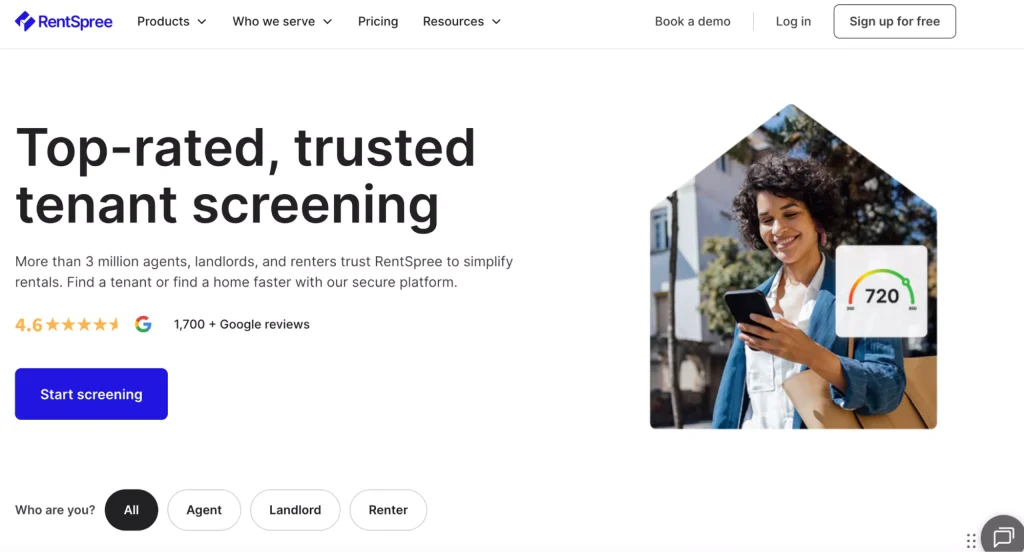
RentSpree

RentSpree is one of the top real estate tech startups

Founded: 2016
Headquarters: Los Angeles, California, United States
Fundraised: $27.7 million

This platform is well-known for its online rental application process, eliminating the hassle of paperwork and saving time for all parties involved. Tenants can submit comprehensive applications through the platform, including background checks and credit reports, providing landlords with a thorough overview of potential renters. This not only expedites the decision-making process but also enhances the reliability of tenant screening.

Moreover, RentSpree facilitates secure communication and document sharing between tenants and landlords, fostering transparency and trust throughout the leasing journey. With an intuitive user interface and robust backend infrastructure, RentSpree has become a go-to platform for individuals navigating the competitive and fast-paced rental market.

Own Up

Own Up is one of the top real estate tech startups

Founded: 2016
Headquarters: Boston, Massachusetts, United States
Fundraised: $49.7 million

Founded with a vision to simplify and enhance the mortgage process, Own Up employs cutting-edge technology to empower homebuyers and streamline their journey through the complexities of securing a mortgage.

The platform distinguishes itself by offering a user-friendly interface that enables individuals to navigate the intricate landscape of mortgage options easily. Own Up’s commitment to transparency is evident in its approach – they provide users with comprehensive information and personalized guidance to make informed decisions. 

The startup optimizes the mortgage search by harnessing data-driven insights, ensuring clients access the best possible terms tailored to their unique financial situations.

Furthermore, Own Up facilitates a seamless connection between homebuyers and a network of reputable lenders, fostering a collaborative ecosystem prioritizing customer satisfaction. 

NestAway

NestAway is one of the top real estate tech startups

Founded: 2015
Headquarters: Bangalore, Karnataka, India
Fundraised: No information

NestAway is one of the top real estate startups that enhances rental services. The platform employs sophisticated algorithms for property matchmaking, ensuring tenants find homes that align with their preferences and needs. Conversely, landlords benefit from NestAway’s comprehensive property management services, including rent collection, maintenance, and dispute resolution.

NestAway uses AI for data analytics and to enhance the user experience. The platform’s user-friendly interface and transparent processes have positioned it as a trusted intermediary in the rental market. 

Fundrise

Fundrise is a leading real estate startup with unique features

Founded: 2010 (launched in 2012)
Headquarters: Washington, District of Columbia, United States
Fundraised: $355.5 million

Fundrise is a real estate investment startup that changed the crowdfunding space. The platform allows individuals to invest in a diversified portfolio of real estate assets with relatively low entry barriers.

What sets Fundrise apart is its innovative use of technology to make real estate investing more accessible and transparent. Through its online platform, investors can browse and select from various real estate projects, spanning residential, commercial, and mixed-use developments. The platform’s approach employs crowdfunding principles, enabling a broader range of people to participate in real estate ventures that were traditionally reserved for institutional investors.

Fundrise employs an eREIT (electronic real estate investment trust) model, allowing investors to buy shares in a portfolio of real estate assets, offering the benefits of real estate ownership without the burdens of property management. This approach has attracted a diverse investor base, from seasoned real estate professionals to newcomers looking to diversify their investment portfolios.

Rentberry

The web page of Rentberry, a  prominent real estate startup

Founded: 2015
Headquarters: San Francisco, California, United States
Fundraised: $34.6 million

Rentberry is also a leading actor in the realm of real estate startups. It employs innovative solutions to streamline the renting process for both tenants and landlords.

At the heart of Rentberry’s model is a transparent bidding system that promotes fair competition among tenants. This approach optimizes rental prices and fosters a sense of trust and openness in the rental process. Moreover, Rentberry incorporates features like online lease signing and payment processing, minimizing paperwork and enhancing convenience for all parties involved.

Let’s discuss your future powerful property app

Contact us

Reental

The web page of Reental, a prominent real estate startup

Founded: 2018
Headquarters: Spain (Barcelona)
Fundraised: ~$18.7 million

Being among the top real estate investment startups, Reentel utilizes blockchain technology – this project enables investors to buy fractional ownership in real estate through tokens. Reental offers monthly returns in the form of rental income, facilitates the buying and selling of tokens on a market, and allows investors to pledge their tokens to make further investments. The main goal of Reental is to make investing in real estate accessible and efficient.

The Reental’s Real Estate Investing 3.0 project offers various benefits for investors: automatic compounding of returns every month, the option for investors to sell their RNT assets when they need cash, or using RNT to maximize investments without selling any existing assets. Nowadays, Reental is a popular real estate investing industry, with over 32,000 investors across more than 100 countries in over 100 tokenized projects.

Our expertise in proptech startups: Kato case study

Our team understands the unique challenges and opportunities of starting a real estate project, and we use our extensive knowledge to guide startups through the development process.

One of the examples of real estate startups we worked on is Kato. This real estate project was created to make property transactions digital, simple, fast, and transparent. They help people find, manage, and close deals faster while reducing mistakes and manual work.

Kato real estate project to simplify transactions

For Kato, we developed both mobile and web versions, created a visually attractive interface, added tools like CRM, task automation, and smart notifications, and we also connected the platform to major property marketplaces. For startups planning similar platforms, real estate software development can cover web and mobile apps, CRM tools, automation, and third-party integrations. We made sure the system is secure, reliable, and easy to scale.

Kato real estate digital platform to simplify transactions

A few final words

The world of real estate in 2026 is buzzing with innovation, thanks to the emergence of many exciting real estate startups like Zumper, Magic Door, Reental, and others that attract investors and realize their full potential. 

The real estate market currently requires technologies that automate property management and use AI to forecast prices and demand. Digital marketplaces for transactions and virtual tours with 3D visualization are also in demand. Fintech solutions for investments and mortgages, “green” energy-efficient real estate, and optimization of construction processes through ConTech are also important.

Have an idea for a real estate start up? At Intobi, we develop cutting-edge digital solutions for this sector – from efficient real estate investment startups to smart AI-based property solutions.

Contact us today to discuss your bold idea and be included in the list of top startups of 2026!

FAQ

What do you call startups in real estate?

In the realm of real estate, startups are often referred to as “proptech” or property technology companies. These companies use technology to improve and simplify buying, selling, renting, managing, or building properties.

Why are real estate startups failing?

They fail because of poor market understanding, inadequate funding, fierce competition, regulatory hurdles, lack of scalability, and also ineffective execution.

How can proptech startups differentiate themselves?

Identify the market and its pain points to offer relevant solutions. Effective ways to stand out are leveraging advanced technology for analytics, security, and automation. Provide AI-driven insights and seamless user experiences.

Top 8 Online Marketplaces in Australia: Trends & Opportunities

TL;DR

Online marketplaces are one of the easiest ways to start selling or test a new market without a big upfront investment, and Australia’s e-commerce scene keeps growing. This article explains why marketplaces have become so popular, what they offer sellers and buyers, and reviews the top 8 online marketplaces in Australia – from Amazon and eBay to local players – with their key strengths for businesses.

Make a summary of this article with AI:

Using an online marketplace is a great way to start trading from scratch or test new markets without spending much money. The marketplace format gives everyone access to a target audience, a convenient interface, and reliable payment tools.

Online marketplaces Australia have been growing a lot recently. The country has a robust digital setup, and people here are comfortable with technology. This makes Australian online markets a lively and competitive space for sellers and buyers.

In this article, let’s take a closer look at the best digital marketplaces operating in Australia, including Temu, Big W, eBay, Amazon, and others. These ecommerce platforms Australia have become go-to spots for buying and selling, having unique features that make them so popular in the digital market. 

The rising popularity of online marketplaces

A marketplace is an online platform where catalogues of various suppliers are collected. The buyer gets acquainted with the goods/services of several sellers and chooses the one suitable for quality, cost, and other segments. Examples of successful ecommerce sites Australia include Amazon, eBay, Temu, and more.

Buying on marketplaces is easier and more convenient than in branded stores. The marketplaces are stocked with goods of all categories, from food and books to gadgets and electronics. The buyer does not need to browse several sites for the desired product. It simply compares similar items from different sellers and chooses the appropriate option.

​​Australia’s e-commerce market continues to grow rapidly. According to Statista, total e-commerce sales in 2025 reached approximately $42.04 billion. And they’re projected to reach $57.77 billion by 2029.

Essential features for buyers and sellers 

Interesting

Online marketplaces have revolutionized how businesses operate and how consumers shop, offering many advantages for sellers and buyers. 

Benefits for sellers

For sellers guiding the digital marketplace, many benefits unfold, reshaping the traditional business landscape.

  • Global reach Online marketplaces break down geographical barriers, providing sellers access to a worldwide customer base. This expanded reach can significantly boost sales and brand visibility.
  • Reduced overheads Traditional retail involves substantial costs for maintaining physical storefronts. Online marketplaces eliminate the need for brick-and-mortar establishments, reducing overhead expenses and enabling sellers to allocate resources more efficiently.
  • Easy setup Creating an online store can be complex and time-consuming. Online marketplaces simplify these problems for sellers, offering user-friendly interfaces and pre-existing infrastructures, allowing businesses to set up shop quickly.
  • Marketing exposure Online marketplaces often invest heavily in management, marketing and advertising to attract a large user base. Sellers benefit from the increased visibility and customer traffic generated by these platforms.

Crucial benefits for buyers

On the other hand, buyers find themselves at the receiving end of a spectrum of advantages that redefine the shopping experience.

  • Diverse product range Online markets are digitized, where market sellers combine their products and provide the buyer with a wide range of products. This diversity gives consumers an opportunity to make comparisons easily and identify the best deals.
  • Convenience Buyers have the significant perk of shopping at any place and at any time. The internet marketplaces allow the user to view, shop, and order goods without the limitation of the time in traditional shops.
  • Customer reviews Shoppers have access to product and seller reviews and ratings, which makes buying easier. Such openness fosters confidence and assists the customers in making their decisions with confidence.
  • Competitive pricing Sellers are usually determined to have competitive prices because of the stiff competition in online marketplaces. This is advantageous to the buyers as it makes the market dynamic so that they get quality alternatives at affordable rates.

To sum up, online marketplaces have more advantages than simple transactions as they create an efficient yet globalized ecosystem that empowers the sellers and buyers of the digital age..

Want to create your own online marketplace?

Contact us

Top 8 Australian online marketplaces

This is a digital age, whereby Australian online malls have become the preferred locations to purchase and sell all types of gadgets and fashion. When it comes to giant companies such as Amazon and Temu, as well as smaller home-grown companies such as The Iconic, it can be said that each Australian marketplace has its own charm. We shall examine them a little further.

Amazon

Amazon is among the top online marketplaces in Australia

Visits: ​​60–70 million per month

One of the ecommerce Australia key players, Amazon, entered this local market in 2017 and has a vast product ticket including technology and gadgets, fashion and home products. Their local strategy incorporates strategically located warehouses to make a speedy delivery throughout the extensive continent. 

In addition to shopping, Amazon has also adapted its power to cloud services through Amazon Web Services (AWS) that is bringing a substantial amount of revenue to the company around the world.

Amazon has taken a short time to become the virtual shopping center of the land down under. Aussies are attracted to its unmatched choice, competitive pricing and the Amazon Prime, which promises even faster delivery and exclusive access to the constantly expanding library of Amazon Prime Video.

Conversely, the multifunctional approach to monetization of Amazon comprises the sales of products, subscription plans (such as Amazon Prime), fees charged to third-party sellers, and the so-called underestimated and yet profitable advertising revenue. Amazon has a huge following that the businesses can exploit by paying a small fee to list, sell and utilize Amazon’s formidable fulfilment services.

To consumers, convenience and reliability of Amazon is beyond comparison. An opportunity provided by the FBA (Fulfillment by Amazon) service is a fast and efficient delivery. Customers who subscribe to Prime can have access to more benefits, such as streaming and premium offers. To the sellers, the site provides an enormous market base and the opportunity to reach the whole world making the two sides a win.

Temu 

Temu is among the top online marketplaces in Australia

Visits: 1,4–2,1 billion (globally)

Temu is a quickly expanding Australia ecommerce platform (quickly catching up to Amazon and eBay) because of its integration of product variety, reasonable prices, and state-of-the-art functionality. Here, users can sell and buy everything, from clothing and electronics to homeware and lifestyle items. This Australia marketplace online organizes the goods in a way that emphasizes bargains and hot products. 

The service is optimized for convenience, with simple navigation, personalization, and intelligent search filtering that assist consumers in quickly finding what they want. Meanwhile, flash purchases, bundle deals, and regular discounts make it simple for clients to save money while browsing a variety of products. 

Worldwide, Temu receives more than a billion visits a month, and in Australia, it quickly gained popularity because it combines affordability, a wide range of products, and a convenient and seamless experience. Other benefits like simplified checkout, mobile app usage, and order tracking just make it easier for clients to maximize satisfaction, and Temu is one of the rapidly expanding and interactive platforms in Australia.

eBay

eBay is among the top online marketplaces in Australia

Visits: ​​28–38 million per month

eBay is an online marketplace player that has been in the service of Australians since 1999. It is not merely an online shopping site, it is an online marketplace where the old and the new intersect and sell new and used goods. The shopping is enhanced by the auction-like auctions and fixed-price plans.

eBay has its popularity, and it is not only about selling online Australia. It is a vibrant community in which users are able to bid, barter and conduct real-time auctions. The feedback seller system also introduces an element of trust making the platform a dynamic digital marketplace where deals are made.

Indeed, eBay has diversified sources of revenue, which include listing, final value and optional seller services. The site gives the sellers the option to conduct a traditional type of auction sale or simple fixed-price sales. Advanced and sponsored products are also part of the revenue of eBay.

The advantage of eBay is that it is versatile. People are able to sell items that are hard to find or are one of a kind, whereas companies have an opportunity to establish stores to sell. The feedback creates a trust spirit and this is essential in a site where individual dealings are flourishing. International transactions are easily made through the Global Shipping Program.

Ozsale

Ozsale is among the top online marketplaces in Australia

Visits: ~448.3 k per month

Ozsale, the Australian online shopping business, entered the market with a golden ticket offer in 2010, an offer it could not refuse an offer of exclusive, time-limited fashion, beauty and home products deals. It is not only an Australia online marketplace but an event of which its members eagerly await daily sales of big-name brands at a fraction of the cost.

This site has created a market niche by making shopping an exciting experience. The hype of specials during the sale of popular brands brings along an army of price reducers, and the purchasing experience turns into a type of entertainment. Free membership model is a plus of exclusivity.

Ozsale earns money by making sales based on brand partnerships, and selling surplus inventory at a reduced price. The urgency due to the time-sensitiveness of the deals motivates customers to buy on impulse. Although membership is free, the platform enjoys the advantage of exclusivity whereby the members of the platform have a sense of belonging.

To shoppers, Ozsale makes the digital world comparable to flash sales. There is nothing to replace this excitement of getting a high-quality brand product at a considerable discount. It is a smart move by the brands to move surplus stocks at the same time preserving a high-end image.

The win-win situation is that Ozsale provides a solution to companies where consumers will feel like VIPs, and brands will effectively manage the stock.

Bunnings Marketplace

Bunnings Marketplace is among the top online marketplaces in Australia

Visits: ~24.7 million per month

This online marketplace Australia is the digital companion to Bunnings Warehouse, an iconic Australian hardware retailer that was launched in 2020. It is a worldwide online retailer of all things that have to do with home and garden.

The marketplace rapidly became popular, provided the sheer dominance of the Bunnings Warehouse in the Australian DIY (Do it yourself) culture. DIY is an active and self-sufficient practice of different activities, which may focus on creativity, autonomy, and mastery.

Therefore, Bunnings Warehouse is targeted at the DIY enthusiasts and to all those who simply want to improve their living. The flawless coordination with its physical stores of Bunnings makes the omnichannel a cohesive one.

Bunnings Marketplace is based on seller fees, which include a listing fee and a transaction fee. It expands into the digital space with the developed customer base of Bunnings to sell an expanded range of products. The Click and Collect services instigate the online and the offline shopping business.

For sellers, Bunnings Marketplace provides an opportunity to align with a trusted brand and reach a vast audience. Buyers benefit from the convenience of online shopping and the assurance of Bunnings’ reputation for quality. The integration with physical stores makes it a one-stop solution for all home improvement needs.

Ready to launch your marketplace?

Let’s chat

Big W

Big W is among the top online marketplaces in Australia

Visits:  20,32 million per month

BigW is a well-known marketplace for consumer goods located in Australia and is owned by the famous BigW stores chain. The website provides consumers with choices such as clothing & footwear, toys, home wares, electronics, and appliances to cater to all sorts of people.

This online marketplace Australia is known for its convenient navigation, simplified ordering, and quick delivery, which are especially valued by Australian consumers. BigW is also known for frequent discounts, sales, and seasonal offerings that lure consumers, including families and frugals, into shopping.

The target audience of this platform consists of shoppers who appreciate having access to a selection of products at low prices.

In general, BigW Marketplace is a successful combination of an online purchase platform with a retail brand, making it one of the most popular marketplaces in Australia, especially in terms of convenience, variety, and great value amongst consumers.

Kogan

 Kogan is among the top online marketplaces Australia

Visits: ~10 million per month

Kogan is an online retail company based in Australia owned by an entrepreneur named Ruslan Kogan and was started in 2006 that deals in electronics, appliances, and fashion among other goods. Another publicity that the firm has achieved is through its efforts to provide affordable prices and strategic application of the company’s labeled goods.

Kogan has emerged as a household name in Australia and it boasts of competitive prices and a variety of products. Another thing that has enhanced the popularity of the platform is its Kogan First loyalty program, which grants subscribers such benefits as free shipping and special offers.

Alternatively, the income of Kogan comes mainly as a result of the sale of products. The strategy of the company is to sell a high number of private-label products, less reliance on third-party brands. Besides, under its subscription model, the Kogan First program spins off the revenue stream of the platform.

In addition, Kogan gives consumers the option of obtaining different products at affordable prices. The pricing and quality of this online marketplace Australia can be controlled because of the private-label strategy. Kogan First subscribers have extra privileges, which will result in customer loyalty and potential re-purchase of business.

The Iconic

The Iconic is among the top online marketplaces Australia

Visits: 6‑7 million per month

The Iconic, which was initiated in 2011, is the leading online fashion and sport retailer in Australia. It has a large range of footwear, accessories, and apparel with popular and exclusive brands. Online fashion retail has been reinvented on the platform as a means of offering a smooth shopping experience.

Indeed, The Iconic has become very popular among fashion lovers, and it is a store with a range of stylish and classic items. The ease and aesthetic nature of the shopping experience of the platform, such as free and expedited delivery, have helped the platform to achieve high user numbers.

The main source of income is the sales of the products that the Iconic sells, and these brands and products come in both the fashion and sports sectors. The platform aims to engage with its customers through content marketing and influencer relationships to generate sales and brand loyalty.

The Iconic is the best destination for fashion-conscious buyers who can get the newest trends and the wardrobe basics in a single place. The free and quick shipping and easy returns provided by the platform allows improving the shopping experience. To the brands, The Iconic provides a luxurious platform where they can present their products to an elite customer base.

To sum up, these online markets are not only websites. They are concerned with simplifying life and making it more fun. This is not merely a purchase and sell tale; it is a tale of developing relationships and trust and having the pleasure of online shopping. Such platforms keep on improving such that the online marketplace has become an entertaining and vital aspect of Australian shopping and networking.

Want to create a local online marketplace?

Let’s chat

Analysis of online marketplaces operating in Australia

In the world of online shopping, there are many choices available to both buyers and sellers. The comparison table below breaks down the key features of the top ten online marketplaces. This can help users understand their global reach, product variety, seller setups, and tech innovations. 

Top 8 online marketplaces Australia
MarketplacesMarket presenceProduct rangeSubscription services
AmazonGlobalExtensive, diverse product categories$39.99 per month for a professional account
eBayGlobalWide range, including new and used itemsNone
TemuGlobalDiscount general goodsNone
OzsaleAustralia, New ZealandFashion, home, beauty, electronicsNone
Bunnings MarketplaceAustraliaHome improvement, hardwareNone
Big WAustraliaGeneral marketplace, diverse categoriesNone
KoganAustralia, New ZealandElectronics, appliances, gadgets$129 per year
The IconicAustralia, New ZealandFashion, footwear, accessoriesNone

Our journey in innovating online marketplace development

Intobi has also been commendably known to be an expert in providing seamless online markets, including Australian ecommerce websites. Now we will enter into the fundamentals of our software development.

Specification: The establishment of the foundation

The process starts with an elaborate specification whereby our experts will work hand in hand with the clients to learn about their special needs and business goals.

This stage entails the provision of the scope of the online marketplace, functionality, and features.

Industry best practices are utilized in the development of a comprehensive roadmap that can be used as the blueprint during the next phase of development.

UI/UX design: Preparing intuitive experiences

One of the main differences in the approach of Intobi is that we focus on user-centred design. The stage of UI/UX design is characterized by innovation and a profound grasp of the user behavioral patterns.

The design team makes sure that the online marketplace is attractive to look at and easy to navigate as well. The wireframes and the prototypes allow refining the user journey so that it becomes as engaging and conversion-driven as possible.

Development: Translating ideas into practice

Having a set ground, the development phase begins. Our team employs advanced technologies and dynamic approaches to convert the design ideas into operational, scalable and resilient online marketplaces.

For businesses planning their own marketplace, web development services can help turn product requirements into a secure, scalable, and user-friendly online platform.

The development team follows the code of practice and standards in developing software with main emphasis on security, performance and scalability. Continuous communication with the clients will guarantee that the changing product coincides with the vision of the clients.

Testing: Ensuring reliability and performance

Before deployment, we subject the online marketplace to rigorous testing. The quality assurance (QA) team meticulously analyzes every aspect of the platform, conducting functional, performance, and security tests.

By identifying and rectifying potential issues early in the process, we guarantee a reliable and smooth user experience (UX), earning the trust of both clients and end-users.

Deployment and support: Seamless launch and beyond

The deployment phase marks the culmination of Intobi’s efforts as the online marketplace goes live. Yet, our commitment extends beyond this point. We provide ongoing support, monitoring the platform’s performance, addressing any issues, and incorporating updates to keep the marketplace at the forefront of industry standards. This dedication ensures the sustained success of the online marketplace in a dynamic digital landscape.

Case study: Jewelry ecommerce app

We made a mobile app for buying jewelry online that combines technology, emotion, and passion. It is called Chaumet. Our aim was to make shopping easier and mistake-free. By thinking like users, we created a solution that works well and gives a pleasant experience, all while looking good and having an attractive design.line visibility, get more customers and eventually generate more sales.

High-quality ecommerce app created by Intobi

The Chaumet project had different steps:

  1. Research. We checked out our competitors and interviewed people.
  2. Analysis. Our specialists organized the research data and made wireframes.
  3. User interface (UI) design. We created a detailed prototype.

Bottom line

To sum up, ecommerce in Australia is in a dynamic state of development and online marketplaces are critical in determining this digital revolution. With consumers increasingly putting more and more trust in the expediency of online shopping, online marketplaces have become the most sought-after commodities in Australia, with their variety of products and services greatly increasing.

We know that it is vital to be ahead of others in the digital world at Intobi. Being a major software development firm, we enable companies to succeed in the online market. Our team is available to any seller interested in improving their platform or a business interested in innovative solutions to ecommerce.

Your online presence can be optimized to its fullest with the help of Intobi, which can provide you with state-of-the-art software solutions that will meet your specifications. Get in touch with us, and we will set you on a path to ensure that you can achieve maximum success in the competitive arena of Australian ecommerce. path to ensure that you can achieve maximum success in the competitive arena of ecommerce.

FAQ

Which online selling site is the most popular?

Amazon is leading considerably. It has turned into the favorite site of buyers/sellers of numerous products, user-friendly interface, and international coverage. Nevertheless, websites such as Temu and eBay are powerful competitors for Amazon.

Which are the top three online marketplaces?

C2C (consumer-to-consumer): services whereby individual consumers market to each other. B2C (business-to-consumer): these are the markets in which business organizations market products/services to end consumers. B2B (business-to-business): these are marketplaces that deal with business transactions.

Which is the most suitable NFT marketplace in Australia?

The market of NFTs (non-fungible tokens) is dynamic, and tastes may differ. Nevertheless, the most notable marketplaces in Australia are OpenSea, Rarible, Foundation, SuperRare, MakersPlace, and Nifty Gateway.

The Complete Guide to Different Types of Software

TL;DR

Software turns a device’s capabilities into action – processing data, executing commands, and supporting every task from the simplest to the most complex. This guide explains what software is, breaks down the main types of software programs and their purposes, and shares practical tips for choosing and using professional software in work, study, or business.

Make a summary of this article with AI:

The software world is changing so fast that it can be hard to keep up with all the changes. Technologies, tools, and approaches are emerging every day, and businesses and users are always seeking solutions that enable them to work more effectively, safely, and conveniently. 

This is why one should learn the kinds of software that exist, their differences, and their applications in the functioning of computers, mobile gadgets, and even the whole company. Within the framework of this guide, we will examine the most widespread types of software systems and define their main functions and areas of use. 

The content can be used by novices and students who would like to organize their knowledge or decide which software is most appropriate for specific tasks. The straightforward language, explanations, and logical structure will help you get acquainted with the topic quickly.

Understanding the software

Software has been defined as a collection of digital instructions that govern the operation of a computer or other electronic device. It dictates the system’s behavior, the operations it must undertake, and its connection to the user. Technology is not helpful without software; it cannot perform any task. Software is the programs that transform the device’s capabilities into action: data processing, command execution, data storage, and reasoning. 

The most significant point about software development is that it provides a rational framework for the system. Software offers a structured way to execute every task, whether simple, technical, or multi-tiered, through a set of commands, algorithms, and rules. It operates in synergy with the hardware, transforming user requests into device actions.

Various software programs

In general, software is about digital control: whether it is simple components that enable the system to start and remain stable, or components that will allow you to perform specialized or daily tasks. In fact, it executes commands and provides an environment in which the user can work with data, organize processes, and interact with other people and systems.

Software can take various forms and degrees of complexity. Certain sets of instructions can operate at the lowest level, access the device’s resources, and regulate their use. Others create a distinct interface and rational functions that facilitate the user to carry out the required action.

Interesting

Any software, regardless of type, is developed to address a specific issue and make the process more efficient. 

One of the significant attributes of software is flexibility. It is scalable, maintainable, reusable for new requirements, and can be combined with other types of software systems. Because of this, software is evolving alongside technology and continually expanding the capabilities of computers and devices. 

This leaves software to be one of the key aspects of the contemporary digital ecosystem. It defines the rationale for how technology works, ensuring the connection between the user and the system and any digital actions. Thanks to software, computers and devices can become efficient, fast, and logical, supporting all processes, from the simplest actions to complex technological operations.

Different types of software programs

The software industry offers a wide variety of solutions that serve different purposes – to ensure the system’s functionality or to fulfill professional duties. To simplify the process of finding diverse software products, they are classified into multiple large categories. They all have their logic of operation, range of use, and value to the user or the business. 

So, what are the types of software? The primary categories of different software programs, their purposes, and the main advantages will be considered below.

1. System software 

The pillars are the system software that makes the computer or any electronic device work. It oversees the hardware, loads other programs, manages the resources, and maintains system stability. 

Main functions:

  • memory, files, and processes management
  • interaction between applications and hardware
  • ensuring constant functionality of the equipment

Advantages:

  • prevents the system from stopping
  • provides security on a basic level
  • prepares the condition to execute any other software

Examples: Windows, macOS, Linux

2. Application software

Discussing different types of software, it is the most ubiquitous category for users. Application software is specialized to address particular activities: work, creative, educational, or day-to-day. It has a user-friendly interface that lets you perform specific actions.

Main functions:

  • working with texts, images, numbers, or data
  • users communication and interaction
  • planning of working processes

Advantages:

  • improving work productivity
  • intuitive interface
  • the capacity to change according to needs

Examples: Microsoft Word, Google Chrome, Adobe Photoshop

Google Chrome application software

3. Utility software

Utilities are technical and support services. They optimize system performance and provide better security, proper storage, and information organization. 

Main functions:

  • file management system cleaning, quality control, and optimization
  • backup and recovery

Advantages:

  • increasing device speed
  • enhancing stability and security
  • routine technical work can be automated

Examples: CCleaner, WinRAR, Norton Utilities

4. Programming software 

There are tools developers use to build new programs, sites, services, or system components. This type of software enables coding, testing, and debugging. 

Main functions: 

  • writing and editing code
  • putting together and verifying mistakes
  • development project management

Advantages: 

  • fastens the product creation process
  • gives quality control of code
  • enables you to deal with other programming languages

Examples: Visual Studio Code, Eclipse, PyCharm

5. Business software 

These are business software solutions designed to be used by businesses. They assist with resource control, accounting, communication, and data or internal processes. 

Main functions: 

  • office and administrative processes automation
  • financial management and project management
  • work with large data sets

Advantages:

  • cutting down on time spent on routine activities
  • enhancing the accuracy and transparency of business procedures
  • boosting inter-team communication

Examples: Salesforce, QuickBooks, SAP

Discover the best software tools.

Contact us

6. Educational software 

These are software types that facilitate the learning process in institutions and in individual online learning. 

Main functions: 

  • offering learning resources online
  • tracking student progress
  • interactive engagement in learning material

Advantages: 

  • plasticity of the learning format
  • enhanced productivity of knowledge learning
  • availability of resources anytime

Examples: Duolingo, Moodle, Khan Academy

Duolingo educational software

7. Communication software 

This is a set of applications that enable the exchange of messages, files, voice, or video. 

Main functions: 

  • instant communication
  • information transfer between devices
  • planning of virtual conferences

Advantages:

  • speedy communication wherever you are
  • convenience in joint work
  • capability to share significant volumes of data

Examples: Zoom, Slack, Skype

8. Multimedia software 

Such type of software supports graphics, video, audio and any other kind of media content. 

Main functions: 

  • processing and playback of multimedia files
  • format conversion
  • operating on big projects that have varied forms of data

Advantages:

  • the capability of executing creative activities
  • high quality materials support
  • edit flexibility of content

Examples: Adobe Premiere Pro, Audacity, VLC Media Player

9. Web-based software 

These are web-based programs and do not need to be installed on the device. They are accessed via a browser and store data in the cloud. 

For businesses that want to launch browser-based products with cloud storage and automatic updates, SaaS development services can help turn web-based software ideas into scalable subscription platforms.

Main functions: 

  • admission to instruments through the Internet
  • information synchronization between appliances
  • remote work with files

Advantages:

  • occupies no space on the machine
  • anywhere around the world access
  • automatic updates 

Examples: Google Docs, Trello, Canva

10. Mobile software

These are applications designed for smartphones and tablets. They consider touch control, a small-sized interface, and mobile device capabilities. 

For businesses that want to turn mobile ideas into user-friendly apps, mobile app development services can help create solutions optimized for smartphones, tablets, and real-time use.

Main functions:

  • ability to do daily and work-related activities simultaneously
  • integrate with sensors in devices
  • real-time access

Advantages:

  • mobility
  • easy-to-use interface
  • greater access to the required actions

Examples: Instagram, Spotify, Uber

Uber mobile software

Thus, the digital ecosystem has a place assigned to each type of software. Some programs maintain the system in operation, execute specific functions, or streamline processes or facilitate communication. Knowing these types will enable you to make better decisions related to work, school, or business, and to use technology more effectively.

Vital tips for employing professional software

With professional types of software in computer, you can boost your work efficiency considerably, but only if you approach it the right way. These types of software programs are typically highly functional, flexible, and contain tools that need to be addressed and maintained.

These tips will ensure that you will work with professional software in the most productive way possible.

Expert advice for using software effectively

1. Get to know the fundamentals before starting

Professional tools can have dozens of features, yet it is advisable to get down to the basics. Learn the major functions, navigation, and overall principles of functioning. This will provide a basis of quality and enable you to master the complicated aspects at a later date. 

2. Make the program fit your tasks

A majority of different software programs can be customized with hot keys, custom panels, window arrangements, and personal workspaces. Tailor the interface to ensure that the most common activities are always available. This saves time on routine remarkably. 

Select the perfect software solution.

Contact us

3. Use educational materials

Developers often provide formal guides, video tutorials, or interactive courses. Even a short study of such materials will make you realize what the program is logically thinking and spare you a lot of mistakes. One should also read the documentation – it is one of the main skills in a professional setting. 

4. Create templates and presets

Macros, templates, and automated scripts help accelerate work and reduce repetitive tasks. If the program lets you save your own templates, create a collection that suits your personal work or project format. 

5. Organize files and projects

Complex projects with dozens of files are typically done using professional software. One should have a proper structure: clear names, clear folders, and document versions. This prevents confusion and offers easy access to the required materials even after a long period of time.

6. Maintain regular updates

The professional programs are constantly improving, with security patches, new features, and bug fixes. Apply updates to ensure stability and productivity. 

7. Use official plugins and extensions

In some professional programs, it is possible to install other modules. Only trusted and official extensions should be selected to prevent crashes, data loss, or security threats. Such tools can significantly expand the program’s possibilities. 

8. Make regular backups

When dealing with professional software, one should not lose his/her results. Install automatic backup or employ cloud services. This will give one a sense of security and save hours of labor against unintentional breakdowns. 

9. Master “hot keys”

One of the quickest ways to increase productivity is to use hot keys. Knowing only ten simple combinations can save a lot of time when performing simple instructions. 

10. Practice regularly

Professional programs are uncovered by experience. The more you practice it, the quicker you become proficient, and complex functions become instinctive.

Conclusion

Being aware of different types of software will help you be mindful when selecting work, study, or business tools. These kinds of software have their advantages and disadvantages, as well as specific tasks they facilitate. 

As soon as you understand the functionality of system software, what applications are required, and why business needs specialized solutions, it is a lot simpler to work in the new technological environment. This guide gives a simple overview of the software structure. 

After that, you can further expand your knowledge in collaboration with Intobi, choosing the direction most appropriate to your purpose, and focus on creating your own applications or streamlining your company’s work.

FAQ

What is open-source software?

Open-source software is software whose source code is freely viewable, editable, and distributable. It is developed by a developer within a community, and it tends to grow in an open and expedited way. Users can modify the program to meet their requirements, debug bugs, or add new features.

What are the types of computer software?

The former is system software that ensures the computer operates and manages the hardware. The second is application software, i.e., programs used to perform specific tasks. The third category is utilities that boost system functioning, provide security, or support auxiliary technical operations.

What is the difference between system software and application software?

The computer controls hardware, executes programs, and ensures system stability. Then, users run app software to perform specific tasks: editing documents, watching videos, designing, etc. In brief, system software keeps the computer running, and app software helps you do the work you need to do.

Benefits of The Transportation Management System for Businesses

TL;DR

A transportation management system (TMS) automates routes, carrier selection, and delivery control, which is why large and mid-sized companies keep adopting it. This article explains what a TMS is, its five main benefits, and the business challenges it solves – from inefficient route planning to high freight costs. It also breaks down TMS benefits by business type, its ROI, and how to choose the right system.

Make a summary of this article with AI:

Logistics optimization begins with control, so large and medium-sized companies are implementing digital solutions that automate routes, carrier selection, and delivery control. One of the most effective solutions at this stage is TMS (transportation management system).

Transportation management system benefits include transparent cost analytics, simplified document flow, and instant access to shipment status. Main TMS features include automated route planning, rate comparison, and real-time monitoring of transportation performance. 

According to Descartes, companies that have implemented TMS reduce transportation costs by an average of 5-10% due to accurate carrier selection and fewer management errors.

What is a transportation management system?

Digital logistics struggles vanish once dispatchers rely on a TMS. It helps businesses plan, monitor, and analyze the movement of goods. It handles route planning, carrier selection, shipment tracking, and document generation — all within one system. 

The advantages of TMS include the reduction in logistics expenses, the enhancement of the delivery precision, and acceleration of the operational processes. Live tracking, automated rate, and carrier performance analytics, and document automation, are usually core TMS features. The TMS platforms are:

  1. Popular among manufacturers, distributors, e-commerce enterprises, and 3PLs (third-party logistics). 
  2. Perform well in companies that work with substantial volumes of shipments and different carriers. 
  3. As the command center between processing of the orders and physical dispatch. 
  4. Combined with ERP (enterprise resource planning), WMS (warehouse management system), and accounting programs to offer complete visibility into shipments and timely updates to all stakeholders.

Thanks to this integration, advanced platforms support real-time route changes, proactive delay alerts, and accurate reporting. This level of advanced transportation tracking gives supply chain teams the information they need without relying on manual calls or outdated spreadsheets. Even mid-sized companies now implement these systems to minimize delivery errors and automate carrier communication.

For companies with unique logistics workflows, custom supply chain software can connect TMS, ERP, WMS, and tracking tools into one flexible system.

Still managing deliveries manually?

Contact us

5 benefits of transport management system

Digital delivery management has long ceased to be a luxury — it is a tool for control, forecasting and savings. Advanced transportation management systems combine dozens of functions that previously required separate programs: planning, pricing, documentation accounting and performance analysis.

Among the benefits of transport management system is the ability to centrally manage transportation, see the real status of each shipment and make decisions based on accurate data. This reduces the risk of human error and speeds up the processing of each request. Such systems integrate well with WMS, ERP and CRM (customer relationship management), creating a single ecosystem for logistics.

ERP system functional modules in Spanish

Improved supply chain visibility

Instead of dozens of calls or manual control, there is an online dashboard with advanced transportation tracking, where delivery status and ETA (estimated time of arrival) are visible in a single interface, like in modern cloud logistics software solutions from Intobi. Thanks to integration with maps and mobile devices, TMS automatically reports on deviations or delays.

Such functions are implemented in logistics systems. The platforms automatically generate analytical reports that can be used for internal auditing or planning.

Cost reduction through optimization

One of the main reasons for implementing TMS is stable savings. The system automatically compares the rates of different carriers and offers the most profitable option depending on the direction, weight of the cargo, delivery terms, and conditions. This avoids inflated rates, reduces the number of empty runs, and the number of unnecessary stops.

Advanced transportation management systems help you predict delays in the supply chain, since integration with supply chain software allows you to identify bottlenecks even before decisive situations. 

Using analytics in TMS, you can forecast costs for a week, month, or quarter in advance, taking into account historical data and current market conditions. 

How TMS improves customer satisfaction

Buyers expect speed, accuracy, and predictability — and TMS can provide it. Thanks to centralized order tracking and automatic notifications, customers always know where their cargo is and when it will arrive. This reduces the number of calls to the support service.

The system quickly responds to requests, changes delivery routes in case of delays, and even adapts offers to individual needs. This demonstrates its advantages and disadvantages: automation increases the level of service, but requires the adaptation of internal processes.

Real-time tracking and reporting in action

Prompt updates are the key to effective control. TMS tracks the movement of cargo in real time, collects data from GPS, mobile applications, scanners, and carriers’ APIs (application programming interface). All this data is converted into understandable reports.

It is useful for analysis: which routes are the most efficient, where deviations occur most often, and how this affects the SLA (service level agreement).

Automated documentation that saves time

Cargo clearance usually requires dozens of documents. TMS creates them automatically — from invoices to certificates and reports. This reduces manual work and reduces the risk of errors. 

Many solutions, including Intobi’s logistics software, already have templates for standard documents and compliance forms built in. This simplifies international transportation, customs clearance, and internal audits without additional burden on staff.

Business challenges solved by TMS

TMS is often used where the problem is to organize the entire process. When routes are developed manually, unnecessary stops, empty runs, and time overruns occur. This slows down deliveries, increases fuel costs, and forces employees to deal with unnecessary challenges instead of growing the business.

Inefficiencies in route planning

Manual or traditional route planning means that logisticians spend dozens of minutes researching routes and rates for each shipment. According to a Fluent Cargo survey, over 51% of people spend more than 15 minutes per delivery searching for the optimal route.

Modern routing solutions in TMS automatically calculate the shortest and fastest routes, taking into account traffic jams, multiple stops, cargo weight, etc. This reduces planning time, the number of empty runs, and ensures better use of fleet resources.

High freight costs

Excessive transportation spending is a common issue, especially when rates aren’t compared or decisions are made without data. Without a unified source of information, companies often choose carriers blindly or rely on outdated practices. This leads to overspending and reduced profit margins. How does automation affect costs?

Planning methodAverage delivery cost (approx.)Rate errorsProcessing time
Manual (Excel, email)$10010-15%15-20 minutes
Automated via TMS$85up to 2%3-5 minutes
Interesting

Automation reduces human error, cuts communication delays, and gives logistics teams better financial control.

Inconsistent delivery performance

Unreliable delivery breaks customer trust, disrupts warehouse scheduling, and adds hidden costs. Without real-time tracking, companies don’t know when shipments leave, how long stops take, or what happens in transit.

A TMS solves this by providing a transparent record of every shipment — departure time, delays, reasons, and delivery confirmation. Reports help identify recurring issues, such as underperforming carriers or problem routes, allowing managers to act before complaints start piling up.

Lack of data-driven decision making

Without analytics, logistics turns into a reaction instead of planning. The absence of dashboards, automatic reports, and forecasting makes daily planning harder and long-term strategy unreliable. Decisions are based on guesswork or partial info.

TMS tools give access to full insights on costs by region, carrier performance, volume trends, and timing. This makes strategic planning and budgeting more accurate. With all logistics data in one place, companies get a full picture and are no longer dependent on fragmented reporting or individual staff knowledge.

TMS benefits by business type

TMS implementation adapts to the needs of a specific business. Different industries get different benefits from it, and this is the practical value of the benefits of transport management system.

For retail companies and e-commerce platforms, the speed of response to orders is important. TMS helps automate the selection of a carrier, the creation of transport requests, and tracking of orders. In combination with an ERP or CRM solution, the retail company gets transparent control over delivery execution and clear cost management.

Manufacturers and distributors are more interested in optimizing routes and synchronizing with internal warehouse systems. Load forecasting and ETA calculation tools allow you to build transport schedules with minimal costs.

Benefits of TMS illustrated with icons

3PL companies and brokers have completely different tasks — managing a large portfolio of customers and carriers, controlling rates, and coordinating execution. Here, TMS works as a control center: automated rates, controlling SLA, document flow, and notifying customers. For them, the benefits of a transport management system are scalability, reporting, and the ability to adapt to the requirements of different customers.

ROI of a transportation management system

Investment in TMS pays off quickly — and this is confirmed by both financial indicators and simplification of daily operations. The platform does not require a complete restructuring of the business: it is enough to integrate it into existing processes to see the effect in the first weeks.

Short-term gains

In the first months after implementing TMS, companies most often record a reduction in transportation costs, a decrease in the number of errors in routes, and faster document processing. Automated tariff comparison refuses unprofitable offers without wasting time on manual analysis. 

The number of repeat calls, clarifications, and unforeseen delays is also noticeably reduced. A quick effect is often noticeable in the retail sector and distribution, where the volume of daily shipments is the largest. 

Long-term strategic value

In the long term, TMS changes the way logistics is managed: companies move from a reactive to a systematic approach. Thanks to centralized analytics and accumulated data, businesses can better see which routes are causing overspending, how customer behavior is changing, and when it’s time to change transport partners or delivery formats.

Such solutions also create a stable digital infrastructure that can be developed gradually: integrated with ERP, mobile applications, and customer-side tracking. As a result, the company gets not just a tool, but a stable system for planning, control, and analysis.

Success example

Intobi worked with Kato, a leading commercial real estate platform in the UK. They transformed it into both a web and mobile app, improving how property listings are managed and displayed. 

Real estate agents gained access to high‑precision mapping via Mapbox, automatic bulk syndication to platforms like Idealista and OnTheMarket, and interactive dashboards that showcase KPIs at a glance.

Kato TMS interface

After the upgrades, user engagement rose sharply and team productivity improved. Agents spent less time syncing listings — bulk publishing cut manual work by over 50%, while interactive dashboards enabled faster decision‑making and clearer insight into metrics like user clicks, inquiry rates, and listing performance trends.

What’s holding back your logistics process?

Contact us

Choosing the right TMS for your business

Choosing between cloud and on-premise TMS depends on flexibility, control, and your internal resources. Cloud solutions offer faster setup, regular updates, and lower upfront costs, while on-premise options give full control over data and infrastructure. Evaluating TMS  advantages and disadvantages helps determine which deployment fits your operational needs and budget.

When comparing systems, focus on must-have features like automated carrier selection, advanced route planning, real-time shipment visibility, and built-in analytics. Without integration with ERP, CRM, and warehouse platforms, you risk data silos and delayed decisions. 

The benefits of transportation management system grow exponentially when the TMS becomes a part of your daily workflows. Done right, the benefits of a TMS include faster operations, fewer delays, and better margins across the board.

Summary: Why your business can’t afford to skip TMS

No matter your industry, skipping TMS means missing out on the benefits of transportation management system that drive consistency, speed, and savings. If you’re ready to automate your logistics, contact us to explore a solution that fits.

FAQ

What does a transportation management system do?

A TMS helps companies plan, execute, and track shipments across their supply chain. It automates tasks like route planning, carrier selection, cost comparison, shipment tracking, and documentation — saving time, reducing costs, and minimizing human error.

What is a transportation management system?

A transportation management system is logistics software designed to manage freight operations from start to finish. It integrates with other platforms like ERP or warehouse systems and centralizes all transport-related data, giving logistics teams better control and real-time visibility.

How can a transportation management system help to improve the logistics network?

A TMS improves logistics networks by optimizing delivery routes, automating carrier selection, and tracking shipments in real time. This reduces delivery delays, improves customer satisfaction, and provides data insights for smarter decisions.

Is a TMS suitable for small businesses?

Yes, modern cloud-based TMS solutions offer flexible pricing and scalability, making them accessible for small and mid-sized businesses that want to streamline logistics without large upfront investments.

The Ultimate Guide to Warehouse Inventory Management Software

TL;DR

Lost pallets, chaotic picking, and rising costs are signs that a warehouse needs better control. This guide explains what warehouse inventory management software (WIMS) is, the benefits it brings – from accuracy and productivity to cost reduction and scalability – and the key features to look for. It also shares best practices for implementing WIMS without disrupting daily operations.

Make a summary of this article with AI:

Have you ever felt like your warehouse is acting independently? Things seem to be going missing, your pickers act chaotically, and the expenses are increasing at a rate that exceeds the capacity of your forklifts. You’re not alone. Even a single mis-shipped pallet in today’s round-the-clock retail, e-commerce, and manufacturing environment can lead to a domino effect of chargebacks, unhappy customers, and anxiety. 

Is there a remedy? Warehouse Inventory Management Software (WIMS) designed specifically to transform data-driven precision from aisle-level chaos.

This comprehensive guide explains what warehouse inventory control software is, its importance for modern operations, and how it helps you reduce errors, increase productivity, and scale as your business grows. Discover the warehouse inventory system key elements, find out how to assess providers, and follow best practices for a smooth implementation with little downtime.

Are you prepared to turn the warehouse into a source of competitive advantage? Jump in, and together we will optimize the receiving dock to the last mile of shipping with every scan, pick, and ship.

What is WIMS?

If you want to know what goes where, when, and how much in your warehouse, inventory system for warehouse is the control tower. The platform is designed to monitor the movement of each stock keeping unit (SKU) from the time it arrives at the receiving dock until it is picked up by a carrier truck. 

Barcodes, radio-frequency identification (RFID), and real-time data streams enable this. When you have a streamlined system to manage warehouse inventory, you can forget about keeping track of paper pick lists, separate spreadsheets, and anecdotal evidence (I swear those valves were on Rack 12 yesterday!).

Unlike enterprise resource planning systems (ERPs), which focus on finance and order workflows in general, warehouse inventory systems are laser-focused on warehouse execution. They sort products by velocity, guide pickers along the most efficient path, alert replenishment before a bin goes dry, and resolve issues as they happen.

And what’s the outcome? A more efficient staff that works smarter rather than harder, thanks to the system’s precise instructions and zero “lost” pallets, means fewer stockouts.

Under the hood, a modern WIMS bundles several mission-critical engines:

  • Real-time inventory ledger — instant visibility of on-hand, reserved, damaged, or in-transit stock
  • Location intelligence — dynamic mapping of aisles, bins, and mezzanines for rapid putaway and retrieval
  • Workflow orchestration — rule-based tasks for receiving, picking, packing, and shipping that shrink travel time
  • Integration layer — plug-and-play links to ERP, TMS, e-commerce carts, robotics, and Internet of Things (IoT) sensors

Supervisors pounce on bottlenecks before they snowball with detailed dashboards and warnings that channel all this. With warehouse inventory control solutions, your ambitions, not your software, determine the limit to your growth. It scales with your SKU count and order volume, making it ideal for any size spare parts hub or multi site fulfillment network. 

Rather than viewing a warehouse inventory control system as an expense, stay tuned as we break down the advantages, essential characteristics, and tried and true deployment strategies that transform it into a competitive advantage.

Why your business needs WIMS: The benefits

Has your heart ever drop at the thought of a VIP order being guaranteed in stock, only to have your picker radio in and say he can’t find it anywhere? Alternatively, when you discovered an entire aisle’s worth of dead inventory during the quarterly audit, and had no idea you owned it. 

Inventory management software development eliminates these horrors and their aftermath, which includes chargebacks, overtime, and unhappy customers. The warehouse inventory management system takes away uncertainty as well, restoring control by converting all pallets, totes, and picking paths into real-time data.

Listed below are the primary benefits, along with a couple of additional perks that the best operations take use of. Take a quick look, show it to the team, and imagine your key performance indicators when these wins take effect.

inventory management software development benefits

Improved accuracy

Interesting

Barcode/RFID scans update stock levels in real time, eliminating the manual-keying errors that plague spreadsheets and paper.

  • Cycle counts shrink from days to hours.
  • Inventory variances drop into the low single digits—often <1 %.
  • Lost-item hunts become ancient history.

Increased efficiency & productivity

Smart task-routing sends workers down the shortest pick paths, tells them exactly where to slot each inbound carton, and even suggests back-haul moves on the fly. Expect the following:

  • 20-40 % faster picks
  • 30 % fewer footsteps per order
  • Happier staff (less zig-zag = less fatigue)

Cost reduction

When things are done correctly and quickly, they save real money. Inventory system for warehouse decreases carrying costs when there are fewer items in stock; reduces overtime  because employees no longer have to search for misplaced boxes, and eliminates costly expedited shipping when orders are shipped correctly the first time. 

Enhanced customer satisfaction

Customer loyalty skyrockets when arrival dates are never in question and tracking information gets to customers’ inboxes shortly after the shipment closes. Support staff stop answering “Where’s my package?” calls, on time in full rates jump over 99 percent, and wonderful reviews start compounding into organic growth. 

Quietly fulfilling every promise you make, warehouse stock management stands firm in an age where a single botched shipment can spoil a company’s reputation.

Better decision-making

Managers replace guesswork with data. Every tote, pallet, and click feeds live dashboards. Labor heat maps reveal sluggish zones for layout modifications, SKU velocity data show which items require front row bin space, and predictive replenishment warns procurement before a single bin runs out of stock. Now that they have accurate data, operations, finance, and sales can work together and confidently guide the company.

Smooth scalability

No longer do seasonal sales spikes, new sales channels, or an extra building need a forklift upgrade to your tech stack. With just license keys and a digital map update, cloud-native warehouse inventory control systems let you add users, zones, or even whole buildings. This means that your custom software can easily grow with your business without overwhelming you and your specialists.

Tired of warehouse management stress?

Contact us

The two bonus benefits of warehousing inventory software you get are:

Labor optimization

Gamified scoreboards and balanced work queues turn labor from a mystery cost into a precision instrument:

  • Fair workload distribution = motivated employees, lower turnover.
  • Performance heat maps flag under-training before it drags KPIs.

Integration & automation 

Open application programming interfaces (APIs) let warehouse and inventory management software operate smoothly with ERP, transportation management system (TMS), e-commerce carts, autonomous mobile robots (AMRs), and IoT sensors, creating a digital nervous system that:

  • Eliminates double entry – data flows end-to-end without human copy-paste.
  • Enables robotics – autonomous forklifts and pick bots to act on the same live inventory ledger.

For warehouses that need to connect inventory, transportation, and fulfillment workflows, logistics software development can help create a unified system across WIMS, TMS, ERP, and e-commerce tools.

Generally speaking, what makes warehouse inventory management systems so valuable is their ability to deliver accuracy, speed, savings, and happy clients. Coming up, we’ll examine the essential characteristics that set a real warehouse command center apart from a simple inventory spreadsheet.

Key features to look for in WIMS

Purchasing an inventory management system for warehouse without first verifying its feature set is like placing an order for a sports vehicle without inquiring about its engine. In a demo, fancy dashboards seem fantastic, but when Black Friday rolls around (or a new customer dumps 10,000 SKUs on your dock), it’s the hidden features that keep pallets moving. 

The following are the features that must be present in any top-tier inventory management software design. Using this as a checklist, check the potential warehouse inventory solutions you consider implementing into your workflow:

inventory management software development features

Inventory tracking & visibility

This is the system’s beating heart. Every scan—barcode, RFID, voice, you name it—updates stock levels right away, so the amounts on hand, reserved, damaged, and in transit are always accurate. Supervisors can see a live ledger, customer service reps can promise delivery dates without asking to check and call you back, and inspectors can see a clear trail for each pallet.

Location management

A sound warehouse inventory management system should keep a current map of each shelf, bin, and rack. As items move, it learns which SKUs move quickly and which move slowly. The system can then suggest better places to store things by putting those that move quickly near areas where they can be shipped and those that move slowly farther away. With shorter forklift paths and less walking, you can fill more orders each shift.

Receiving & putaway

When you get the best warehouse inventory software, it keeps track of every incoming load as soon as it’s unloaded, looks for differences in quantity or item count, and sets up putaway jobs that direct workers to the best routes. When receiving ends, the system already knows exactly where the storage units are and can start jobs to restock them right away.

Picking & packing

The system should be able to pick in waves, batches, zones, or a single order, and automatically create efficient pick routes. At both the pick and pack steps, it checks the item, lot, and quantity. The best box size is automatically chosen by built-in cartonization, and weight checks help prevent shipping mistakes. This leads to faster pick-up times, fewer mistakes, and less time needed to teach new employees.

Shipping & fulfillment

Warehouse inventory control software sends order information to the TMS or carrier site, prints compliant labels, sets up pickup times, and provides tracking numbers to the e-commerce platform after packing. There is no need to move data by hand, so there are no copy and paste errors, and the final processing goes faster.

User-friendly web interface

A clear UI/UX design cuts down on teaching time and makes it easier for employees to use it daily. Look for screens that are based on roles, offer easy access, and utilize simple drag and drop tools. When people who work directly with customers can learn the system quickly, the inventory management in warehouse saves time and money, and helps requests go down.

Reporting & analytics

Without using spreadsheets, real-time dashboards should show SKU velocity, room usage, on time in full performance, labor productivity, and cost per order. Forecast tools can inform you when you’ll run out of stock, alert you to outdated goods, and help you plan your staffing to handle increased workload. Data shouldn’t be used just for reports after the fact, but for daily planning.

Scalability & customization

It’s essential that your inventory management software design can accommodate more users, new zones, or additional buildings without requiring significant upgrades. As business needs change, it should also be able to add new processes, API integrations, and custom reports. With open APIs, cloud setup, and rules that can be easily changed, the system can grow in tandem with your business.

Mobile responsiveness

Screens on handheld scanners, computers, and cars should all show the same real-time data. Ensure mobile access during inventory management software development to keep workers moving, get rid of paper lists, and let managers see real-time information about worker performance while they walk the floor, or climb the stairs.

With these enhancements, warehousing and inventory management system goes beyond just a simple tracking tool and becomes a fully functional organism that helps with growth instead of hindering it. 

During vendor evaluations, make sure to have this checklist on hand and ask for demonstrations of each functionality using sample data. You can make sure the software starts delivering value right away by following the steps in the next section to choose the right warehouse inventory management for your product mix, order volume, and expansion ambitions.

Need a firm warehouse management?

Contact us

Implementing WIMS: Best practices

It’s not enough to just install software to start using a warehouse and inventory management system. Every box, picker, and customer promise must be revised accordingly. If you do it right, you’ll get real-time accuracy, faster picks, and lower costs in just a few weeks.

If you try to save money, you will still spend a lot, but the same approach can also slow down outbound calls, overwhelm your help desk with tickets, and erode customer trust. A well-executed implementation plan turns the license fee into a return on investment (ROI).

This part goes into great detail about the steps that successful warehouses take, from the first discovery workshops to the fine-tuning that happens after the start. Read it, change it to fit your needs, and keep it close when you start working.

inventory management software development & implementation

1. Build a cross-functional project team

The operations management team, the finance team, the IT department, customer service, and an experienced floor operator should get together. This combination makes sure that the WIMS can handle reporting demands, interface with legacy systems, and fulfill real-world workflow requirements. Instead than letting problems linger until user-acceptance testing, have meetings once a week.

2. Clean your data before go-live

Warehouse inventory solutions can be quickly crippled by bad data. Check for duplicate codes in SKU masters, double-check all conversions to units of measure, and double-check the IDs of all bins and racks. If you start from scratch, errors made in the past won’t reverberate through your brand new WIMS at lightning speed.

3. Document current processes in detail

Write down each stage: receiving, storing, replenishing, selecting, packaging, and shipping. Make a note of the device, user, trigger, and data collected for each. The next stage is to give the system control over which phases to keep, reduce, or eliminate. Less scope creep and easier training in the future are results of thorough documentation.

4. Start with a controlled pilot zone

Choose one sensible spot, like a new mezzanine, one shipping line, or small-parts choosing. Get a feel for the interface, any integration gaps, and any problems with the devices by running end-to-end transactions there first. In addition to giving solid data for improving standard operating procedures (SOPs), a successful pilot boosts user confidence.

5. Configure first, customize last

Hundreds of characteristics, including replenishment levels, label types, and picking criteria, are pre-installed on modern WIMS platforms. Use them up before you write any custom code. Configurations make it less of a hassle to upgrade, keep things running smoothly, and get to the bottom of problems that pop up at 2 in the morning.

6. Train super-users, then the floor

Choose a select few, usually team captains, to undergo intensive instruction and get hands-on experience with real-life handhelds and desktops. They train their classmates in brief, hands-on sessions once they’re proficient. Quickly disseminate knowledge and keep support calls internal with our train-the-trainer strategy.

7. Validate every interface under load

A lost connection between the inventory system for warehouse and the ERP, TMS, or label printers on the first day is the surest way to derail progress. Make sure that data flows can handle high-volume orders during the peak season before you turn it on. It is important to ensure that acknowledgements are returned accurately and that error queues clearly indicate any difficulties.

8. Communicate change early and often

What people don’t comprehend causes them to resist. On the first day of a project, you should share the objectives, timeframe, and positive or bad news with the team. Helpful hints, floor huddles, and a feedback channel should all be made public. Before even the first training session, calmness and buy-in can be achieved by open and honest communication.
9. Phase the go-live and run hyper-care

Put the new system into action one shift or zone at a time. In order to address issues as they arise, it is recommended to have vendor consultants, internal IT, and operations supervisors present on-site for the initial two weeks. Not regularly, but hourly, monitor key performance indicators including pick rate, order correctness, and system response time.

10. Review KPIs and iterate quickly

Once the warehouse inventory control software is live, compare the final tally to the pre-launch estimates. Investigate the reasons (slotting logic, device placement, user acceptance) and make configuration adjustments if pick rates have not increased or stock discrepancies persist. Since a WIMS is a real-time setting, performance is continuously improved with monthly adjustments.

Free more time for yourself!

Contact us

11. Establish a continuous-improvement cadence

Incorporate operations, information technology, and finance into a monthly meeting to discuss dashboards, user comments, and forthcoming company improvements. Prioritize smaller gains, like reslotting a new fast mover, and set larger upgrade goals for each quarter. Sticking to this routine keeps you from becoming stuck and increases your return on investment.

12. Plan for future integrations early

Robots or a data center in another country might be in your warehouse next year. Now is the time to begin outlining integration patterns after selecting a WIMS with open APIs. To cut down on rip-and-replace surprises and lengthen future projects, it’s best to plan ahead.

WIMS goes from being a software line item to a daily competitive tool with a planned rollout. Follow these best practices and go over them again whenever you add a new zone or facility. That way, you’ll be ready for customer demands, regulatory audits, and sudden increases in traffic.

If you need an experienced guide, Intobi offers full implementation help, from cleaning up your data to providing extra care, so your warehouse can reach its full potential quickly and without any of the usual growing pains. Do you want to turn those features into wins that you can measure? Let’s do something.

Challenges and solutions in WIMS implementation

So that you can leave with practical strategies rather than theoretical knowledge, we will also cover typical warehouse and inventory management software implementation problems and their solutions. Here are eight mistakes that many first-time roll-outs make in the real world, along with quick fixes you can use right away. 

inventory management software development implementation
  • Loading dirty master data. Duplicates, wrong units of measure, and outdated SKU codes multiply errors once the system goes live.

Solution: Run a full data audit before migration, fix or flag every mismatch, and lock down a naming convention so new items stay clean.

  • Customizing everything on day one. Heavy code edits extend timelines and complicate future upgrades.

Solution: Start with out-of-the-box configuration for putaway rules, labels, and workflows. Add custom code only after core functions run smoothly.

  • Skipping a controlled pilot. Rolling the whole warehouse over at once leaves no safe place to learn.

Solution: Launch in a single zone (e.g., small-parts picking), measure results, adjust settings, then expand in phases.

  • Treating training as a one-time event. A single classroom session rarely sticks.

Solution: Use a train-the-trainer model: certify a handful of super-users, schedule short hands-on refreshers, and keep quick-reference guides at every station.

  • Neglecting integration stress tests. Interfaces that work at low volume can choke during peak season.

Solution: Simulate peak order traffic between WIMS, ERP, TMS, and label printers; monitor response times, error queues, and data accuracy under load.

  • Underestimating change management. Silence breeds rumors and resistance on the floor.

Solution: Announce goals early, share timelines, invite feedback, and post weekly progress updates. Clear communication builds trust and smoother adoption.

  • Going live without hyper-care support. Minor glitches become major delays when no one is available to fix them.
Solution: Keep IT staff, vendor consultants, and floor supervisors on-site for at least two weeks post-launch. Track critical KPIs hourly and resolve issues immediately.
  • Ignoring post-launch metrics. Without baseline comparisons, you can’t prove ROI or spot new bottlenecks.

Solution: Capture pre-launch benchmarks (pick rate, order accuracy, inventory turns) and review the same numbers weekly. Use the data to fine-tune slotting, labor plans, and system rules.

Before your own warehouse and inventory management software goes live, use this list. Fix things in the order of how dangerous they are, and you’ll get from pilot to full production more quickly and with fewer problems.

Managing inventory is challenging!

Contact us

Intobi streamlines your warehouse processes in a couple of months

In 8-12 weeks, Intobi turns complex warehouse problems into the best warehouse inventory software. Our team is fully cross-functional—business analysts, UI/UX architects, full-stack programmers, and QA specialists. They handle discovery workshops, MVP build-outs, mobile extensions, integrations, and long-term maintenance. 

Whether you require a lightweight WIMS or an enterprise-grade platform that speaks to ERP, TMS, AMRs, and e-commerce storefronts, we design, create, and implement a solution that matches your flow.

Development consultation helps us refine requirements and identify the best tech mix (.NET, Node.js, Python, React, Kotlin, Swift, etc.). We design responsive UIs, rule-driven processes, predictive analytics, and military-grade security for web, mobile, and SaaS. 

MVP releases are fast, evolve through iterative sprints, and pass rigorous QA with clear documentation, training, and 24/7 maintenance. Improved operations, real-time stock visibility, and ROI before the next quarterly report.

Real-world case: ProfitProtectorPro & BuyBotGo

inventory management software development case Intobi

When a UK-based e-commerce client needed to overhaul its Amazon seller suite, Intobi stepped in to rebuild two companion mobile apps from scratch – ProfitProtectorPro & BuyBotGo. All while adding a brand new inventory engine. Over an ongoing engagement that began in 2021, we:

  • Audited and rewrote legacy iOS/Android code for speed, stability, and future growth.
  • Rolled out a real-time inventory module showing on-hand, inbound, and reserved stock across marketplaces.
  • Integrated advanced demand forecasting, low-stock alerts, and automated reorder triggers, cutting stockouts and overstock in half.
  • Streamlined order processing with unified workflows, live tracking, and automated returns.
  • Delivered a financial hub for end-to-end bookkeeping plus tax automation, and built an analytics layer that converts sales data into actionable insights.
inventory management software development case

The clean-slate architecture—powered by Kotlin, Swift, Firebase, Stripe, Auth0, and Twilio—now supports continuous feature drops with zero downtime. Merchant feedback is clear: faster pricing decisions, tighter inventory control, and a direct boost to profit margins. That’s the Intobi team in action—rapid delivery, user-centric design, and a roadmap that keeps our clients a step ahead of the market.

Conclusion

The modern inventory management software development turns missing pallets, late picks, and restless stock counts into faster throughput, and money savings. Switch from spreadsheets to purpose built WIMS to turn your warehouse into a growth engine!

Software by Intobi is designed for quick, proven idea-to-live system transitions. Within eight weeks, our cross-functional teams produce cloud ready WIMS or supply chain suites with responsive UI, impregnable security, and 24/7 support. From discovery workshops to MVP launch and continuous development, we handle the technical stuff so you can scale orders.

Walk us through your obstacles in a free consultation to learn how real-time insight, smart workflows, and seamless interfaces can redefine possible for your operation.

FAQ

How to manage inventory in warehouse?

Start with scanning barcodes and RFIDs in real time, set reorder points, do weekly cycle counts, and let a WIMS handle receiving, slotting, picking, and shipping. Need the inventory management software design that holds everything together? Intobi makes unique systems that show every SKU.

Which software is best for warehouse management?

Keep an eye out for cloud WIMS that have live screens, mobile apps, open APIs, and simple rules for slotting. Manhattan, Körber, and custom-fit platforms from Intobi are the best options when your flow or tech stack calls for something tailored to you, from edge to edge.

How do you manage warehouse inventory effectively?

Track things at every touch, put tasks that get done quickly at the top, mix tasks up to avoid empty travel, and look over KPIs every day. Good inventory systems for warehouses automatically follow these rules and let you know about any problems so you can fix them before they get out of hand.

What are the four types of WMS?

1) Stock control that works on its own; 2) An add-on for ERP; 3) A supply chain suite with TMS and OMS; and 4) A high-level WCS or WES system that runs robots and lines. Before you sign, make sure the type fits your budget, growth goals, and level of complexity.

What is the average cost of inventory management software?

Licenses range from $200 a month for mid-level SaaS plans to $1000 or more for large-scale installations. Think about scanners, merging, and training. Intobi first maps out the scope of a custom build and then provides you with a cost that adjusts as your needs change.

How to Create an Inventory System: A Step-by-Step Guide

TL;DR

Tracking inventory in spreadsheets or on sticky notes stops working as soon as a business starts to grow. This guide explains why investing in an inventory system pays off and walks step by step through creating one – from defining your needs and choosing a method to setting up tracking, control processes, and team training. It also covers common challenges and how to solve them.

Make a summary of this article with AI:

Having inventory on spreadsheets, sticky notes, or your head is confusing. As soon as your business starts to grow, everything goes even more crazy. Orders get forgotten, inventory levels go crazy, and you’re stressing out instead of scaling up.

Here in this article, we’re going to look at how to make an inventory system step by step. You’ll learn how to calculate your specific inventory needs, choose the best method of management, and install a tracking system. We’ll cover invention, team training, and optimization. Plus, we’ll tackle those creating an inventory system issues that arise when you least expect them to. 

So if you’ve ever heard “there has to be a better way to do this,” then you’re in the right place. Read through, and let’s create your inventory system from scratch!

Why invest in an inventory system

Building an inventory management system means reclaiming your time, your staff’s workflow, your cash flow, and your sanity. If you’re running a warehouse, an e-commerce operation, or manage goods in various places, a system that’s designed right turns disorder into clarity.

Let’s run through what that means in practice—six tangible benefits that’ll have you wondering why you still don’t have it.

Inventory management application

1. It greatly reduces daily disorder and anxiety

Business is hard enough — the absence of inventory management application makes it even harder.  Constantly double-checking stock levels, hunting for missing stock, answering whether you have something in stock twenty times a day. All of that contributes to the gradual burnout. A smart inventory system wipes out that static. You and your staff can finally be calm about your products’ availability when needed.

2. You free up your time—and brain—to focus on growth

Did you start a business to have it well-organized? Yet, without the right system, you’re stuck in chaos every day. An inventory system handles the backend so you can concentrate on launching new products, building partnerships, and expanding to new markets. By buying or building inventory management system, you free up your business for growth.

3. It stops profit leaks and costly errors

Missed sales due to stockouts, waste from overstocking, spoilage due to neglecting to check expiration dates. Manual inventory control gives too much opportunity for such human errors, and each mistake takes your time and revenue. Even a sample inventory management system anticipates those problems, while a fully launched provides you with additional analytics and insights. 

4. Your customers have a better experience and come back

Customers hate getting an email three days after they ordered that saying that their desired item is sold out. Or getting the wrong item. Or waiting forever for shipping because you can’t manage your backend.

Interesting

An organized big, med-sized, or small business inventory management app results in quicker fulfillment, fewer errors, and customers who will trust you enough to buy over and over again.

5. You have complete visibility and control

Learning how to build an inventory management system, you know everything regarding how much product you have in two warehouses, your Shopify website, and Amazon without placing a single call. A suitable inventory system gives you actual data across all of your channels. Whether at your desk or on your phone, waiting in line for coffee, you have a precise idea of what is happening in your business.

6. It gets your team on the same page and makes things run smoother

Without an inventory management application, your warehouse staff, sales team, procurement, and customer support work separately, potentially having different availability versions. That creates miscommunication, tension, and delays. With one source of accurate, shared data, everyone’s on the same page. 

Building inventory management makes your business smarter, stronger, and easily scalable. Now that we know why it matters, let’s take a look at how to make inventory management software step by step.

How to create an inventory

Step 1: Define your inventory needs

To build inventory management system that does all work perfectly, clarify your current situation – concrete issues. You need to know what you’re working with before you bring in technology. How many items, where, and why went missing? What’s your frequency, and what do your storage constraints limit you to? 

The segment helps identify what you require, charting your business model into practical inventory management application. We begin every project at Intobi with this strategic discovery process—ensuring the final outcome is grounded in your true operations. Clearly defining your needs in the discovery stage avoids rework in the future and guarantees your inventory system accelerates your daily performance.

Step 2: Choose your inventory management method

Your selected method dictates the system’s behavior and pulls for accuracy, flexibility, and cost saving. From First In, First Out (FIFO) to Just In Time (JIT), period vs. perpetual accounting, and even hybrid models, each method has advantages and disadvantages. 

The right method depends on your product categories, industry, consumer requirements, and inventory turnover rate. Intobi escorts you through these decisions sensibly. We craft the system architecture and logic to the model that best suits your flow—so you deal with inventory smart and efficiently.

Step 3: Set up your inventory tracking system

Installing the actual tracking system involves choosing the right technology stack, creating categories, setting up Stock Keeping Units (SKUs), and turning on barcode or Radio Frequency Identification (RFID) scanning. And also tying it all together into a central dashboard.

These actions result in perpetual transparency. Regardless of your multi-location support, batch tracking, or mobile warehouse personnel requirements. At Intobi, we develop inventory systems for your future success—scalable, intuitive, and natively integrated with your existing tools. With intelligent, automated tracking, you make faster decisions, reduce human error, and grow operations avoiding chaos.

Do you need an inventory system?

Contact us

Step 4: Implement inventory control processes

With tracking infrastructure, you should have standardized processes to keep things consistent. Think reorder point rules, cycle counts, safety stock levels, audit trails, and exception handling. These processes turn data into solid decisions. 

Without them, even the most advanced inventory management web application may turn into a mess. Intobi helps businesses implement lean, effective inventory control that keeps operations running smoothly. We automate where it makes sense and reserve flexibility where it is needed. So you get stability, predictability, and the ability to expand your web system without losing control.

Step 5: Train your team

No software will give you results if your team is unaware of how to use it. While training, everyone understands workflows, responsibility, and the part inventory plays in the business plan. Your staff should be enabled by the system, not daunted by it. 

That’s why at Intobi, training is never an afterthought. We provide hands-on assistance and support documentation. Warehouse staff, procurement managers, an d the others – we ensure that everyone is confident working with the novel advanced tools. Proper onboarding prevents confusion, boosts adoption, and makes your inventory software an asset it’s supposed to be.

Step 6: Regularly review and optimize

As an essential part or DIY inventory management system, regular reviews help you spot inefficiencies, track performance, and adjust processes before issues become persistent problems. 

This includes updating reorder points, removing obsolete SKUs, improving forecasting accuracy, or introducing new channels. At Intobi, we build solutions that grow with you and provide consistent support. Whether through reports, audits, or system updates, optimization ensures the desired return on investment (ROI). 

Can’t bear the persistent inventory confusion?

Contact us

Common challenges and solutions in inventory software creation

Stock management can be akin to a calming act when one truly knows how to create an inventory system. Businesses encounter numerous obstacles, including fluctuations in demand and storage issues. The points below provide a friendly examination of some of the most prevalent pitfalls along with solutions.

Common inventory management challenges and solutions

1. Chaotic daily operations

Stress rapidly increases when operators can’t locate the product, customer service don’t provide ship dates, and managers are trapped in spreadsheet routine. Disorder is not merely an operational issue but an organization’s morale and productivity killer.

How Intobi handles it: 
We trace each SKU to a distinct digital location, incorporating barcode/RFID scanning as a layer over mobile applications, and displaying heat maps of inventory flow. The outcome is a smootly operating warehouse without the need for frenzied searches.

2. Capital locked in excess stock

Overstocking consumes funds that could be allocated to recruitment, marketing, or expansion. Wherever there is a pallet of deceased stock, that is money that cannot be reinvested.

How Intobi does it:
Our demand-identifying inventory management application calculates incremental min/max levels. We combine historical sales, seasonality, and promotional calendars. Liquidation workflows or supplier return negotiations are automatically initiated, which simultaneously frees up cash and floorspace.

3. Untrustworthy inventory data

Spreadsheet errors, late counts, and tribal knowledge generate phantom inventory. A single inaccurate figure can escalate into stockouts, write-offs, and irate customers.

How Intobi deals with it:
Intobi team ensures that each transaction—including purchase receipts, adjustments, and picks—is immediately recorded in one place. Role-based dashboards present key performance indicators (KPIs) such as turnover, attrition, and on-hand accuracy. This way, your decisions are based on facts rather than assumptions.

4. Multi‑location chaos 

Operating multiple warehouses, stores, or third-party logistics (3PLs) without a unified view leads to increased regional stock imbalances, lost transfers, and escalating shipping costs.

How Intobi handles it: 
Knowing exactly how to create a simple inventory management system as well as advanced, we craft a node-based architecture in which all sites synchronize to the same ledger. Smart routing rules automatically distribute e-commerce orders to the cheapest, fastest node, while transfer suggestions rebalance stock.

5. Forecasting failures

Holidays, promotions, and viral surges can disrupt established forecasts. As a result, you have overwhelming excess or a deluge of back orders.

How Intobi addresses it: 
Machine learning models consume multi-year sales trajectories, marketing initiatives, and even weather patterns. Forecast accuracy improves, buffer stock levels decrease, and you navigate seasonal peaks without stock fluctuations.

6. System integration silos

When enterprise resource planning (ERP), e-commerce, and accounting software are incompatible, staff have to re-enter data, reconcile discrepancies, and resolve errors that never end.

How Intobi does it:
We integrate application programming interfaces (APIs) and electronic data interchange (EDI) data into a single workflow. Orders, receipts, and financial transactions are executed automatically with no double entry and instant reconciliation.

For teams managing inventory across sales, procurement, and fulfillment, supply chain software development can connect these tools into one unified workflow.

7. Painful returns management

The manual processing of return merchandise authorization (RMA) impedes refunds, clogs terminals, and confuses inventory totals. It has a negative impact on cash flow and customer experience.

How Intobi adresses it:
We scan returns immediately upon receipt, initiating predetermined disposition rules (restock, refurbish, discard). Inventory is updated instantly, consumers are promptly informed of their status, and salable items are returned to the pick-up point.

8. Audit & traceability risk

Industries subject to regulation are also subject to substantial penalties if unable to promptly generate traceability records. Manual records are time-consuming and susceptible to error.

How Intobi handles it:
Intobi manages it by stamping the user, timestamp, and location at each touch. Plus, our inventory management application assigns lot, batch, or serial numbers to each unit. 

How Intobi can create the solution just for you

Intobi developers craft rich, engaging solutions that take complicated business processes and remake into streamlined, successful workflows. Our joy lays in discovering new, creative means of how to create an inventory system for small business, whether an easy inventory management application or other intricate enterprise application. 

For companies that need tools built around specific operations, custom software development can turn complex inventory workflows into scalable digital systems.

Have a look at our case studies, where we showcase how we’ve worked with clients from all sectors to bring big ideas to life. One of our shining collaborations is with Valandinis, a SaaS application helping construction firms identify workers and foremen. 

We became their go-to development partner and assembled a high-skilled team of Full-Stack.NET + React Developers, Front-end React.js Developers, and mobile specialists to design a robust yet user-friendly platform. Intobi team oversaw each phase of the project to ensure all aspects met the quality standards as expected by Valandinis group.

Valandinis case study

Value delivered

  • Automated manual workflows: We replaced manual processes with automated scheduling, task assignment, and work-hour tracking.
  • Integrated project & budget management: All in one platform unites elaborate planning, budgeting, and live tracking.
  • Enhanced communication: Live updates coordinate managers and laborers, making it easy to collaborate and minimize miscommunication.
  • Cross-platform accessibility: Our web applications that are responsive and native mobile applications (iOS and Android) keep everyone on the same page—wherever they are.
  • In-depth tracking & reporting: We embedded in-built analytics, which results in productivity and performance insights, and increases accountability.
  • Secure and compliant infrastructure: Robust encryption, secure storage, and strict authentication safeguard user data and meet industry requirements.
  • Scalable, future-proof design: Elastic architecture scales to accommodate new features and user growth, so the platform has a potential to evolve significantly over time.

In addition to large deployments, we’re equally passionate about MVP creation. We help businesses test and iteratively refine solutions. You may aim for a large-scale platform or a quick launch, our specialists guide you from brainstorming to post-launch support.

Conclusion

If inventory tracking has been a daily confusion—then you should have been wondering how to create an inventory system at least once. An effective inventory management solution gives you organization, visibility, and time and resources regained. 

Knowing exactly how to create an inventory management system, we build custom solutions that add to your processes, people, and growth rate. Whether you’re a small business inventory management app, mid-sized company, or enterprise solution, we’ve got the technology, experience, and strategy to transition you to full control. 

Ready to transform your operations? Let’s build an inventory management application that will last for years! Contact us anytime and let’s chat about bringing your vision to life.

FAQ

How do you create a simple inventory system?

Start simple—track products, quantities, and movements. But if you require it to grow with you, Intobi can take that simple idea and turn it into a powerful custom solution, around your business—not somebody else’s template.

Can you make an inventory system in Excel?

Yes, Excel does it—for a while. But the moment things get large, it does not. At Intobi, we help businesses move beyond spreadsheets with automated, and mobile-enabled inventory systems designed for real growth.

How to create a new inventory?

Begin with a thorough analysis of what you hold. Then, detail how you want to manage it. Intobi walks you through building inventory management from the ground up—based on real workflows.

How do you create an inventory model?

We dentify your inventory needs, then choose the right method of control, and implementing real control measures. At Intobi, we guide you through each step to develop an inventory management web application specific to your company.

What is the formula for basic inventory?

Beginning inventory + purchases – sales = ending inventory. But real inventory success happens when you implement a whole system—set up tracking, tweak regularly, and do everything in between. Intobi turns simple formulas into real solutions that power your growth.

How to Build an ERP System: A Comprehensive Guide

TL;DR

When a company runs on a dozen disconnected systems, orders get lost and every update takes too long. This guide explains what an ERP system is and why it matters, the core components every ERP needs – from finance and inventory to HR, CRM, reporting, and integrations – and how ERP transforms day-to-day operations. It also walks through how to build an ERP system for your business.

Make a summary of this article with AI:

Have you ever had a feeling that your company consists of a dozen disparate systems, each speaking a different language? Customer support is always catching up, inventory updates are slow, and orders get lost in spreadsheets. You’re not the only one if that sounds similar. Growing companies frequently hit a point where managing several software programs becomes more of a hassle than a benefit. 

An enterprise resource planning (ERP) system, a single, integrated platform created to improve efficiency and simplify operations, grants you total control over your business processes.

Everything you need to know about developing an ERP system is broken down in this article. We’ll begin by outlining what an ERP actually is and its essential elements. After, we’ll get into the detailed ERP system development, covering everything from planning and requirement analysis to customization, deployment, and more. You’ll learn how to overcome typical development obstacles and the crucial difference between custom ERPs and ready systems.

You’ll have a clear path by the end of this ERP system tutorial for creating one that precisely matches your company’s needs. Start taking command of your business today!

What brings you here? Understanding your business needs

Let’s face it, something isn’t functioning as you wish. It could be the endless spreadsheets, the disorganized data, or the annoying hold-ups in acquiring the information when you need it most.

Interesting

Your staff spends hours, if not days, digging down numbers, verifying documents, and correcting mistakes that should never have occurred. 

Updates to inventory don’t keep pace with reality. Orders get lost in the shuffle. Workers squander time navigating between disparate systems that hardly communicate with one another. You are not engaged in a never-ending troubleshooting session, cause you manage a business.

Or perhaps it goes beyond inefficiencies. Maybe your present infrastructure wasn’t designed to support the load. Complexity increases with the number of clients, and procedures that were once efficient start to feel like bottlenecks. Data silos slow down decision-making, and financial reports take months to create. You’ve already spent money on software solutions, but they’re dispersed across many platforms and necessitate time-consuming manual updates and countless workarounds.

The human confusion comes next. Dealing with monotonous chores that can be automated may dismoralize your workforce. Missing or irrelevant information irritates customer service, and management finds it difficult to obtain accurate business analytics. You know that things could be more linked, quicker, and seamless, but where do you begin?

ERP systems are used by enterprises for just these reasons. An ERP is a total transformation of your business’s operations. Finance, inventories, sales, human resources, and supply chain are all integrated into a single, unified platform. It allows you to stop switching between unrelated tools. With an ERP, data can flow easily, making your company scale. 

ERP system definition and genuine purpose

An ERP system connects every sector—finance, inventory, sales, HR, supply chain—into a single, unified platform. It unifies all activities, eliminating dispersed tools and disjointed workflows and guaranteeing smooth data transfer between departments. Every order, transaction, and customer interaction is monitored, documented, and available instantly. This way, it makes decisions data-driven, quick, and accurate instead of chaotic and guessings-alike.

Furthermore, an ERP system’s function extends well beyond data organization. It assures teams work in perfect synchronization, replaces dispersed software with a single source, and transforms inefficiencies into optimized procedures. 

Growth frequently results in chaos without an ERP: tracking orders becomes more difficult, financial reports take longer to get together, and scaling seems daunting. An ERP is, thus, a base for operating a business at its maximum capacity. Whether it is managing multi-location operations, complex supply chains, or merely providing leadership with complete visibility into business performance.

Grow and need to change a software?

Contact us

The non-negotiable components of any ERP

The quality of an ERP system depends on the elements it combines. Comparing CRM and ERP, the latter systems need to have a number of fundamental modules that serve as the system’s foundation. Thus, it fully integrates operations and guarantees smooth business management. The following components are the basic of ERP that keep everything together and make all departments communicate seamlessly.

The non-negotiable components of any ERP

1. Accounting and finance

Every ERP has a strong financial management system at the core. Revenue, costs, accounts payable and receivable, general ledger, and tax administration are all tracked by this module. It guarantees regulatory compliance, tracks cash flow, and produces financial reporting. This module handles everything from forecasting and budgeting to automated billing. It maintains control and transparency over finances.

2. Supply chain & inventory management

Without supply chain integration, an ERP can just attempt to handle logistics. This module organizes orders, monitors stock levels, tracks raw materials, and streamlines warehouse operations. Its visibility into inventory movements helps businesses avoid delays, shortages, and overstocking. This is the path to efficient and demand-driven supply chain operations.

3. Payroll & human resources (HR)

Managing personnel is equally as crucial as managing money. Personnel records, hiring, onboarding, payroll, attendance, and performance monitoring are the responsibility of the HR module. It keeps workforce operations without errors. It automates salary processing and guarantees compliance with labor laws. This element is a centralized area for managing benefits, training, and career development.

4. Customer relationship management (CRM)

Strong client relationships are essential to a business’s success, and the CRM module makes sure that each and every customer encounter is monitored, evaluated, and improved. This module offers a 360-degree picture of customer interactions, from recording support tickets and customer preferences to managing prospects and sales pipelines. By incorporating real-time consumer insights into decision-making, it helps organizations to increase sales, enhance retention, and provide personalized service.

5. Production and manufacturing scheduling

It keeps track of work orders, oversees production schedules, keeps an eye on the operation of machines, and guarantees the best possible use of available resources. Tying inventories and production together guarantees that raw materials are available when needed and that manufacturing proceeds without hiccups. You can expect to cut waste and increase productivity.

6. Purchasing and managing vendors

Every organization depends on suppliers, vendors, and procurement cycles to function. This module manages contracts, automates purchasing, keeps tabs on supplier performance, and ensures economical procurement choices. Businesses prevent supply delays and guarantee smooth operational flow with such a comprehensive visibility into supplier relationships and procurement history.

7. Reporting

Without analysis, data is nothing. The business intelligence module creates reports, offers analytics, and compiles data from the entire organization into dashboards. It assists decisions in recognizing patterns, locating inefficiencies, and formulating plans of action grounded in factual business insights. Intelligent reporting transforms raw data into knowledge that may be used to track key performance indicators (KPIs) or forecast future performance.

8. Security & compliance

Efficiency is only one aspect of a contemporary ERP. Security and compliance are also vital for it to exist in long-term. This module maintains user access control, protects data privacy, and conforms with industry standards such as SOX, GDPR, and HIPAA. It keeps the firm safe and compliant. Plus, it shields confidential company information from illegal access, online threats, and legal dangers.

9. Integration management 

A company uses a variety of software programs, including accounting software, logistics platforms, and CRM systems. Employees must manually move data between systems when there is improper integration, which results in errors and inefficiencies. The smooth operation of all critical apps is guaranteed via integration management. It links external applications and the ERP and enables unrestricted information exchange between departments, vendors, and clients. 

10. Application programming interface (API)

APIs provide the foundation of contemporary ERP communication. They synchronize data and facilitate easy communication between many software programs. APIs connect a marketing system to manage client interactions, synchronize banking software for financial tracking, or integrate with an e-commerce platform to update inventory levels. ERP systems are more flexible to changing business requirements when APIs are appropriately managed.

Without these essential components, no ERP is complete. When one is eliminated, holes begin to show up: hampered decision-making, efficiency declines, and disjointed processes. These modules are a must whether you build your own ERP system. They lay the groundwork for a system that continuously promotes corporate success in addition to storing data.

How the ERP system transforms your business operations

Implementing an ERP involves more than just data organization; it involves altering the day-to-day operations of your company. It is an operational change that eliminates inefficiencies, bridges departmental divides, and transforms delayed, reactive decision-making into proactive, data-driven planning. It is not just another software tool. Let’s examine how an ERP system actually and practically changes business operations from the ground up.

How the ERP system transforms your business operations

Information finds you instead of you looking for it

Critical company information is often lost among spreadsheets, emails, departmental databases, and someone’s brain in the absence of an ERP. It takes a lot of contact to find current, correct information. With ERP, everything is centralized. 

If you require a sales report – in a few seconds, it’s there. Looking up the status of an order? Accounting is updated automatically, so there’s no need to call. You don’t have to chase numbers and wait any longer. When and where you need it, the system provides you with the information.

Making quick, accurate, and confident decisions

Many companies rely on inaccurate or irrelevant data when making important choices like inventory purchases, hiring strategies, and pricing modifications. ERP eliminates any danger. With reports, projections, and financial insights derived from operational data, it provides you with a single source of statistics. 

Instead of fixing problems after they happen, you spot patterns early and make adjustments before issues arise.

A practical self-managing inventory

When your system is scattered and disconnected, inventory mistakes are inevitable. You either end up with shelves full of products no one’s buying, tying up cash, or you run out of stock right when you need it most. 

An ERP fixes this by tracking inventory—so when stock gets low, it automatically triggers a reorder. When demand drops, it prevents you from overordering. You can forget about last-minute supplier calls and wasted inventory. Everything moves smoothly and efficiently, keeping your supply chain running without obstacles.

Effective sales and customer support

Sales teams often don’t know what’s delayed, what’s in stock, or what issues a customer has faced before. An ERP brings everything together—sales, inventory, and customer history. So, when a salesperson talks to a client, they have all the information they need right in front of them.

Everyone in charge can see stock levels, apply the right pricing, check order history, and instantly update the CRM. Customer service teams also benefit—with instant access to past interactions, support tickets, and delivery statuses, they allow you to solve problems on the first call instead of the fifth.

No lost revenue or missed payments

In the absence of an ERP, financial procedures frequently entail manual invoicing, independent accounting systems, and error-prone spreadsheets. This is how companies deal with unreported income leakage, misplaced invoices, and delayed payments. 

With ERP, you have all the financial info. You monitor all transactions, automate billing, and guarantee that no money is lost. Budgeting, expense approvals, and even tax computations – everything is precise, automated, and controlled.

Workers focus on development rather than duplicate tasks

Hours that could be used for strategy, innovation, and customer interactions are consumed by repetitive administrative tasks. Payroll processing, expense approval, and account reconciliation are just a few of the operations that ERP automates to free up staff members from busywork. 

Your team may concentrate on high-value tasks that advance the company rather than squandering time manually entering data. When productivity rises and staff members concentrate on growth rather than merely maintaining the system, the results are more impressive than you expect.

Expansion without chaos

Instead of being overwhelming, growth should be thrilling. However, operations become chaotic when a business grows without ERP. Teams struggle to keep up, processes malfunction, and data is dispersed. 

With ERP, growth is controlled and structured. The system easily adjusts to new workflows, users, and procedures. Whether you’re employing additional staff, opening new locations, or growing your product lines. Thus, you expand without operational failures, loss of visibility, or a need in a total system redesign.

Compliance and risk control become automatic

A single noncompliance might result in penalties, legal problems, or harm to one’s reputation. ERP systems relieve you of this load by automating compliance tracking, producing ready data, and enforcing internal controls. 

ERP software experience guarantees that your company maintains compliance without last-minute anxiety. Whether it be about tax laws, financial reporting standards, or your industry-specific needs. 

Additionally, risk management is enhanced by automated workflows that stop fraud, monitor irregularities, and guarantee that security procedures are regularly monitored. So, with ERP system development, your company stays ahead of compliance concerns rather than responding to them.

A high-quality ERP software development rebuilds operations for growth, accuracy, and efficiency. It ensures that every process—from supply chain to finance to sales—operates in light with each other. It removes all the operational blind spots. Overall, this is a whole business transformation that enables you to grow, adapt, and compete better.

What a reliable ERP developer looks like?

Contact us

Custom ERP system vs the ready solution: what to choose

ERP software development is a must-have if you look for expansion needs. But selecting the appropriate kind is the true difficulty. Should you spend money on an ERP that is specially designed to meet your company’s needs? Or is it better, quicker, and less expensive to use an off-the-shelf ERP software examples (such as SAP, Oracle, or NetSuite)?

Each choice has advantages as well as disadvantages. Custom ERPs are more expensive and take longer to construct, but they provide the highest level of flexibility and may be tailored to your particular workflows. A pre-made ERP, on the other hand, offers quick access to organized methods and industry best practices. But! It could also require your company to modify its procedures to fit the custom software rather than vice versa.

Let’s examine the main distinctions between the two options in terms of price, flexibility, scalability, maintenance, and total company impact before choosing one.

FeatureCustom ERPReady ERP
CustomizationFully tailored to business needs, workflows, and industry-specific requirements.Limited customization—businesses must adapt to prebuilt workflows.
Implementation timeLonger (months). Requires planning, development, testing, and deployment.Relatively quick (weeks to months). Pre-built modules allow for faster deployment.
CostHigh upfront investment due to development, implementation, and maintenance.Lower initial cost, but recurring licensing/subscription fees add up over time.
ScalabilityScales as required, adjusting to business growth without limitations.Scalable, but growth may be restricted by ERP software application limitations or high upgrade costs.
FlexibilityCompletely adaptable to unique business processes and evolving needs.Some flexibility through added features and integrations, but core functionalities remain rigid.
Integration with existing systemsSeamlessly integrates with legacy systems, third-party tools, and internal workflows.Integration options are available but require workarounds or additional fees.
Maintenance & supportRequires in-house IT team or outsourced support for bug fixes, updates, and enhancements.Support provided by vendor, including regular updates, security patches, and technical assistance.
Compliance & securitySecurity measures are customized to align with company policies and industry regulations.Comes with built-in security features and compliance tools but limited customization.
Industry-specific featuresDesigned to match niche industry needs, supporting specialized workflows.Generic modules fit broad industry categories but lack depth in niche sectors.
Long-term viabilityLong-term savings as no ongoing licensing fees. Future updates require dedicated development.Dependence on vendor—pricing changes, forced updates, and potential service discontinuation risk.
Best suited forLarge enterprises, highly specialized industries, or businesses with complex, unique workflows.Large enterprises, highly specialized industries, or businesses with complex, unique workflows.

So, what’s best for your company?

Because a custom ERP adapts to you rather than the other way around, it can be a better investment. Especially if your company has complicated industry needs, unique workflows, or plans for rapid expanding. 

However, a ready ERP is the best option if you’re searching for a methodical, economical, and quicker solution—significantly if your operations fall within its pre-built framework.

The amount of control, flexibility, and scalability your company requires will determine which option is best. Make an informed decision because your ERP software experience will serve as the foundation of your business for many years to come.

The step-by-step process of crafting personalized ERP

ERP application development is a difficult process that needs thorough planning, the appropriate technological stack, and a thorough comprehension of how businesses operate. 

Without a strong foundation, rushing into the construction of ERP systems can result in inefficiencies, expensive reworks, and a system that causes more issues than fixes. 

For this reason, adhere to defined ERP protocols. A useful ERP system tutorial on how to build an ERP system is below.

The step-by-step process of crafting personalized ERP

Requirement analysis

An analysis of business processes is the first step in every effective ERP application development. In a project discovery, you figure out exactly what the business needs, not the technology. The objectives include finding bottlenecks, outlining current processes, and seeing where automation might increase productivity. If this stage is skipped, the ERP software experience may seem detached from actual business activities.

At this point, it’s critical to assess data flow between departments, identify areas where manual processes cause delays, and specify which features are non-negotiable. With a custom ERP app development, the system adapts to your business. Employees don’t have to change how they work just to fit into rigid software. Instead, they get an intuitive, user-friendly ERP that feels natural to use and easy to integrate into daily operations.

Planning and design

Designing an ERP system that will last is the next stage after the business needs definition. Businesses must be able to start with the most basic capabilities and add more as they expand. When developing ERP apps, scalability is crucial since future upgrades may be costly and challenging if the structure is chosen incorrectly.

This step involves structuring system procedures to guarantee that various departments have uninterrupted access to data. Database modeling, user experience design (UX), and automation trigger definition are also covered in this phase. The design is important for user adoption in addition to usefulness. Without a lot of training, staff members feel at ease while using the system.

Technology selection

In ERP software development, picking the appropriate technology stack is foundational. In addition to choosing the databases, programming languages, and frameworks that will power the system, businesses must choose between on-premise (ERP hosted on a company’s own servers and managed in-house) and cloud-based (ERP hosted on remote servers and accessed via the internet) ERP solutions. 

Another important consideration is security, particularly when managing supply chain data, customer information, and financial transactions. CRM development, accounting platforms, and e-commerce systems are examples of third-party solutions that easily interface with an ERP software program with the right technology stack. Businesses should also think about how AI and machine learning (ML) can improve predictive analytics and automation. 

Customization and development

The ERP system development progresses from planning to implementation at this point. The development team begins by creating the foundational modules for supply chain, finance, human resources, sales, and customer management. Data synchronization connects these modules, guaranteeing that changes made in one part of the system quickly affect the rest.

At this point, automation cuts down on human error, expedites approvals, and removes repetitive chores. Workflows are tailored to fit corporate activities. A custom-built system adjusts to the current business processes, in contrast to pre-built ERP solutions that impose inflexible frameworks. 

Testing and quality assurance

No ERP system ought to launch without undergoing thorough testing. The goal of this stage is to find possible problems before they impact operations. When developing an ERP system is sluggish, unresponsive, or rife with problems, it will most probably be a frustrating experience. Because of this, testing includes everything from system performance and database integrity to user interface responsiveness.

Security testing is another step in ensuring that private information is shielded from online threats and illegal access. Companies should test the ERP’s performance under heavy workloads using real-world simulations. A well-tested ERP system offers consistent performance and a seamless user experience.

Deployment and implementation

If not managed properly, development of ERP can be quite daunting. But to guarantee a seamless transition, businesses frequently use parallel systems during deployment. Another recommended practice is phased rollouts, which let teams find and address minor issues before they become more serious.

The proper implementation provides accurate migration of current data without loss or duplication, System monitoring enables prompt adjustments to avoid interruptions to workflow. When a deployment is successful, workers hardly notice the change—they slightly but surely get used to working more quickly and effectively.

For businesses that need a smooth rollout, ERP implementation services can help manage deployment, data migration, user adoption, and workflow continuity.

User training and adoption

It is worthless if staff members cannot operate the most robust ERP software examples. To assist teams in moving from old systems to the new ERP platform, training sessions are crucial. Employees are guaranteed to feel comfortable using the system right away thanks to practical training, documentation, and specialized support channels.

Businesses can promote adoption by showcasing how the ERP streamlines everyday chores, even though resistance to change is typical. A well-thought-out system with an easy-to-use interface reduces the learning curve and guarantees that staff members can rapidly and without irritation adjust.

Maintenance and support

An ERP is a dynamic tool that changes as the company does. The system operates smoothly with regular upgrades, security fixes, and performance enhancements. Dedicated support teams are necessary to troubleshoot and resolve any issues after ERP development. Continuous maintenance from a reliable provider guarantees that it stays a valuable tool.

As the business grows, a trustworthy provider introduces new features and modules without affecting existing processes. Optimizing long-term efficiency requires continuous improvement and refinement, ensuring a seamless experience.

Continuous improvement and scaling

An ERP should be flexible enough to change with the needs of the business. It should be built with proven technologies like Java, PHP, or C#, and scale easily, whether it’s through product line expansion, location expansion, or the integration of new technologies. Companies should evaluate the ERP’s performance on a regular basis to see where improvement possibilities exist.

Advanced analytics, cloud-based scalability, and AI-powered automation guarantee that the ERP is a long-term solution. The objective is to develop an ERP that adjusts to new difficulties.

Struggle with organizing your business processes?

Contact us

Frequent challenges in ERP system development and mitigation

Many companies rush into developing ERP software, only to encounter low user uptake, integration issues, and unforeseen bottlenecks. At Intobi, we create solutions that eliminate frequent errors in ERP steps development.

Here’s how we directly address the most significant obstacles in the creation of ERP systems.

Frequent challenges in ERP system development

1. Inadequate requirement analysis 

Many businesses begin ERP development before completely comprehending their demands. As an outcome – a system that is either devoid of necessary features or, worse, has extraneous ones that make processes too complicated.

  • Intobi’s mitigation. Before writing a single line of code, we perform a thorough business study. Our team collaborates closely with stakeholders to plan procedures, pinpoint problems, and establish specific goals. 

2. Exorbitant implementation expenses and overspending

Due to unforeseen adaptations, postponed schedules, and understated development efforts, ERP systems frequently go over budget.

  • Intobi’s approach. We take a staged strategy, dividing development into achievable goals and providing clear cost projections. Just strategic execution, no surprises with the budget.

3. Integration with current software

Inventory management systems, accounting software, and CRM are already used by many companies. Instead of simplifying processes, a poorly integrated modern ERP might cause disruptions.

  • Intobi’s mitigation. Our team’s specialty is smooth third-party connections, so your ERP will integrate with current systems with ease. Our modular architecture and bespoke APIs enable seamless data movement between platforms without manual data transfers or system conflicts.

4. Complexity = low user adoption

If workers find an ERP system too difficult or confusing to operate, even the greatest ones fail. The ERP’s goal may be undermined by sluggish adoption, inefficiencies, and workarounds brought on by resistance to change.

  • How Intobi addresses it. When we build ERP system, our team focuses on making the system simple and easy to use by giving each employee access only to the tools they need, without extra complexity. To help them adjust quickly and easily, we also provide complete training, clear instructions, and ongoing support.

5. Compliance concerns and security risks

ERP systems hold confidential company information, including personnel and financial records. Businesses run the danger of data breaches, cyberattacks, and noncompliance with regulations if they don’t have enough security.

  • How Intobi handles it. We use data encryption, multi-level access restrictions, and automatic compliance. This way, we provide ERP solutions with enterprise-grade security. Your data is safe, secure, and compatible with the law thanks to our ERP systems’ adherence.

6. Performance problems during growth

Many ERP systems function well initially but have trouble keeping up with expansion. It causes sluggish processing rates, system breakdowns, and delays in operations.

  • Intobi’s approach. We build scalable on-premise and cloud-based ERP solutions to ensure long-term reliability. Our systems handle large datasets and high transaction volumes without slowing down. Scaling up should be smooth, not cause system failures—and that’s exactly what we deliver.

7. Insufficient ongoing assistance 

Implementing ERP is only the first step. Bug patches, updates, and changing business requirements are challenges for many companies, particularly if the ERP provider does not provide continuing support.

  • Intobi’s mitigation. We are always here to make your ERP adjust to your company’s expansion. If you require a new feature – no issue! Rather than eventually replacing complete systems, we assist companies in gradually increasing their ERP capabilities.

Intobi creates maximum-impact custom ERP solutions

Our strength is in developing powerful, user-focused solutions. With us, you can expect expedited workflows and connected business processes. Delivering solutions that optimize company potential is our constant emphasis. Whether it’s a full digital transformation, a smooth migration to current technologies, or an existing platform enhancement.

Our ability to develop scalable software solutions that increase operational efficiency and business workflows is demonstrated by our work with Kato. It’s the leading platform for digital data sharing and collaboration in commercial property transactions. Kato needed a resolution that could streamline transactions, bring together stakeholders, and offer valuable insights into property acquisitions.

Value delivered

  • Integrated data management Developed a single platform to centralize all data pertaining to real estate transactions.
  • Scalability and performance enhancements Improved the system’s responsiveness and adaptability by migrating essential modules to React.js from AngularJS.
  • Precious integrations Implemented dashboard reports and Chart.js visuals to provide users with clear insights.
  • Workflow optimization and automation Reduced manual work and increased productivity by designing automated processes for property listings, deal tracking, and cooperation.
  • Third-party embracement Enhanced platform functionality with industry-leading real estate platforms such as OnTheMarket, PropertyPal, Idealista, and others.
  • User-centered design Improved UX flow for a natural, unbroken experience on any device or platform (mobile or web).
  • Built a solid backend With full API coverage, we ensured future scalability, performance, and stability. Created a secure architecture.

If you’re ready to build ERP system that works for your business, not against it, let’s create something powerful together!  

Conclusion

Businesses soon discover that a one-size strategy rarely works when they begin researching how to build an ERP system. Though pre-built ERP solutions might cover the basics, they usually force companies to change their processes to fit the software. 

This is why many businesses look for tailored ERP steps creation. Some of the main advantages of a custom ERP solution include complete process control, compatibility with current technology, and scalability to meet the needs of growing businesses.

What stops you from start advancing your operations right now? Let’s talk and develop the most proficient solution for your needs. Contact us and see how you can grow!

FAQ

Can I build my own ERP?

Yes, but it’s challenging. You’ll need a strong tech stack, in-depth technical knowledge, and a thorough comprehension of business procedures to build an ERP system. Plus, though custom ERP gives complete control and flexibility, it’s even more complex to develop on your own.

How to create ERP systems?

Requirements analysis, planning, technology selection, system design, development, testing, deployment, and ongoing maintenance. It needs a modular architecture, a robust database structure, and smooth interactions with current technologies. Find a reliable provider to get a truly boosting solution.

What are the 5 components of ERP?

Human resources (payroll, hiring), supply chain management (inventory, logistics), finance & accounting (transactions, reporting), customer relationship management (sales, support), and manufacturing & production (workflows, demand forecasts) make up a well-organized ERP software application.

Is an ERP expensive?

Custom ERPs are expensive but drive you more revenue. Although expensive initially, an ERP software application that’s built to resolve your unique issue saves money over time, increases productivity, and decreases errors.